EasyManua.ls Logo

Panasonic RQTV0080-1P - User Manual

Panasonic RQTV0080-1P
24 pages
Print Icon
To Next Page IconTo Next Page
Loading...
Operating Instructions
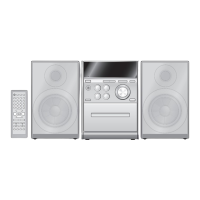
CD Stereo System
Model No. SC-PM23
RQTV0080-1P
As an ENERGY STAR
®
Partner
,
Panasonic has determined that this
product meets the ENERGY STAR
®
guidelines for energy effi ciency.
For Canada only: The word “Participant” is used in place
of the word “Partner”.
Before connecting, operating or adjusting this product, please
read the instructions completely.
Please keep this manual for future reference.
Operations in these instructions are described using remote
control, but you can do the operations with the main unit if the
controls are the same.
Your unit may not look exactly as illustrated.
La guía rápida en español se encuentra en la página 18 - 23.
Table of contents
IMPORTANT SAFETY
INSTRUCTIONS .............................. 3
Listening caution ................................ 3
Getting started .................................... 4
Placement of speakers ....................... 5
Overview of controls .......................... 6
Discs .................................................... 7
Cassette tape ...................................... 9
Radio .................................................... 10
Timer .................................................... 11
Sound adjustment .............................. 13
External unit ........................................ 13
Troubleshooting guide ....................... 14
Specifi cations ..................................... 15
Maintenance ........................................ 15
Limited Warranty
(ONLY FOR U.S.A.) ......................... 16
Limited Warranty
(ONLY FOR CANADA) .................... 17
Product Service .................................. 17
PPC
SUPPLIED ACCESSORIES
Please check and identify the supplied accessories.
Use numbers indicated in parentheses when asking for
replacement parts. (As of December 2005)
In the U.S.A. to order accessories, refer to “Accessory
Purchases” on page 16.
1 x Remote control
(N2QAYB000005)
1 x AM loop antenna
(N1DAAAA00001)
1 x AC power supply cord
(K2CB2CB00018)
1 x FM indoor antenna
(RSA0007-L)
2 x Remote control batteries
Español
Español
Preparativos iniciales ......................... 18
Colocación de los altavoces ............. 18
Controles ............................................. 19
Discos .................................................. 20
Cintas de casete ................................. 21
Radio .................................................... 22
Temporizador ...................................... 23
PM23_P_En_Sp.indd 1PM23_P_En_Sp.indd 1 1/16/06 1:46:24 PM1/16/06 1:46:24 PM

Questions and Answers

  • A
    Amanda MannAug 11, 2025
    What to do if the remote control for my Panasonic RQTV0080-1P Stereo System doesn’t work?
    • A
      Amber BatesAug 12, 2025
      Check that the batteries are inserted correctly. If they are, replace the batteries, as they may be worn.

  • Y
    youngelizabethAug 19, 2025
    What to do if my Panasonic RQTV0080-1P Stereo System has no sound?
    • C
      Cody BurnsAug 19, 2025
      First, ensure the volume is turned up. If there's still no sound, the speaker cords may not be connected properly. Turn off the unit, check and correct the connections. Also, check the speaker connections. If an AC power supply cord or fluorescent light is near the cables, keep other appliances and cords away from the unit's cables.
  • B
    Brian BeasleyAug 26, 2025
    Why is there noise heard from my Panasonic RQTV0080-1P?
    • D
      Dr. Lisa NguyenAug 26, 2025
      Noise might be heard due to several reasons. Try using an outdoor antenna. Also, turn off the TV or separate it from the unit. Ensure you separate the antenna from other cables and cords.
  • M
    Mrs. Allison Flynn MDSep 3, 2025
    Why does the picture on the TV disappear or stripes appear on the screen when using my Panasonic RQTV0080-1P?
    • J
      Jesse WilsonSep 3, 2025
      If you are using an indoor antenna, change to an outdoor antenna. Ensure the TV antenna wire is not too close to the unit. Separate the antenna wire of the TV set from the unit.

Panasonic RQTV0080-1P Specifications

General IconGeneral
ModelRQTV0080-1P
BrandPanasonic
Cassette DeckYes
Radio TunerAM/FM
Supported MediaCassette Tapes

Related product manuals







