EasyManua.ls Logo

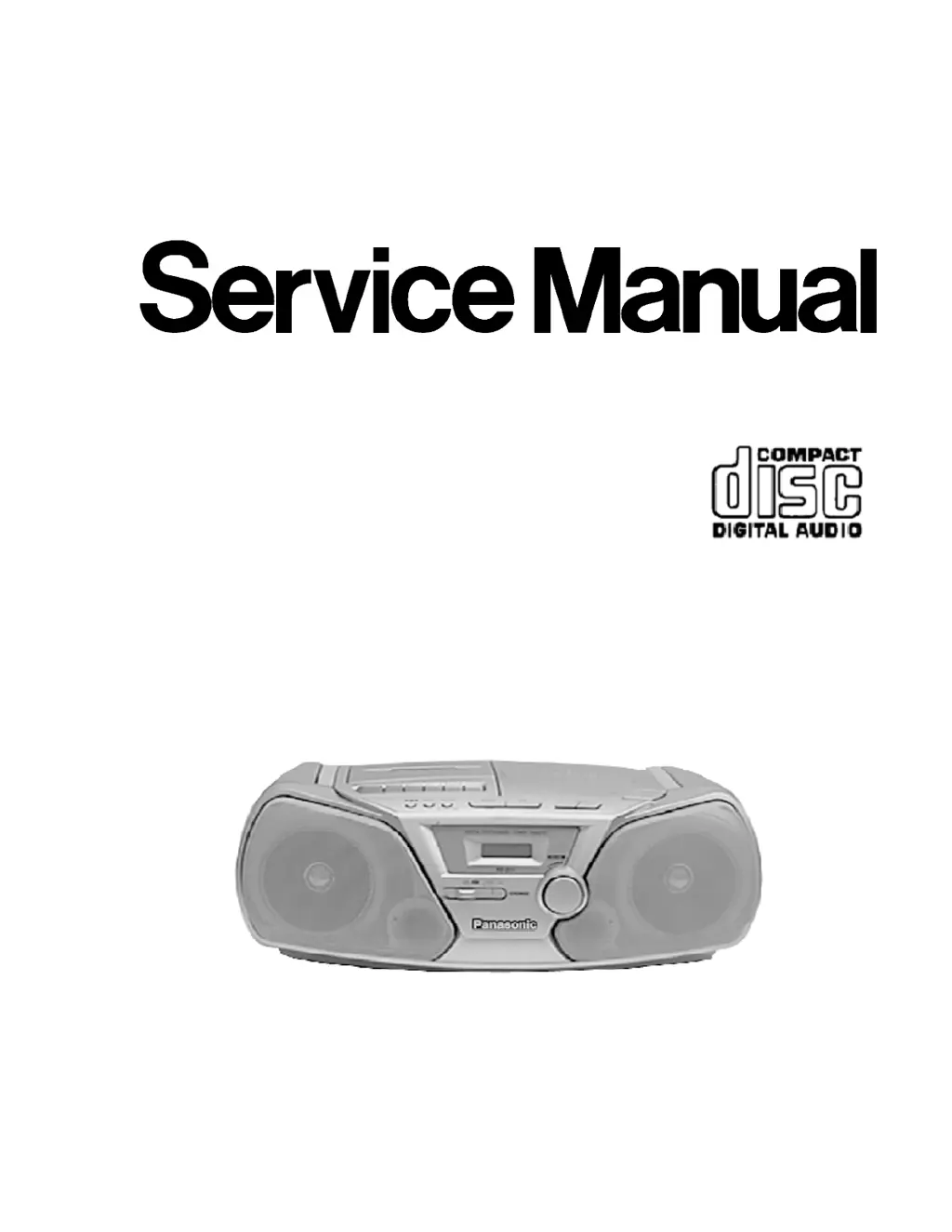
Panasonic RX-D10 - Service Manual

Panasonic RX-D10
76 pages
Print Icon
To Next Page IconTo Next Page
Loading...
Order No. MD0105085C1
A6
Portable Stereo CD System
RX-D10
Color
(A) ... Blue Type
PC ... Canada
Tape Deck: SG20 Mechanism Series
Traverse Deck: RAE0152Z-1C Traverse Deck Series
SPECIFICATIONS
1

Other manuals for Panasonic RX-D10

Questions and Answers

  • Y
    Yesenia FieldsAug 13, 2025
    Why is there noise during AM reception on my Panasonic Stereo System?
    • A
      Adrienne HamiltonAug 14, 2025
      Noise during AM reception can occur if you are using the remote control of another appliance near the unit; try using the remote control at a distance. It can also happen if you are operating the unit and a TV set simultaneously; place the unit further away from the TV or turn off the TV.
  • J
    Julie HuntAug 17, 2025
    How to fix a Panasonic RX-D10 Stereo System when play does not start?
    • H
      Hunter SampsonAug 17, 2025
      If play does not start and there is no display of track numbers, ensure the CD is installed correctly with the label side facing up. Also, if there has been a sudden change in temperature, leave the unit for about an hour before attempting operation again.
  • K
    Kimberly ThomasAug 21, 2025
    What to do if my Panasonic RX-D10 Stereo System CD skips?
    • C
      Charles RamirezAug 21, 2025
      If certain sections of a CD are not played properly, the CD might be dirty. Wipe it with a soft cloth. If the CD is scratched, replace it with a new one.
  • A
    Anna MartinAug 25, 2025
    What to do if Panasonic RX-D10 tape is not ejected?
    • S
      Sean JohnsonAug 26, 2025
      If the tape is not ejecting, it may be due to flat batteries. Replace them with new ones, or use a household mains socket as the power source, and then press [L/c STOP/EJECT] after pressing [- PLAY].
  • C
    cnixonAug 28, 2025
    How to improve Panasonic RX-D10 Stereo System radio reception?
    • A
      Amy AveryAug 28, 2025
      If you are experiencing a high level of noise and stations cannot be tuned in well, try changing the direction of the antenna.
  • B
    Bradley Wilson DVMSep 1, 2025
    Why Panasonic RX-D10 Stereo System showing 'E'?
    • J
      Judith CastilloSep 2, 2025
      If “E” appears on the display, it indicates that an incorrect operation has been performed. Operate the unit correctly by following the operating instructions.
  • J
    Jesus MccallSep 5, 2025
    Why Panasonic Stereo System has no operation when using batteries?
    • D
      Daniel RileySep 5, 2025
      If there is no operation when the unit is powered by batteries, ensure the AC mains lead is disconnected from the unit. Check if the batteries are flat and replace them if needed. Also, verify that the batteries have been installed correctly with the proper (+) and (–) polarities.
  • C
    Charles WilliamsSep 9, 2025
    Why is my Panasonic RX-D10 not recording?
    • B
      Billy IngramSep 9, 2025
      If your device is not recording, check if the tape’s accidental erasure-prevention tabs have been broken off. If they have, cover the holes with adhesive tape.

Summary

Service Manual

Product Specifications

Details of the Portable Stereo CD System's technical specifications.

Pre-Repair and Safety Information

Repair and Adjustment Precautions

Safety guidelines for repair technicians, including capacitor discharge.

Protection Circuitry and Error Indicators

Explains protection circuit functions and error conditions.

Accessories and Battery Life

Lists included accessories and provides battery service life estimates.

Traverse Deck Handling Precautions

ESD safety measures for servicing the optical pickup traverse deck.

Laser Diode Safety Precautions

Critical safety instructions for handling the Class 1 laser diode.

Controls and Operation

Location of Controls

Identifies all buttons, switches, and display elements on the main unit.

System Functions and Diagnostics

Self-Diagnostic Functions

Guide to accessing and interpreting the unit's self-diagnostic modes.

Disassembly and Component Replacement

Disassembly Procedures

Step-by-step instructions for disassembling the unit's major PCBs.

Component Replacement Procedures

Detailed steps for replacing key components like the traverse deck.

Technical Diagrams and Guides

Schematic Diagram Notes

Information regarding schematic diagram revisions and general notes.

Troubleshooting Guide

Systematic diagnostic procedures for identifying and resolving unit faults.

Measurements and Adjustments

Tuner and Tape Section Adjustments

Procedures for aligning RF, head azimuth, and tape speed.

CD Section Alignment Notes

Clarification that CD section alignment is not necessary for this model.

Component Identification

Component Illustrations and Pin Functions

Visual identification of components and detailed IC terminal functions.

Parts Lists

Comprehensive lists of parts for various sections and accessories.

Packing Materials and Accessories

Packing Materials List

Details the materials used for protecting and packing the product.

Schematic Diagrams

CD Servo Circuit Diagram

Detailed schematic for the CD servo control system.

Main (Tuner) Circuit Diagram

Schematic for the main unit, including tuner and related ICs.

Main Circuit, Power, and Battery Schematics

Schematics for the main control, power supply, and battery circuits.

Panasonic RX-D10 Specifications

General IconGeneral
CD PlayerYes
Radio TunerYes
BluetoothNo
USB PortNo
Tuner BandsFM/AM
Tape DeckYes
Speakers2 x Full Range
OutputsHeadphone

Related product manuals