EasyManua.ls Logo

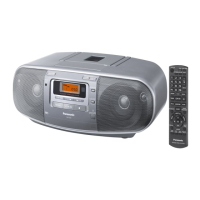
Panasonic RX-D55EG - User Manual

Panasonic RX-D55EG
28 pages
Print Icon
To Next Page IconTo Next Page
Loading...
RQTX1041-2Z
EG
Operating Instructions
Instrucciones de funcionamiento
Instrukcja obsługi
Návod k obsluze
Portable Stereo CD System
Sistema estéreo portátil con
reproductor de discos compactos
Przenośny Zestaw Stereo CD
Přenosný stereo CD systém
Model No. RX-D55
RX-D50
Operations in these instructions are described mainly using the remote control, but you can perform the operations on the main unit if the controls
are the same.
Your unit may not look exactly the same as illustrated.
Las operaciones de estas instrucciones se describen principalmente usando el mando a distancia, pero puede realizar las mismas operaciones en la
unidad principal.
Es posible que su unidad no se parezca exactamente a la que se muestra.
W niniejszej instrukcji opisano przede wszystkim sposoby wykonywania operacji przy użyciu pilota, można je jednak wykonywać także na
urządzeniu głównym, jeśli są na nim dostępne identyczne elementy sterujące.
Urządzenie może się nieznacznie różnić od przedstawionego na ilustracji.
Činnosti v těchto pokynech jsou popsány většinou pro poití dálkového ovlání, ale můžete je provádět i na hlavní jednotce, pokud jsou ovda
prvky totožné.
Vzhled výrobku nemusí přesně odpovídat uvedeným obrázkům.
Dear Customer
Thank you for purchasing this product.
For optimum performance and safety, please read these instructions thoroughly before connecting,
operating or adjusting this product.
Please keep this manual for future reference.
Unless otherwise indicated, illustrations in these operating instructions are of RX-D55.
Estimado Cliente
Muchísimas gracias por haber adquirido este aparato.
Para un funcionamiento y seguridad óptimos, lea con atención estas instrucciones antes de conectar,
utilizar o confi gurar este producto.
Guarde este manual para su consulta en el futuro.
Si no se indica lo contrario, las imágenes de estas instrucciones de funcionamiento son de RX-D55.
Drogi Kliencie
Dziękujemy Ci za zakupienie tego produktu.
W celu zapewnienia optymalnej jakości odbioru i bezpieczeństwa, przed podłączeniem,
uruchomieniem lub zmianą ustawień urządzenia należy dokładnie zapoznać się z niniejszą instrukcją
obsługi.
Prosimy o zachowanie niniejszej instrukcji obsługi.
Niniejsza instrukcja została opracowana na podstawie oryginalnej publikacji rmy Panasonic
Corporation.
Chyba, że jak to wskazano, ilustracje w niniejszej instrukcji obsługi odnoszą się do RX-D55.
Vážený Zákazníku
Děkujeme za zakoupení tohoto výrobku.
Pro optimální využití a bezpečnost si přečtěte pečlivě tento návod před připojováním, používáním
nebo nastavováním tohoto produktu.
Uschovejte si prosím tento návod k obsluze.
Pokud není uvedeno jinak, týkají se obrázky v tomto návodu modelu RX-D55.
RQTX1041-2Z_1gb.indd 1RQTX1041-2Z_1gb.indd 1 4/8/2010 2:23:09 PM4/8/2010 2:23:09 PM

Questions and Answers

  • M
    Matthew WadeAug 21, 2025
    How to fix Panasonic Stereo System remote control not working?
    • S
      Stephanie MonroeAug 21, 2025
      If the remote control buttons on your Panasonic Stereo System are not responding, make sure the batteries are installed correctly. If they are, try replacing the batteries, as they may be worn out.
  • J
    Jasmine MorrisSep 3, 2025
    What to do if cassette won't eject from my Panasonic Stereo System?
    • D
      Dawn GuerreroSep 3, 2025
      If the cassette cannot be ejected or the deck cannot be closed when loading a cassette on your Panasonic Stereo System, it could be due to flat batteries. Replace the batteries or connect to household AC power. Alternatively, press [4, PLAY] then [8/x, STOP/EJECT].
  • A
    ashleymooneySep 1, 2025
    What does 'UO1' mean on my Panasonic Stereo System and how to fix it?
    • E
      Ernest TrujilloSep 1, 2025
      If your Panasonic Stereo System displays 'UO1', try replacing the batteries or using household AC power.
  • C
    Christina RodriguezAug 30, 2025
    Why is my Panasonic Stereo System making a humming sound?
    • C
      Christopher TuckerAug 30, 2025
      If you hear a 'humming' sound during play on your Panasonic Stereo System, it could be due to an AC mains lead or fluorescent light being too close to the unit. Try to keep other appliances and cords away from the unit.
  • S
    snewmanAug 29, 2025
    What to do if my Panasonic Stereo System has incorrect display or won't start playing?
    • D
      dkellyAug 29, 2025
      If you are experiencing issues with your Panasonic Stereo System not playing or displaying correctly, first ensure the disc is inserted correctly. If the problem persists, the disc may be dirty; try wiping it clean. It could also be scratched, warped, or non-standard, in which case you should replace it. Finally, if condensation has formed, wait 1 to 2 hours for it to evaporate.
  • C
    catherinehallAug 27, 2025
    What to do if my Panasonic Stereo System displays 'F76'?
    • K
      kmoranAug 27, 2025
      If your Panasonic Stereo System is displaying 'F76', this indicates a power supply problem. It is recommended to consult with your dealer for assistance.
  • K
    kthomasAug 26, 2025
    How to stop beat sound from Panasonic CD Player?
    • T
      tmillerAug 27, 2025
      To stop a beat sound from your Panasonic CD Player, turn the television off or move it away from the unit.
  • M
    Melissa FoxAug 25, 2025
    Why is my Panasonic CD Player USB device operating slowly?
    • G
      Gregory WilsonAug 25, 2025
      If your Panasonic CD Player's USB device is operating slowly, it may be because a large file size or high memory USB flash drive takes longer time to read. Press [MUSIC PORT].
  • K
    Kelly PerezAug 22, 2025
    What to do if my Panasonic CD Player USB drive or its contents cannot be read?
    • S
      santosgaryAug 22, 2025
      If your Panasonic CD Player displays “NO PLAY” and cannot read the USB drive, it could be due to the USB drive format or its contents being incompatible with the system. Try unplugging the USB device and re-inserting it. Also, the USB host function of this product may not work with some USB devices, or USB devices with a storage capacity of more than 8 gigabytes may not work in some instances.

Panasonic RX-D55EG Specifications

General IconGeneral
TypePortable Stereo System
Power Output20 W
CD PlayerYes
Radio TunerFM/AM
BluetoothYes
USB PlaybackYes
DisplayLED
Cassette DeckNo
AUX InputYes
Headphone JackYes
Playable MediaCD, CD-R
Power SourceAC / Battery
Speaker Type2-way speakers

Related product manuals