EasyManua.ls Logo

Panasonic RX-E300 - Page 11

Panasonic RX-E300
36 pages
Print Icon
To Next Page IconTo Next Page
To Previous Page IconTo Previous Page
Loading...
C
POWER
)
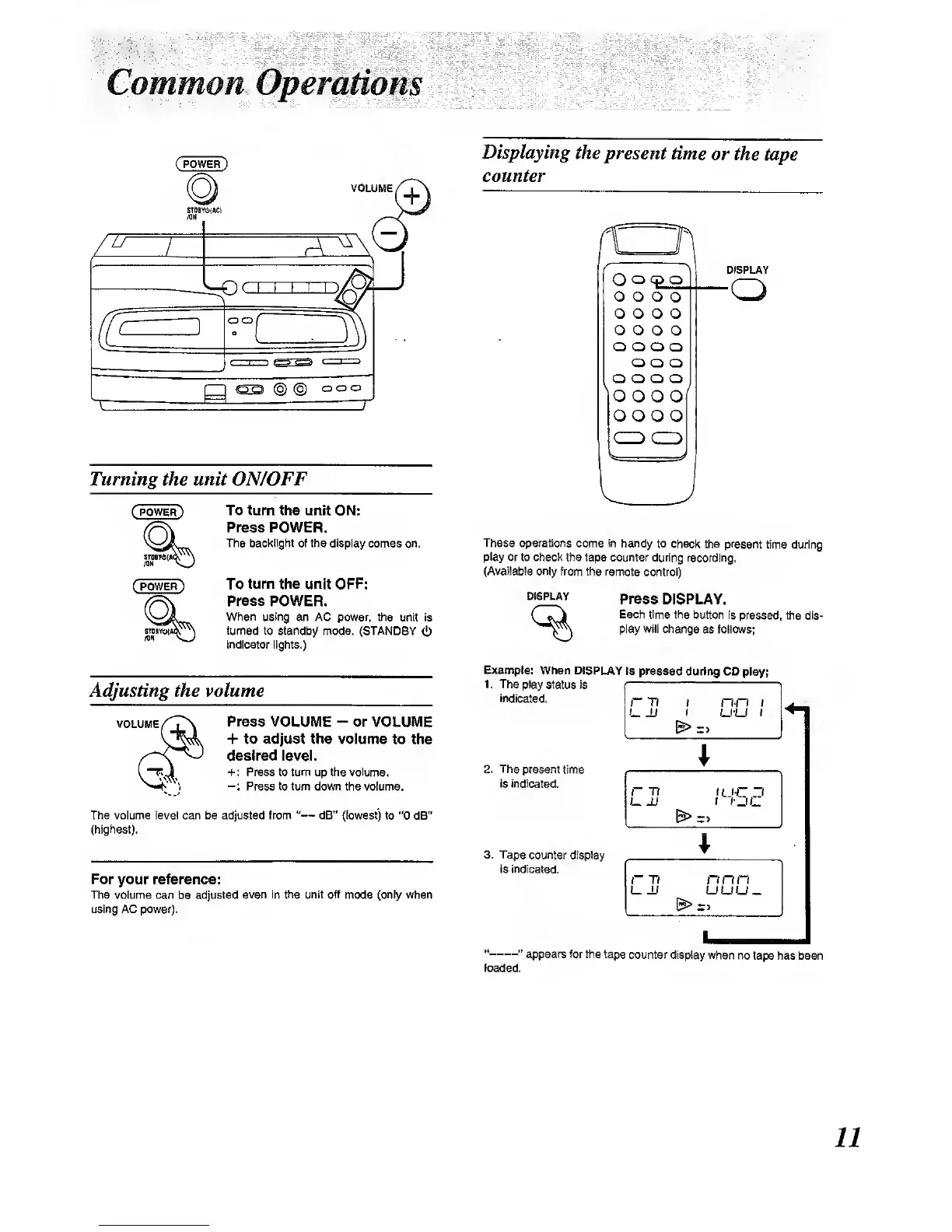
Turning
the unit
ON/OFF
To turn the unit ON:
Prees POWER.
The backlight of
the display comes on.
To
turn
the unit OPF:
Press POWER.
When using an AC power,
the unit is
turned
to standby mode. (STANDBY
<b
indicator lights.)
Adjusting the volume
VOLUME
Press VOLUME
-
or VOLUME
+ to adjust the volume
to the
desired level.
+: Press to turn up the vdume,
-:
Press
to
turn down the volume.
The volume level can be adjusted frem
"
dB" (lowest) to
"0
dB"
(highest).
For your reference:
The volume can
be
adjusted
even in the unit off
mode
(twily
when
using AC power).
Displaying
the present
time
or the
tape
counter
Oo
o o
o o
o o
o o
o
oo
oo
oo
O
O
o o
o o
o o
o o
o o
o o
oo
DISPLAY
These operations
come in handy
to check the present
time during
play or to check
the tape counter during
recording.
(Available only
from the remote
controO
DISPLAY
Press
DISPLAY.
Each
time the button is
pressed, the dis-
play will change
as follows;
Example:
When DISPLAY
ia pressed
during CD
play;
1. The play
status Is
indicated.
2. The
present
time
Is indicated.
3.
Tape
counter display
IS indicated.
r*T7 1
(
&>
n-n t
u-u
t
r Ti
L _U
tU-C
3
t
I'DC
r
TI
L
±1
nnn
UUU-
"
"
appears for
the tape
counter display when
no
tape has been
loaded.
11

Other manuals for Panasonic RX-E300

Related product manuals