EasyManua.ls Logo

Panasonic RX-E300 - Page 13

Panasonic RX-E300
36 pages
Print Icon
To Next Page IconTo Next Page
To Previous Page IconTo Previous Page
Loading...
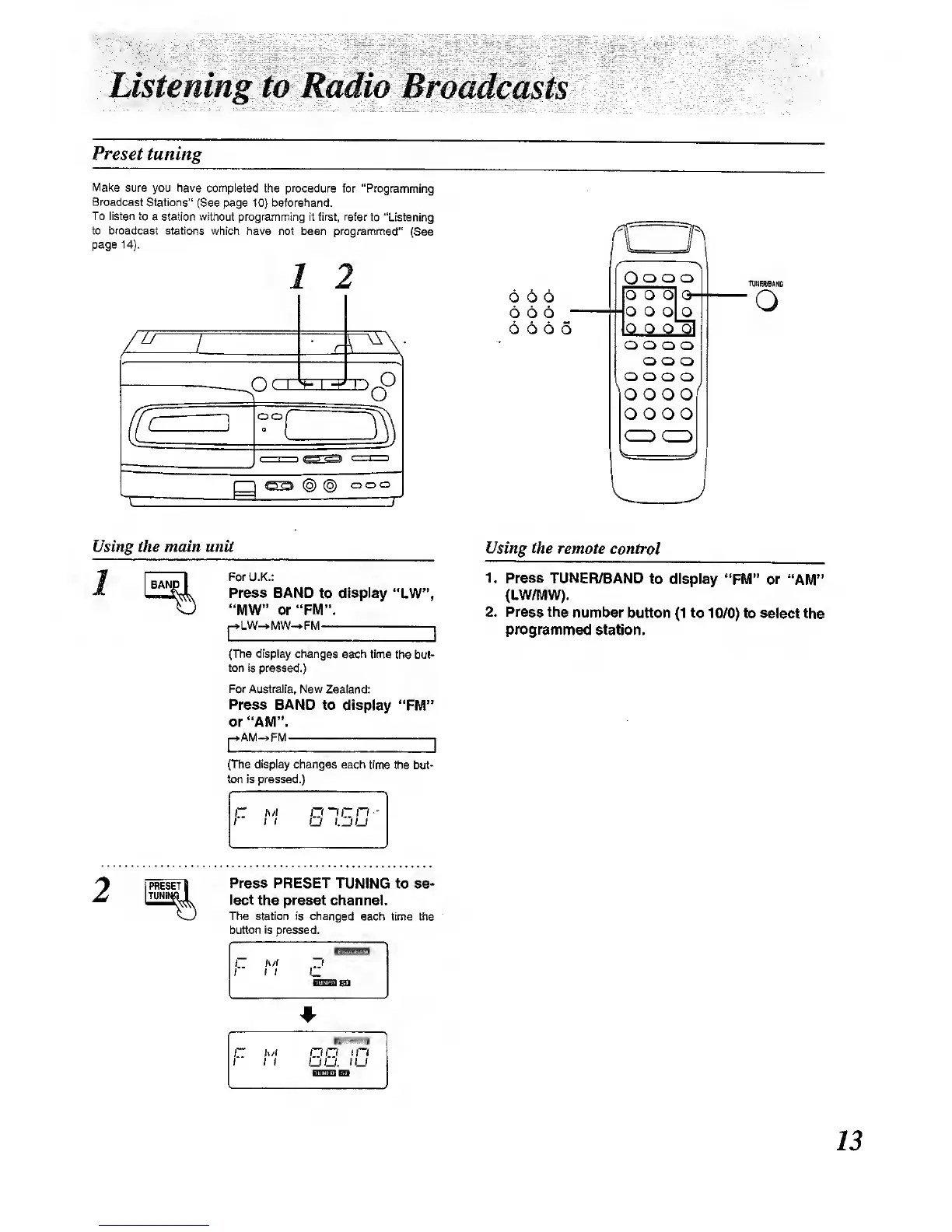
Listening to
Radio
Broadcasts
Preset
tuning
Make
sure you have completed
the
procedure
for
"Programming
Broadcast
Stations"
(See page
10}
beforehand.
To listen to
a station without programming it first, refer
to "Listening
to broadcast stations which have not
been pnagrammed"
(See
page
14).
/ 2
77
oo
(§)
(§)
ooo
T
TUNERfBAND
Using the main unit
1
For U.K.:
Prass BAND
to display "LW",
"MW" or"FM".
|-^LW^MW~>FM
I
{The display
changes
each time the
but-
ton is pressed.)
For Australia, New
Zealand:
Press
BAND to display
"FM"
or
"AM".
AM-*FM 1
Using the remote
control
1. Press TUNER/BAND
to display
"FM" or
*'AM"
(LW/MW).
2. Press
the number
button
(1
to
10/0) to select
the
programmed
station.
(The display changes each time
the but-
ton is pressed.)
Press PRESET TUNING
to so-
lect
the
preset
channel.
The station is changed
each time ttie
button Is pressed.
1
1
h/l
1 1
~1
OBan
1~
It
/I
t I
OQ
in
UO.
iU

Other manuals for Panasonic RX-E300

Related product manuals