Mstemag
to Radio Broadcasts
Listening to broadcast
stations
which
have not
been programmed
(Manual tuning)
1 2
1
rA
r\ /—I—
r
1
—
»
I
1 1 1
1 1 J
oo
CSS
@
(5)
ooo
BAI
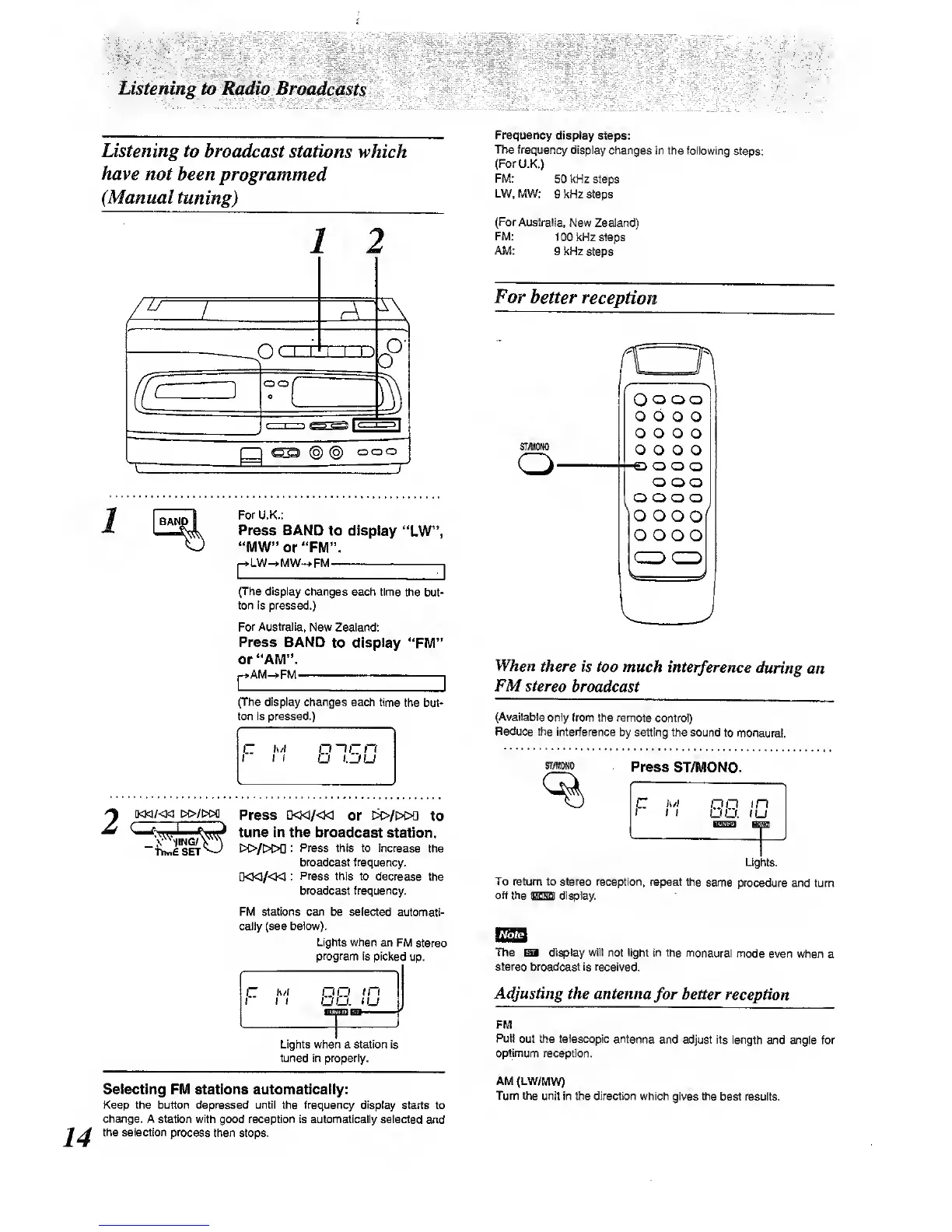
For
U.K.:
Press BAND
to display
"LW",
"MW'or "FM".
pLW->MW-^FM
—
I
(The display changes
each time
the but-
ton is pressed.)
For
Australia, New
Zealand:
Press BAND
to display
"FM"
or "AM".
AM->FM
,
r
(The display changes
each time
the but-
ton is pressed.)
[KM/<M
tH>/l>M)
-hin£SET
Press
D<M/<K]
or
E>>/i>i>D
to
tune in the broadcast
station.
I>C>/[>C>0
: Press this to increase
the
broadcast frequency.
D<]<1/«1
:
Press
this to decrease
the
broadcast
frequency.
stations can be selected
automati-
cally (see below).
Lights w^en
an FM
stereo
program
Is picked
up.
\~
tut
i t
1
no
uu.
in
JU
Ughts when a station Is
tuned in properly.
Selecting
FM stations automatically:
Keep the button depressed until the frequency display
starts to
change. A station with
good reception Is automatlcatly selected
and
the selection process
then stops.
Frequency
display steps:
The frequency
display
changes in the following
steps:
(For U.K.)
FM:
50 kHz steps
LW.MW:
g kHz steps
(For
Australia,
New Zealand)
FM:
100
kHz steps
AM:
g kHz
st^s
For
better
reception
STAHM
Oo
o
o
o o
o
o
€i
O
o
o o
o o
oo
o o
o o
o
o
o o
o
o
o o
o o
o o
oo
When
there is too
much
interference during
an
FMstereo
broadcast
(Available
only from the remote
control)
Reduce
the interference by
setting the sound
to monaural.
SIWONO
Press
ST/MONO.
F
h/i
no
in
I I
OO. iU
Ughts.
To return to stereo reception,
repeat the
same procedure
^d turn
oft the
SSSa
display.
The display will
not
light
in the monaural
mode
even when
a
stereo broadcast is received.
Adjusting the antenna
for
better
reception
FM
Pull
out the
telescopic
antenna
and adjust its lengtii
and angle for
optimum
reception.
AM<LW/MW)
Turn the unit
in the direction which gives the
best results.



 To Next Page