EasyManua.ls Logo

Panasonic RX-E300 - Page 15

Panasonic RX-E300
36 pages
Print Icon
To Next Page IconTo Next Page
To Previous Page IconTo Previous Page
Loading...
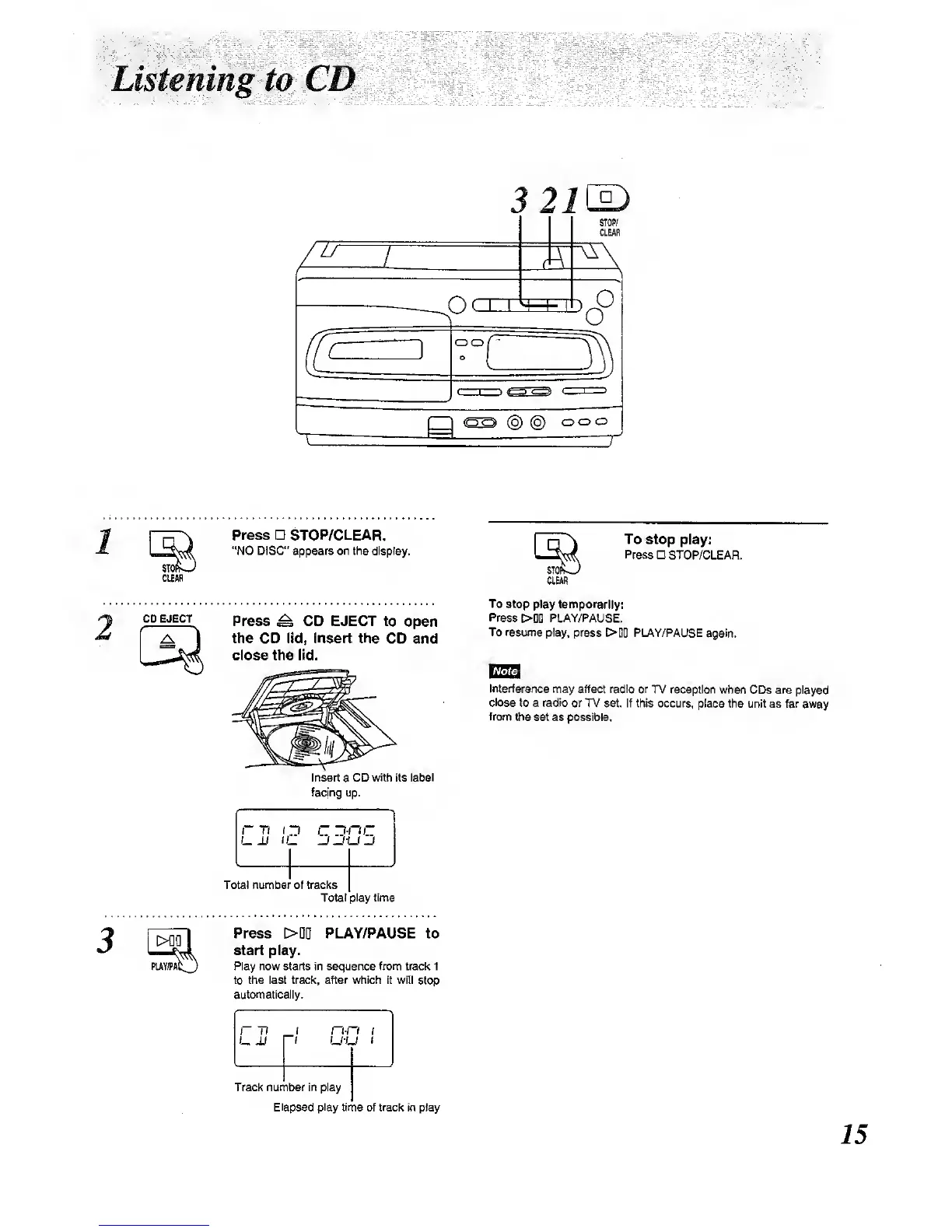
Listening to CD
3
21\^
STOP/
CLEAR
/"
1
M
r\ rn
H
L i_ 1 J
^
o
-
( 1
1
:r—J
)! < 1
1
@
@
oo
o
1
^
1
(UAH
2
CD EJECT
PUYJPA
Press STOP/CLEAR.
"NO DISC" appears on the
display.
Press
^
CD
EJECT
to open
the CD lid, Insert the
CD and
close the lid.
Insert
a
CD with its label
facing up.
Total number of tracks
Total play time
Press
>D0
PLAY/PAUSE to
start play.
Play now starts In sequence from track 1
to the last trade, after whteh It will
stop
automatically.
r-n
I
n-n i
UM n U-U
i
To
stop play:
Press STOP/CLEAR.
CLEM
To
stop play temporarily:
Press
>DD
PLAY/PAUSE.
To resume
play, press
>DD
PLAY/PAUSE
again.
Interference
may affect radio or
TV reception
when CDs are played
close to a radio or TV
set. if this occurs,
place the unit as far away
from
the set as possible.
Track number in play
Elapsed play
time of track in piay

Other manuals for Panasonic RX-E300

Related product manuals