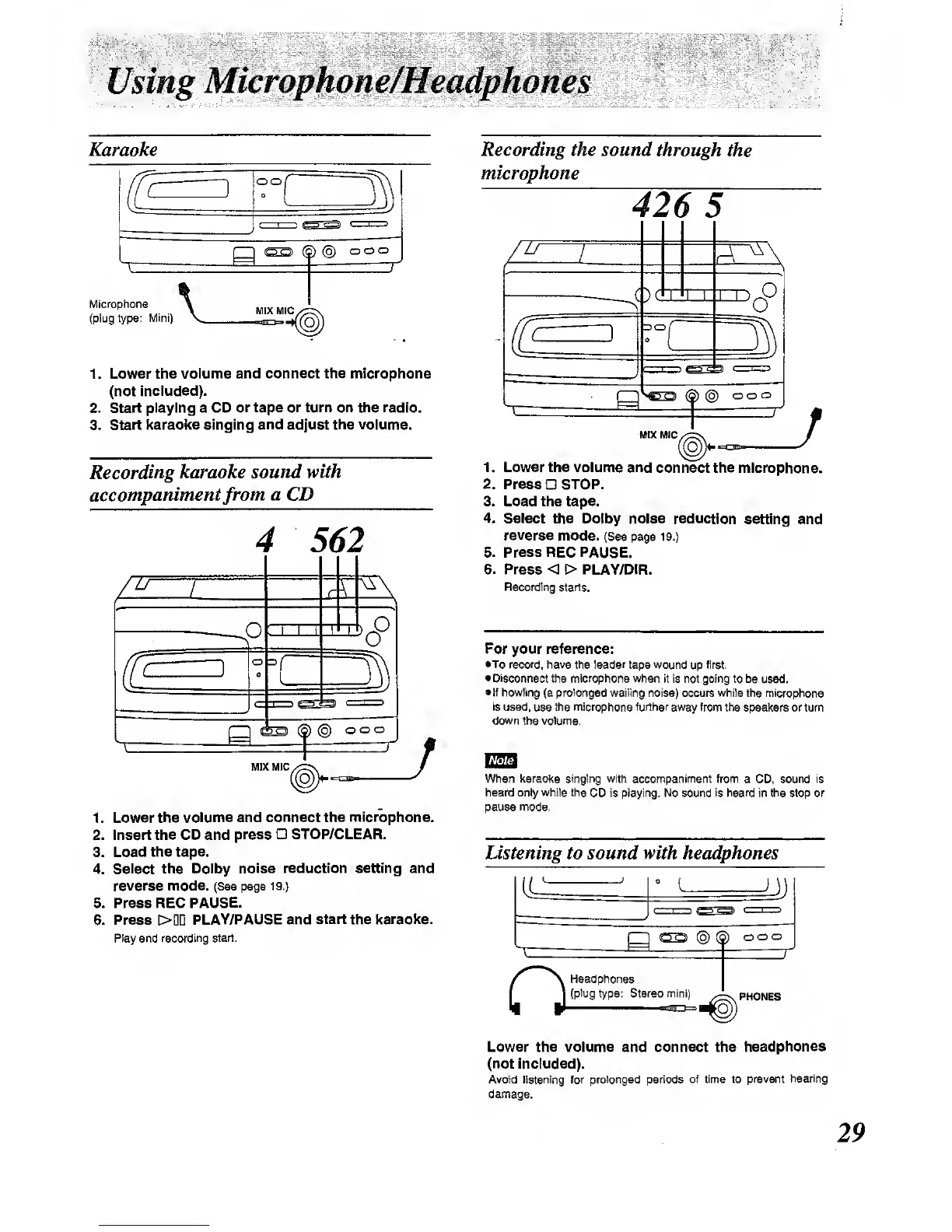
Karaoke
oo
g)
Co)
ooo
Microphone
(plug type:
Mini)
MIX
MIC
1 . Lower the
volume and connect the microphone
(not
included).
2. Start playing a CD
or tape or turn on the radio.
3.
Start Icaraolce elnglng
and
adjust
the volume.
Recording karaoke
sound with
accompaniment
from
a CD
4 562
77
O
B0°
MIX
MIC
I
(o)
ooo
1 . Lower the
volume and
connect
the
microphone.
2. Insert the CD and
press STOP/CLEAR.
3.
Load the tape.
4.
Select the Dolby
noise reduction setting and
reverse mode. (See page 19.)
5. Press REC
PAUSE.
6. Press
[>DD
PLAY/PAUSE and
start
the
karaolce.
Play and
recording start.
Recording the sound through
the
microphone
17
Octdi
DO
^"^Si
(5)
@
ooo
MIX MIC
J
J
1
.
Lower the volume
and
connect the microphone.
2. Press STOP.
3. Load the tape.
4. Select
the
Dolby noise
reduction
setting and
reverse
mode. (See page i9.}
5. Press REC PAUSE.
6. Press < > PLAY/DiR.
Recording starts.
For your reference:
•To record, have
the
leader
tape wound
up
first.
•Disconnect
the microphone when it is not going to
be used.
•If howling
(a
prolonged
wailing noise) occurs while the microphone
is used,
use Uie
microphone further
away from the speakers or turn
down
the volume.
When karaoke singing with accompaniment from
a CD.
sound is
heard only while the
CD is playing. No sound
is heard
in the stop or
pEUJse mode.
Listening to sound with headphones
J)
CSD
(§)
(S)
ooo
O
Headphones
(plug
type: Stereo mini)
PHONES
Lower the volume and connect the
headphones
(not included).
Avoid listening for prolonged periods
of time to
prevent hearing
damage.



 To Next Page