EasyManua.ls Logo

Panasonic RX-ES30 - Page 16

Panasonic RX-ES30
54 pages
Print Icon
To Next Page IconTo Next Page
To Previous Page IconTo Previous Page
Loading...
RQT4760
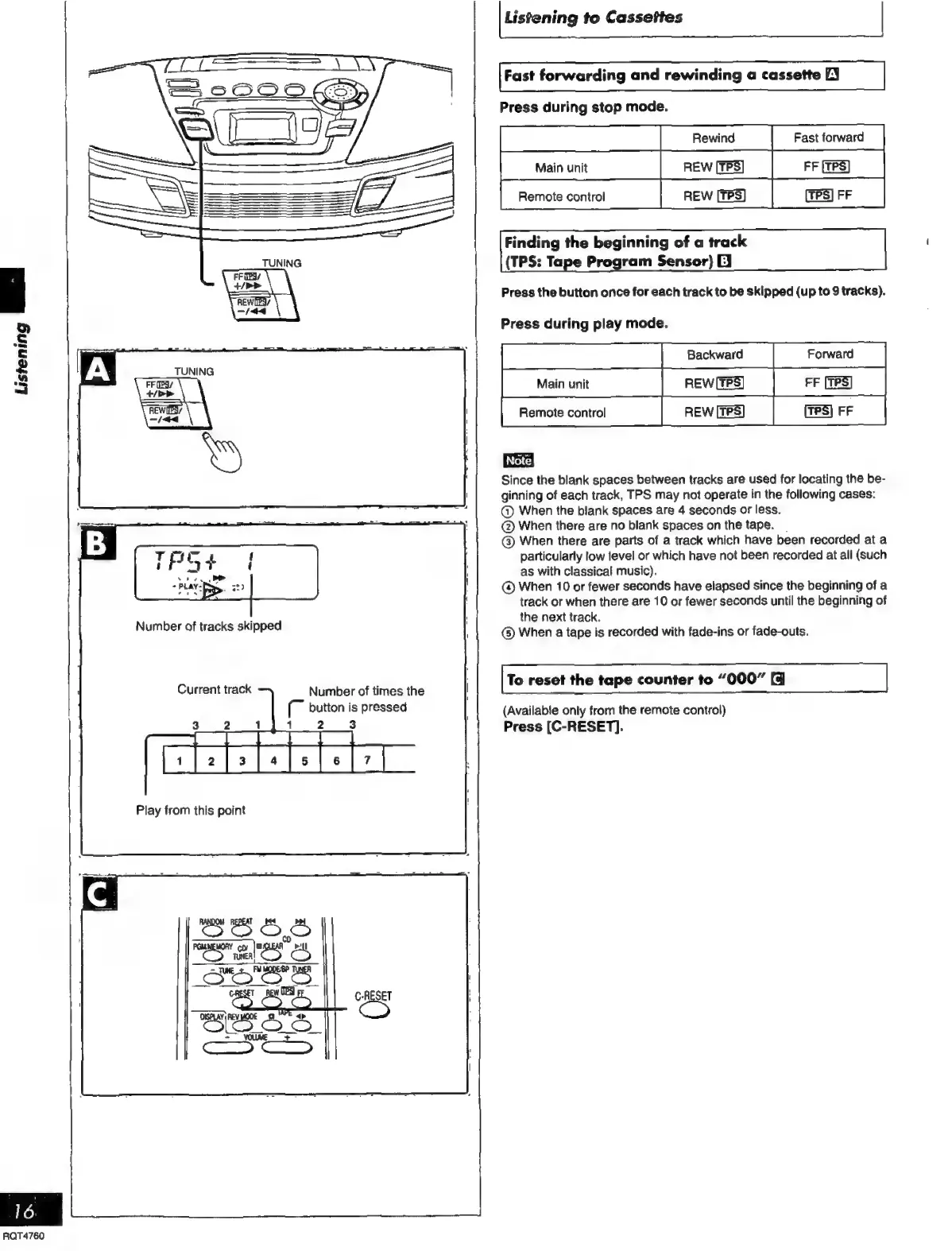
Number
of
tracks
skipped
Current
track
Number
of
times
the
(button
is
pressed
C-RESET
Listening
to
Cassettes
Fast
forwarding
and
rewinding
a
cassette
EJ
Press
during
stop
mode.
Finding
the
beginning
of
a
track
(TPS:
Tape
Program
Sensor)
O
Press
the
button
once
for
each
track
to
be
skipped
(up
to
9
tracks).
Press
during
play
mode.
Remote
control
Since
the
blank
spaces
between
tracks
are
used
for
locating
the
be-
ginning
of
each
track,
TPS
may
not
operate
in
the
following
cases:
@
When
the
blank
spaces
are
4
seconds
or
less.
©
When
there
are
no
blank
Spaces
on
the
tape.
_
®©
When
there
are
parts
of
a
track
which
have been
recorded
at
a
particularly
tow
level
or
which
have
not
been
recorded
at
all
(such
as
with
classical
music).
@
When
10
or
fewer
seconds
have
elapsed
since
the
beginning
of
a
track
or
when
there
are
10
or
fewer
seconds
until
the
beginning
of
the
next
track.
®©
When
a
tape
is
recorded
with
fade-ins
or
fade-outs.
To
reset
the
tape
counter
to
“000”
[A
(Available
only
from
the
remote
control)
Press
[C-RESET].

Related product manuals