EasyManua.ls Logo

Panasonic RX-ES30 - Recording Operations; Tape Compatibility and Preparation

Panasonic RX-ES30
54 pages
Print Icon
To Next Page IconTo Next Page
To Previous Page IconTo Previous Page
Loading...
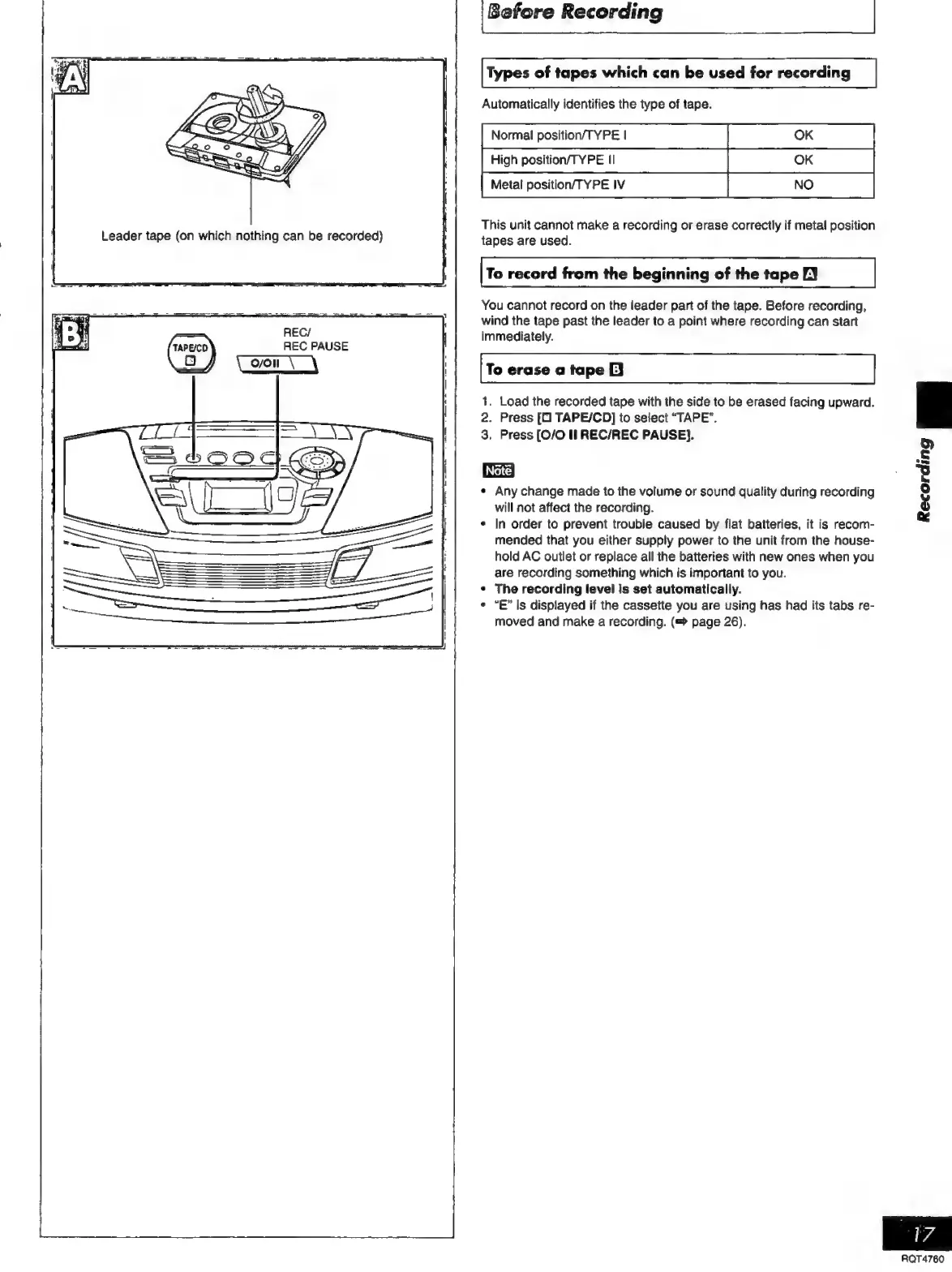
REC
PAUSE
Before
Recording
Types
of
tapes
which
can
be
used
for
recording
Automatically
identifies
the
type
of
tape.
Normal
position/TYPE
|
High
position/TYPE
II
Metal
position/TYPE
IV
This
unit
cannot
make
a
recording
or
erase
correctly
if
metal
position
tapes
are
used.
To
record
from
the
beginning
of
the
tape
EY
You
cannot
record
on
the
leader
part
of
the
tape.
Before
recording,
wind
the
tape
past
the
leader
to
a
point
where
recording
can
start
immediately.
To
erase
a
tape
E]
1.
Load
the
recorded
tape
with
the
side
to
be
erased
facing
upward.
2.
Press
[O
TAPE/CD]
to
select
“TAPE”.
3,
Press
[0/0
II
REC/REC
PAUSE}.
Any
change
made
to
the
volume
or
sound
quality
during
recording
will
not
affect
the
recording.
In
order
to
prevent
trouble
caused
by
flat
batteries,
it
is
recom-
mended
that
you
either
supply
power
to
the
unit
from
the
house-
hold
AC
outlet
or
replace
all
the
batteries
with
new
ones
when
you
are
recording
something
which
is
important
to
you.
The
recording
level
is
set
automatically.
“E”
Is
displayed
if
the
cassette
you
are
using
has had
its
tabs
re-
moved
and
make
a
recording.
page
26).
Recording
RQT4760

Related product manuals