EasyManua.ls Logo

Panasonic RX-ES30 - Recording Radio Programs

Panasonic RX-ES30
54 pages
Print Icon
To Next Page IconTo Next Page
To Previous Page IconTo Previous Page
Loading...
Recording
es
RQT4760
FM
MODE/BP
|Recording
Radio
Programs
|
i
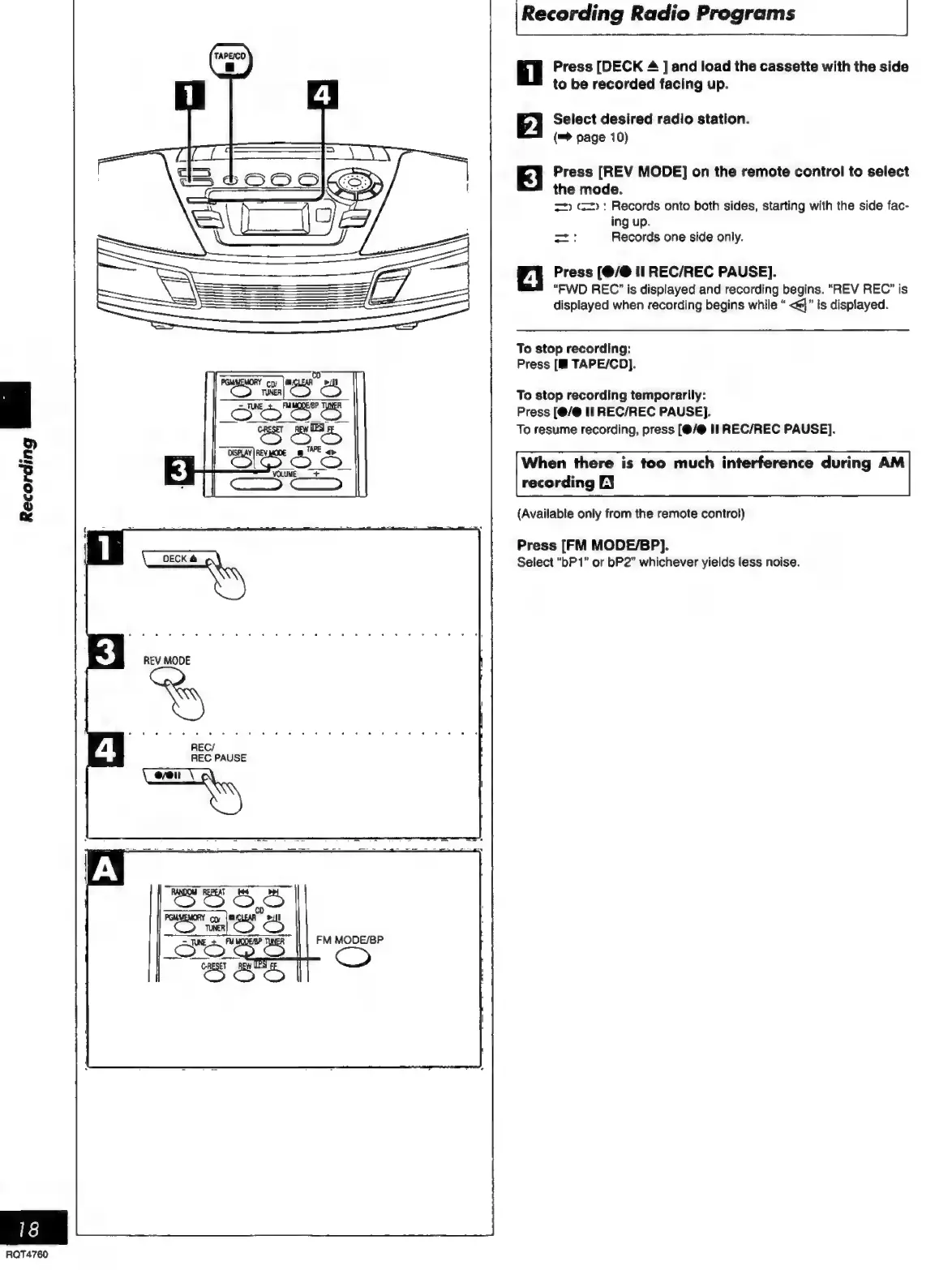
Press
[DECK
4
]
and
load
the
cassette
with
the
side
to
be
recorded
facing
up.
2
Select
desired
radio
station.
(=>
page
10)
3
Press
[REV
MODE]
on
the
remote
control
to
select
the
mode.
=)
(==):
Records
onto
both
sides,
starting
with
the
side
fac-
ing
up.
zo:
Records
one
side
only.
4
Press
(@/@
il
REC/REC
PAUSE].
“FWD
REC’
is
displayed
and
recording
begins.
“REV
REC”
is
displayed
when
recording
begins
while
<@}”
is
displayed.
To
stop
recording:
Press
[M
TAPE/CO].
To
stop
recording
temporarily:
Press
[@/@
II
REC/REC
PAUSE].
To
resume
recording,
press
[(@/@
II
REC/REC
PAUSE].
When
there
is
too
much
interference
during
AM
recording
EY
(Available
only
from
the
remote
control)
Press
[FM
MODE/BP).
Select
“bP
1”
or
bP2”
whichever
yields
less
noise.

Related product manuals