EasyManua.ls Logo

Panasonic RX-ES30 - Recording Audio from CDs

Panasonic RX-ES30
54 pages
Print Icon
To Next Page IconTo Next Page
To Previous Page IconTo Previous Page
Loading...
Go
Oe.
SV
CSS
a
WE
ap
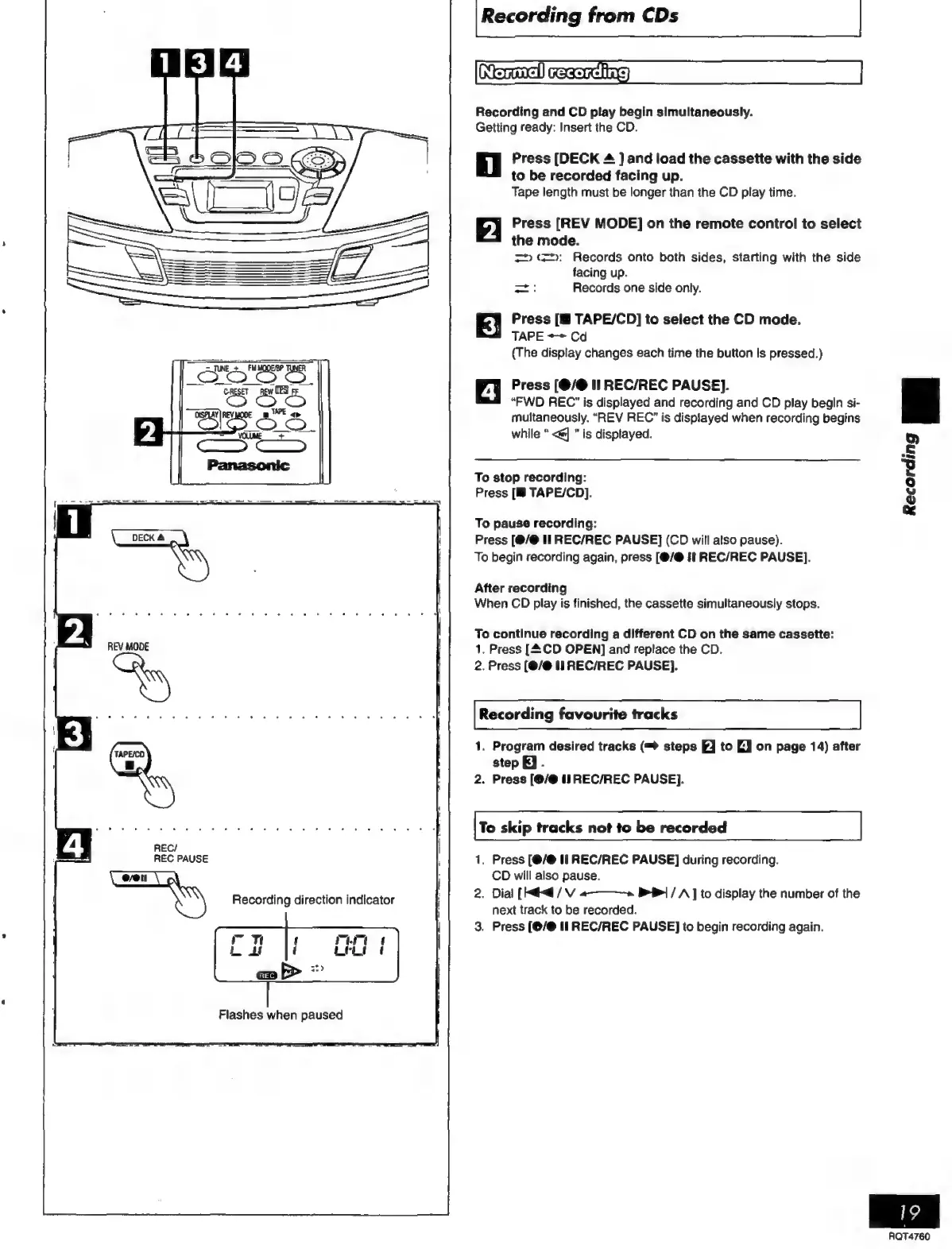
[Recording
from
CDs
|
Normallrecording
Recording
and
CD
play
begin
simultaneously.
Getting
ready:
Insert
the
CD.
i
Press
[DECK
4
]
and
load
the
cassette
with
the
side
to
be
recorded
facing
up.
Tape
length
must
be
longer
than
the
CD
play
time.
pJ
Press
[REV
MODE]
on
the
remote
control
to
select
the
mode.
=
(=:
Records
onto
both
sides,
starting
with
the
side
facing
up.
=i
Records
one
side
only.
Press
TAPE/CD]
to
select
the
CD
mode.
TAPE
=>
Cd
(The
display
changes
each
time
the
button
Is
pressed.)
a
Press
(@/@
II
REC/REC
PAUSE].
“FWD
REC’
is
displayed
and
recording
and
CD
play
begin
si-
multaneously.
“REV
REC”
is
displayed
when
recording
begins
while
<@]
is
displayed.
To
stop
recording:
Press
[B
TAPE/CD].
To
pause
recording:
Press
[@/@
II
REC/REC
PAUSE]
(CD
will
also
pause).
To
begin
recording
again,
press
[(@/@
ft
REC/REC
PAUSE].
After
recording
When
CD
play
is
finished,
the
cassette
simultaneously
stops.
To
continue
recording
a
different
CD
on
the
same
cassette:
1.
Press
[CD
OPEN]
and
replace
the
CD.
2.
Press
(@/@
II
REC/REC
PAUSE].
Recording
favourite
tracks
1.
Program
desired
tracks
(™
steps
FJ
to
EJ
on
page
14)
after
step
EJ.
2.
Press
[0/@
il
REC/REC
PAUSE].
To
skip
tracks
not
to
be
recorded
1.
Press
[8/0
II
REC/REC
PAUSE]
during
recording.
CD
will
also
pause.
.
Dial
[ed
/
V
a
BB]
/
A
]
to
display
the
number
of
the
next
track
to
be
recorded.
.
Press
(@/@
IT
REC/REC
PAUSE]
to
begin
recording
again.
nN
wo
Recording
P|
RQT4760

Related product manuals