6
Adjusting Airfl ow Direction
Using the wireless remote controller
Using the timer remote controller
Press / to select your desired airfl ow direction.
Flap swing motion
Display when swing operation
is stopped
Pressing the button during
swing operation can stop the
fl ap at the desired position.
Flap fi xed (5 levels)
Recommended vertical airfl ow direction
Set the fl ap to the downward position for heating operation.
(With the upward setting, warm air cannot reach the fl oor
.)
Set the fl ap to the upward position for cooling operation.
(With the downward setting, condensation may drip on to the
fl oor
.)
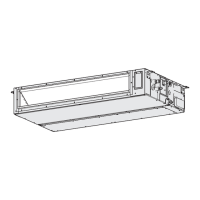
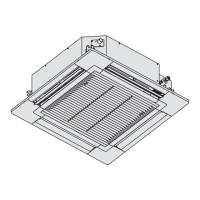
U1, T2 type
HEAT COOL / DRY FAN
Airfl ow direction
display
Airfl ow direction display
“FLAP” button
“FLAP” button
Fan and
heating
Cooling and
drying
(5 levels) (3 levels)
Recommended
Recommended
Fixed to this
position
Adjusting the horizontal airfl ow direction
(Manual: T2 type only)
Move the horizontal airfl ow vanes
by hand for adjustment.
This section is described in the instruction manual supplied with the timer remote contoller (CZ-RTC2).
Regarding the High-spec Wired Remote Controller (CZ-RTC3), refer to the Operating Instructions supplied with the model CZ-RTC3.
Adjusting the upward and downward motion of airfl ow direction (U1 and T2 types only)
OI00F569616EU.indb6OI00F569616EU.indb6 2014/02/289:31:022014/02/289:31:02
www.ampair.co.uk | sales@ampair.co.uk



 To Next Page


