EasyManua.ls Logo

Panasonic SB-PS81 - User Manual

Panasonic SB-PS81
154 pages
Print Icon
To Next Page IconTo Next Page
Loading...
n AMPLIFIER SECTION
RMS Output Power : Dolby Digital Mode
Front Ch
80 W per channel (6 ), 1 kHz, 10% THD
Surround Ch
35 W per channel (6 ), 1 kHz, 10% THD
Center Ch
85 W per channel (6 ), 1 kHz, 10% THD
Subwoofer
85 W per channel (6 ), 100 Hz, 10% THD
Total RMS Dolby Digital mode power
400 W
PMPO output power 4800 W
n FM/AM TUNER, TERMINALS SECTION
Preset station FM 15 stations
AM/MW 15 stations
Frequency Modulation (FM)
Frequency range 87.50 - 108.00 MHz (50 kHz step)
Sensitivity 2.5µV (IHF)
S/N 26dB 2.2µV
A
ntenna terminals 75 (unbalanced)
A
mplitude Modulation (AM/MW)
Frequency range 522 - 1629 kHz (9 kHz step)
520 - 1630 kHz (10 kHz step)
A
M sensitivity S/N 20 dB at 1000 kHz
560µV/m
A
udio performance (Amplifier)
© 2004 Panasonic AVC Networks Singapore Pte.
Ltd. (RCB Registration Number: 197701580H) All
rights reserved. Unauthorized copying and
distribution is a violation of law.
SA-VK81DGCS
SA-VK81DGCP
Colour
(S)... Silver Type
Input sensitivity/Input impedance
A
ux 250 mV, 20 k
Phone jack
Terminal Stereo, 3.5 mm jack
Mic jack
Sensitivity 0.7 mV, 600
Terminal Mono, 6.3 mm jack (2 system)
n CASSETTE DECK SECTION
Type Auto Reverse
Track system 4 Track, 2 Channel
Head Record/Playback Solid Permalloy Head
Erasure Double Gap Ferrite Head
Motor DC Servo Motor
Recording System AC Bias 100 kHz
Erase System AC Erase 100 kHz
Tape Speed 4.8 cm/s
Overall Frequency Response (+3, -6 dB) at DECK OUT
Normal (TYPE I) 35 Hz - 14 kHz
S/N Ratio 50 dB (A weighted)
Wow and Flutter 0.18 % (WRMS)
Fast Forward and Rewind Time Approx. 120 seconds with
C-60 cassette tape
n DISC SECTION
Disc played [8 cm or 12 cm]
(1) DVD-RAM (DVD-VR compatible, JPEG formatted disc)
(2) DVD-Audio
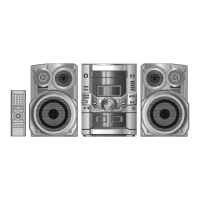
DVD Stereo System
Specifications
ORDER NO. MD0406163C3

Table of Contents

Question and Answer IconNeed help?

Do you have a question about the Panasonic SB-PS81 and is the answer not in the manual?

Summary

Disc Information

About HighMAT

Explains the HighMAT standard, its benefits, and how it ensures consistent digital content playback.

Procedure for Repairing the Set

Distinguish the Problem

Guides on how to identify the root cause of a fault by checking mechanical parts and circuits.

Troubleshooting Guide Part 1

Provides a table for checking common faults, possible reasons, and countermeasures for initial troubleshooting.

Troubleshooting Guide Part 2

Details troubleshooting steps for various sections like Deck, Panel, and Main circuits, including error codes.

Safety Precautions

Before Use

Important initial setup steps, including voltage selector adjustment, to prevent unit damage.

Before Repair and Adjustment

Procedures to follow before performing repairs, such as discharging capacitors and avoiding short circuits.

General Guidelines

General safety instructions for servicing, including lead dress, protective devices, and leakage current checks.

Leakage Current Hot Check

Procedure for measuring leakage current while the unit is powered on to ensure safety.

Prevention of Electro Static Discharge (ESD)

Techniques to prevent damage to sensitive components from static electricity during handling.

Cautions for Handling Optical Pickup

Handling Optical Pickup

Specific instructions for handling the optical pickup unit to prevent damage from static electricity and physical impact.

Replacing Precautions for Optical Pickup Unit

Steps and warnings for replacing the optical pickup unit, including short clip removal and land check.

Grounding for Preventing Electrostatic Destruction

Methods for grounding human body and work area to prevent electrostatic discharge when handling optical pickups.

Precaution of Laser Diode

Operation Procedures

Remote Control Functions

Diagnosis of Optical Pick-up Unit

How to Confirm if Optical Pickup is OK

Steps to verify the operational status of the optical pickup unit, including jitter value checks.

Optical Pickup Self-Diagnosis and Replacement Procedure

Self-Diagnosis Function

Details on how to use the unit's self-diagnosis function for effective troubleshooting.

Cautions to Be Taken During Replacement of Optical Pickup and Spindle Motor

Crucial warnings and precautions for handling and replacing the optical pickup and spindle motor.

Self-Diagnosis Function

Automatic Displayed Error Codes

Information on error codes that are automatically displayed when a power unit error occurs.

Memorized Error Codes

Procedure to activate the self-diagnosis function and display memorized error codes.

DVD;CD Self-Diagnosis Error Code Description

Error Codes Stored During No Play

Lists specific error codes encountered when the system fails to play discs.

Things to Do After Repair

Tray Lock Function

Instructions on setting and using the tray lock and operation lock functions.

Cautions To Be Taken During Servicing

Recovery After DVD Player Repair

Steps to perform recovery processing after replacing Flash ROM or modules to optimize drive performance.

DVD Player Firmware Version Upgrade Process

Details on upgrading the DVD player firmware for performance improvements and disc compatibility.

Firmware Version Upgrade Process Using Disc and Recovery

Explains the process of upgrading firmware and performing recovery using a dedicated disc.

Disassembly and Assembly of Main Component

Disassembly Flow Chart

Visual representation of the disassembly procedure for internal inspection and servicing.

Disassembly of Main P.C.B., Power P.C.B., Power Amp P.C.B., Power Supply P.C.B., Transformer P.C.B. & Voltage Selector P.C.B.

Disassembly of Power Amp P.C.B.

Detailed steps for removing the Power Amplifier Printed Circuit Board assembly.

Disassembly of Power P.C.B.

Instructions for safely removing the Power Printed Circuit Board assembly.

Disassembly of Power Supply P.C.B.

Steps for the removal of the Power Supply Printed Circuit Board.

Replacement of Power Amp IC

Procedure for replacing the Power Amplifier Integrated Circuit.

Replacement for optical pickup unit (DVD mechanism)

CR16 Mechanism Disassembly Procedure

Replacement for the Disc Tray

Steps for replacing the disc tray mechanism.

Disassembly of Deck Mechanism Unit

Disassembly of Deck P.C.B.

Steps for safely removing the Deck Printed Circuit Board.

Replacement for CD Motor Assy, Capstan Belt A, Capstan Belt B and Winding Belt

Disassembly of Pinch Roller Assy & Head Block

Procedure for disassembling the pinch roller assembly and head block.

Service Position

Checking Procedure

Basic steps for checking the main unit's internal components before detailed inspection.

Measurements and Adjustments

Printed Circuit Board Layouts

Parts Location and Replacement Parts List

Summary

Disc Information

About HighMAT

Explains the HighMAT standard, its benefits, and how it ensures consistent digital content playback.

Procedure for Repairing the Set

Distinguish the Problem

Guides on how to identify the root cause of a fault by checking mechanical parts and circuits.

Troubleshooting Guide Part 1

Provides a table for checking common faults, possible reasons, and countermeasures for initial troubleshooting.

Troubleshooting Guide Part 2

Details troubleshooting steps for various sections like Deck, Panel, and Main circuits, including error codes.

Safety Precautions

Before Use

Important initial setup steps, including voltage selector adjustment, to prevent unit damage.

Before Repair and Adjustment

Procedures to follow before performing repairs, such as discharging capacitors and avoiding short circuits.

General Guidelines

General safety instructions for servicing, including lead dress, protective devices, and leakage current checks.

Leakage Current Hot Check

Procedure for measuring leakage current while the unit is powered on to ensure safety.

Prevention of Electro Static Discharge (ESD)

Techniques to prevent damage to sensitive components from static electricity during handling.

Cautions for Handling Optical Pickup

Handling Optical Pickup

Specific instructions for handling the optical pickup unit to prevent damage from static electricity and physical impact.

Replacing Precautions for Optical Pickup Unit

Steps and warnings for replacing the optical pickup unit, including short clip removal and land check.

Grounding for Preventing Electrostatic Destruction

Methods for grounding human body and work area to prevent electrostatic discharge when handling optical pickups.

Precaution of Laser Diode

Operation Procedures

Remote Control Functions

Diagnosis of Optical Pick-up Unit

How to Confirm if Optical Pickup is OK

Steps to verify the operational status of the optical pickup unit, including jitter value checks.

Optical Pickup Self-Diagnosis and Replacement Procedure

Self-Diagnosis Function

Details on how to use the unit's self-diagnosis function for effective troubleshooting.

Cautions to Be Taken During Replacement of Optical Pickup and Spindle Motor

Crucial warnings and precautions for handling and replacing the optical pickup and spindle motor.

Self-Diagnosis Function

Automatic Displayed Error Codes

Information on error codes that are automatically displayed when a power unit error occurs.

Memorized Error Codes

Procedure to activate the self-diagnosis function and display memorized error codes.

DVD;CD Self-Diagnosis Error Code Description

Error Codes Stored During No Play

Lists specific error codes encountered when the system fails to play discs.

Things to Do After Repair

Tray Lock Function

Instructions on setting and using the tray lock and operation lock functions.

Cautions To Be Taken During Servicing

Recovery After DVD Player Repair

Steps to perform recovery processing after replacing Flash ROM or modules to optimize drive performance.

DVD Player Firmware Version Upgrade Process

Details on upgrading the DVD player firmware for performance improvements and disc compatibility.

Firmware Version Upgrade Process Using Disc and Recovery

Explains the process of upgrading firmware and performing recovery using a dedicated disc.

Disassembly and Assembly of Main Component

Disassembly Flow Chart

Visual representation of the disassembly procedure for internal inspection and servicing.

Disassembly of Main P.C.B., Power P.C.B., Power Amp P.C.B., Power Supply P.C.B., Transformer P.C.B. & Voltage Selector P.C.B.

Disassembly of Power Amp P.C.B.

Detailed steps for removing the Power Amplifier Printed Circuit Board assembly.

Disassembly of Power P.C.B.

Instructions for safely removing the Power Printed Circuit Board assembly.

Disassembly of Power Supply P.C.B.

Steps for the removal of the Power Supply Printed Circuit Board.

Replacement of Power Amp IC

Procedure for replacing the Power Amplifier Integrated Circuit.

Replacement for optical pickup unit (DVD mechanism)

CR16 Mechanism Disassembly Procedure

Replacement for the Disc Tray

Steps for replacing the disc tray mechanism.

Disassembly of Deck Mechanism Unit

Disassembly of Deck P.C.B.

Steps for safely removing the Deck Printed Circuit Board.

Replacement for CD Motor Assy, Capstan Belt A, Capstan Belt B and Winding Belt

Disassembly of Pinch Roller Assy & Head Block

Procedure for disassembling the pinch roller assembly and head block.

Service Position

Checking Procedure

Basic steps for checking the main unit's internal components before detailed inspection.

Measurements and Adjustments

Printed Circuit Board Layouts

Parts Location and Replacement Parts List

Panasonic SB-PS81 Specifications

General IconGeneral
BrandPanasonic
ModelSB-PS81
CategoryStereo System
LanguageEnglish

Related product manuals