EasyManua.ls Logo

Panasonic SC-AK200 - User Manual

Panasonic SC-AK200
32 pages
Print Icon
To Next Page IconTo Next Page
Loading...
RQT6085-4P
P
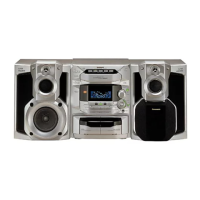
CD Stereo System
Operating Instructions
Model No. SC-AK500
SC-AK490
SC-AK300
SC-AK200
Before connecting, operating or adjusting this product, please read these
instructions completely.
Please keep this manual for future reference.
PC
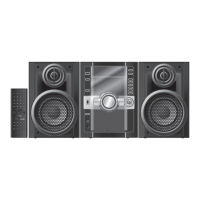
The illustrations show SC-AK500.

Questions and Answers

  • J
    Jordan ArmstrongJul 31, 2025
    What to do if the remote control of my Panasonic Stereo System doesn’t work?
    • K
      Kayla StewartJul 31, 2025
      If the remote control isn’t working, verify that the batteries are correctly inserted and replace them if they are worn.
  • M
    Molly PageAug 6, 2025
    Why is there noise heard from my Panasonic SC-AK200?
    • L
      lisawestAug 6, 2025
      If you're hearing noise, the stereo indicator flickers or doesn’t light, the sound is distorted, a beat sound is heard, or a low hum is heard during AM broadcasts, try the following: use an outdoor antenna. Also, turn the TV off or separate it from the unit. Separate the antenna from other cables and cords.
  • G
    gainesjoshuaAug 14, 2025
    What to do if the picture on the TV disappears or stripes appear on the screen when using my Panasonic SC-AK200 Stereo System?
    • J
      Jennifer RussellAug 15, 2025
      If the picture on the TV disappears or stripes appear on the screen, the location and orientation of the antenna may be incorrect. If you are using an indoor antenna, change to an outdoor antenna. Separate the antenna wire of the TV set from the unit.
  • B
    Benjamin GutierrezAug 22, 2025
    What to do if the display is wrong or play won’t start on my Panasonic SC-AK200?
    • C
      Cody MillerAug 22, 2025
      If the display is wrong, play won’t start, the total number of tracks displayed differs each time the same disc is inserted, unusual sound is heard, CD-RW cannot be read, “VBR–” is displayed instead of the remaining play time, or “TAKE OUT/DISC” appears on the display, wipe the disc if it may be upside down. Replace the disc if it may be scratched, or its data may be defective. If the disc was incompletely formatted, use the recording equipment to fully format the disc before recording. Remove the disc from the tray, and after ensuring there is no disc in the tray, close it. Wait about an hour for it to clear and try again.

Summary

Before Using the System

Supplied Accessories

Lists and identifies all items included with the system.

Important Safety Instructions

Crucial guidelines for safe operation, installation, and maintenance to prevent hazards.

Listening Cautions and Hearing Safety

Advises on safe listening levels to prevent hearing damage and ensure optimal sound quality.

Speaker Placement Guidelines

Provides instructions on how to position speakers for best sound and ventilation.

Remote Control Usage

Covers battery installation, correct usage, and operation notes for the remote.

Basic Connections

Explains how to connect supplied accessories like antennas and speakers to the main unit.

Optional Antenna Connections

Details how to connect external FM and AM antennas for improved reception.

External Unit Connections

Describes how to connect external audio sources like analog players.

Main Unit Front Panel Controls

Identifies and explains the functions of buttons and indicators on the main unit's front.

Disabling the Demo Function

Instructions on how to turn off the automatic demonstration display.

Convenient System Functions

Explains features like display dimming and volume muting for user convenience.

Auto-Off Function

Describes the feature that automatically turns off the unit after a period of inactivity.

Setting the Clock Time

Step-by-step guide on how to set the unit's internal clock.

Recording Operations

Preparation for Recording

Covers tape types, erasure prevention, and preparatory steps for recording.

Recording from Compact Discs

Details how to record audio from CDs onto cassette tapes.

Tape-to-Tape Recording

Explains the process of copying audio from one tape to another.

Recording Radio Broadcasts

Guides users on how to record radio programs onto cassette tapes.

Sound Quality Operations

Built-in Sound Quality Settings

Describes how to use preset EQ modes (Heavy, Soft, Clear, Vocal) to adjust sound.

Enhancing Sound Quality

Explains the "Super Sound EQ" feature for enhancing bass and treble effects.

Timer Operations

Using the Timer Functions

Introduces the timer functions available for playback and recording.

Play;Record Timer Setup

Step-by-step guide to setting the play or record timer for automatic operation.

Using the Sleep Timer

Explains how to set the timer to automatically turn off the system after a set period.

Reference and Support

Connecting and Using External Units

Details how to connect and listen to or record from external audio sources.

Troubleshooting Common Problems

Provides solutions for common issues encountered during operation.

U.S.A. Servicenter Locations

Lists factory servicenters and contact information within the U.S.A.

U.S.A. Limited Warranty Information

Outlines the terms and conditions of the product's limited warranty in the U.S.A.

Product Specifications

Lists technical details and performance characteristics of the system.

Maintenance and Cleaning

Provides instructions on how to clean and maintain the unit for optimal performance.

Product Service and Support

Information on when to seek service, replacement parts, and product support.

Panasonic SC-AK200 Specifications

General IconGeneral
BrandPanasonic
ModelSC-AK200
CategoryStereo System
LanguageEnglish

Related product manuals