16
RQT9483
Showing START menu
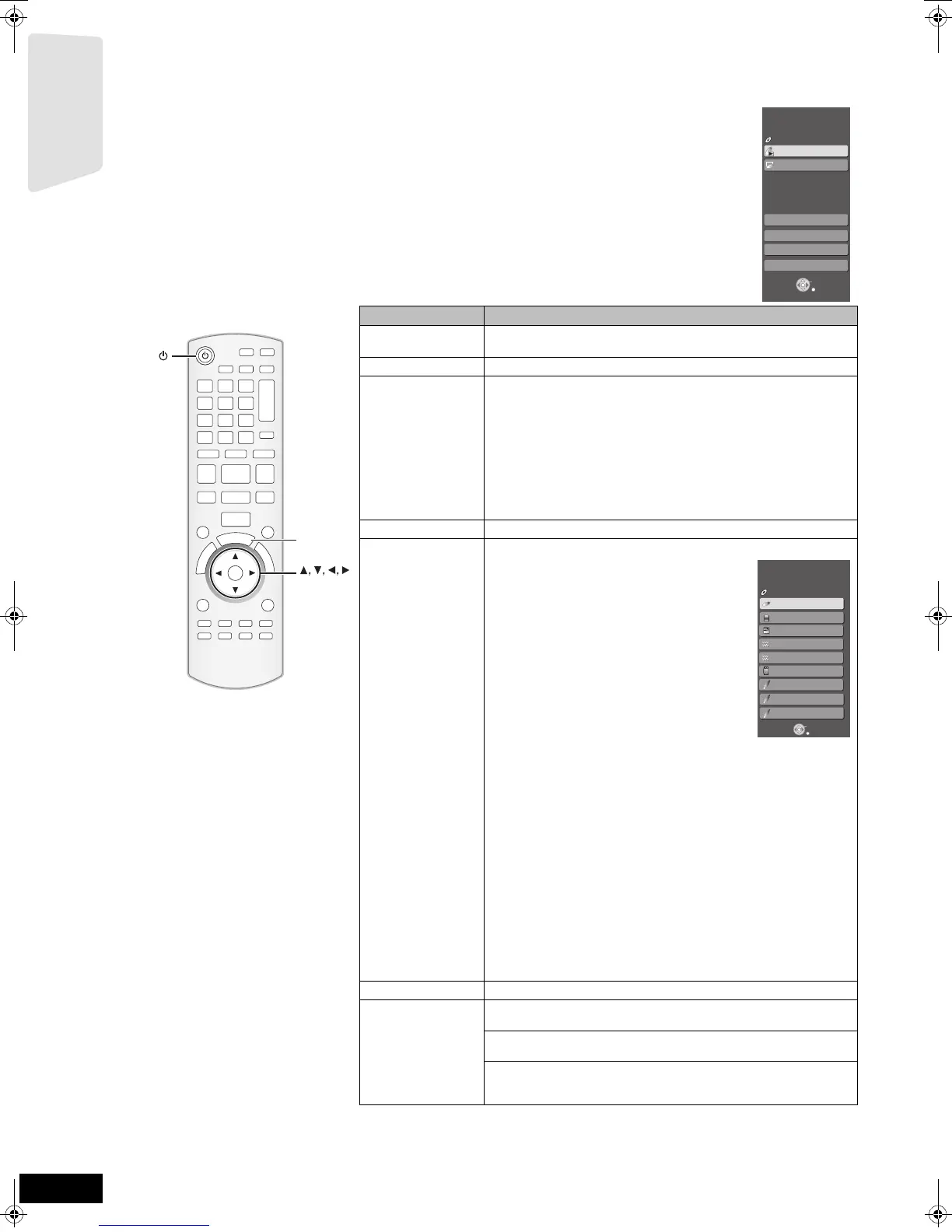
Some functions of this unit can be operated from the START menu.
1 Press [Í] to turn on the unit.
2 Press [START].
≥Items displayed vary according to the chosen selector and
media.
3 Press [3, 4] to select
the item and pr
ess [OK].
Items Functions
Playback Disc
Playback
Starts playing disc/USB device/SD Card.
Top Menu
Shows a disc top menu.
Menu
Shows a media menu.
To play AVCHD (> 21)
To play MPEG2 (> 21)
To play MP3, CD (> 26)
To play JPEG (> 24)
To play DivX (> 23)
Shows the iPod menu.
To play “Music” (> 32)
To play “Videos” (> 32)
To play “Use iPod display (All)” (> 32)
For “Play Mode ” (> 32)
Network
Displays Home screen of VIERA CAST (> 33)
Input Selection
Select the source.
BD/DVD/CD:
To play BD-Video, DVD-Video, AVCHD (> 19-22)
To play JPEG (> 24)
To play DivX (> 23)
To play MP3, CD (> 26)
SD card:
To play AVCHD (> 21)
To play MPEG2 (> 21)
To play JPEG (> 24)
iPod:
To play iPod contents (> 32)
FM:
To enjoy the FM radio (> 27)
AM:
To enjoy the AM radio (> 27)
USB device:
To play MP3 (> 26)
To play JPEG (> 24)
To play DivX (> 23)
AUX (TV)*
1
:
To enjoy TV broadcasts with this unit’s speakers (> 28)
DIGITAL IN 1 (TV)*
1
:
To enjoy TV broadcasts with this unit’s speakers (> 28)
DIGITAL IN 2 (CABLE/SAT)*
2
:
To enjoy audio from other devices with this unit’s speakers (> 28)
*
1
“(TV)” is displayed next to items set for TV AUDIO input. (B 29,
Setting the TV audio for VIERA Link “HDAVI Control”)
*
2
“(CABLE/SAT)” is displayed next to DIGITAL IN 2 when set for
CABLE/SAT AUDIO input. (> 29, Setting the TV audio for VIERA
Link “HDAVI Control”)
Sound(Equalizer)
Select the equalizer function (> 18)
To Others Setup:
You can change the unit’s settings using Setup menu (> 38).
Card Management:
Formatting SD cards/Deleting data (> 22)
Playlists:
You can play playlists created on DVD-VR.
Press [3, 4, 2, 1] to select the playlist and press [OK].
OK
S
T
A
R
T
OK
START
Menu
OK
RETURN
To Others
Playback Disc
Top Menu
Home Cinema
START
BD-Video
Input Selection
Sound(Equalizer)
Network
OK
RETURN
DIGITAL IN 1
BD/DVD/CD
SD card
Home Cinema
START
Input Selection
BD-Video
DIGITAL IN 2
iPod
FM
USB device
AUX (TV)
SD
AM
Getting started
SCBT207GN-RQT9483-L.book 16 ページ 2009年5月25日 月曜日 午後9時36分


 To Next Page