13
RQT9479
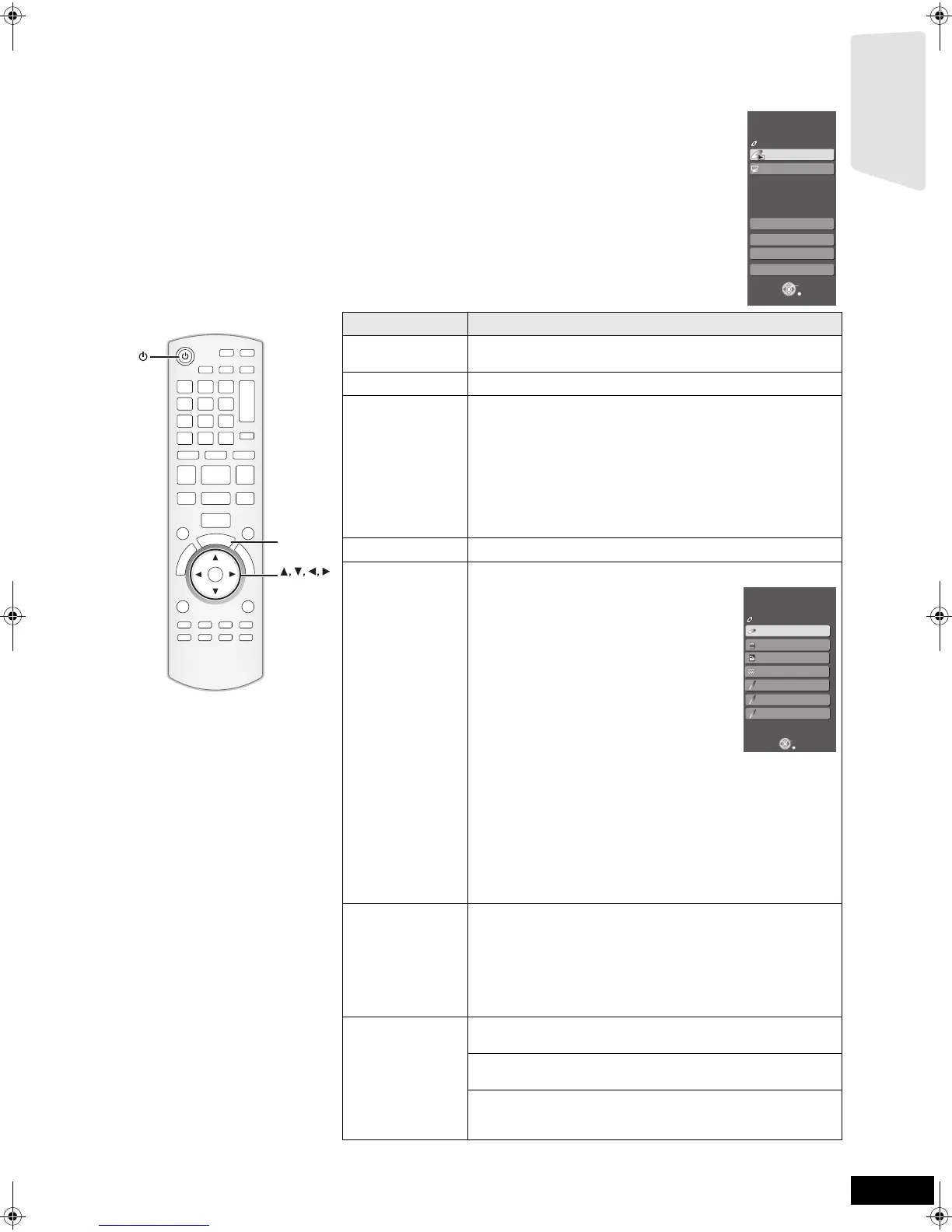
Showing START menu
Some functions of this unit can be operated from the START menu.
1 Press [Í] to turn on the unit.
2 Press [START].
≥Items displayed vary according to the chosen selector and media.
3 Press [3, 4] to select
the item and pr
ess [OK].
Items Functions
Playback DISC
Playback
Starts playing disc/SD card.
Top Menu Shows the disc top menu.
Menu Shows the media menu.
To play AVCHD (> 18)
To play MPEG2 (> 18)
To play MP3, CD (> 22)
To play JPEG (> 20)
Shows the iPod menu.(> 28)
To play “Music”
To play “Videos”
To play “All (iPod display)”
For “Playback Mode”
Network Display Home screen of VIERA CAST (> 29)
Input Select
Select the source.
BD/DVD/CD:
To play BD-Video, DVD-Video, AVCHD
(> 16 to 19)
To play JPEG (> 20)
To play MP3, CD (> 22)
SD card:
To play AVCHD (> 18)
To play MPEG2 (> 18)
To play JPEG (> 20)
iPod:
To play iPod contents (> 28)
FM:
To enjoy the FM radio (> 23)
AUX (TV)*
1
:
To enjoy TV broadcasts with this unit’s speakers (> 24)
DIGITAL IN 1 (TV)*
1
:
To enjoy TV broadcasts with this unit’s speakers (> 24)
DIGITAL IN 2 (CABLE/SAT)*
2
:
To enjoy audio from other devices with this unit’s speakers (> 24)
*1 “(TV)” is displayed next to items set for TV AUDIO input. (> 25,
Setting the TV audio for VIERA Link “HDAVI Control”)
*2 “(CABLE/SAT)” is displayed next to DIGITAL IN 2 when set for
CABLE/SAT AUDIO input. (> 25, Setting the TV audio for VIERA
Link “HDAVI Control”)
Sound(Equalizer) Flat:
Cancel (no effect is added).
Heavy:
Adds punch to rock.
Clear:
Clarifies higher sounds.
Soft:
For background music.
Other Functions Setup:
You can change the unit’s settings using Setup menu (> 34).
Card Management:
Formatting SD cards/Deleting data (> 19)
Playlists:
You can play playlists created on DVD-VR.
Press [3, 4, 2, 1] to select the playlist and press [OK].
OK
S
T
A
R
T
OK
START
Menu
OK
RETURN
Other Functions
Playback DISC
Top Menu
Home theater START
BD-Video
Input Select
Sound(Equalizer)
Network
OK
RETURN
BD/DVD/CD
SD card
Home theater START
Input Select
BD-Video
iPod
AM
FM
DIGITAL IN 1 (TV)
DIGITAL IN 2
AUX
SD
Getting started
BTX70PP_eng.book 13 ページ 2009年6月24日 水曜日 午後3時42分


 To Next Page