EasyManua.ls Logo

Panasonic SC-PM9 - User Manual

Panasonic SC-PM9
24 pages
Print Icon
To Next Page IconTo Next Page
Loading...
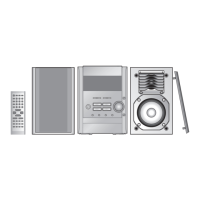
CD Stereo System
Operating Instructions
Model No. SC-PM9
RQT7357-C
PC
Table of contents
Before use
Supplied accessories ............................. 2
IMPORTANT SAFETY INSTRUCTIONS .. 3
Product Service ....................................... 3
Listening caution .................................... 3
The remote control ................................. 4
Placement of speakers ........................... 4
Connections ............................................ 4
Front panel controls ............................... 6
Demo function ......................................... 7
Setting the time ....................................... 7
Convenient functions ............................. 7
Listening operations
The radio: manual tuning ....................... 8
The radio: preset tuning ......................... 9
CDs ........................................................... 10
Enjoying MP3 .......................................... 13
Cassette tapes ......................................... 16
Recording operations
Before recording ..................................... 17
Recording the radio ................................ 17
Recording CDs ........................................ 17
Timers and others
Sound Quality .......................................... 19
Enhancing the sound quality ................. 19
Listening with headphones .................... 19
Auto-off function ..................................... 19
Using the timers ...................................... 20
Reference
Specifications .......................................... 22
Maintenance ............................................ 22
When moving the unit ............................ 22
Troubleshooting guide ............................. 23
Warranty ...................................... Back cover
Before connecting, operating or adjusting this product, please read these
instructions completely.
Please keep this manual for future reference.
RQT7357-C_FC_EN 13/1/04, 10:26 am1

Questions and Answers

  • E
    emmanicholsAug 20, 2025
    How to fix Panasonic Stereo System remote control that is not working?
    • D
      daniellekramerAug 20, 2025
      If the remote control for your Panasonic Stereo System isn’t working, first check that the batteries are inserted correctly. If they are, try replacing the batteries, as they may be worn out.
  • E
    Eric MarshallAug 22, 2025
    What to do if remote control doesn't work with Panasonic SC-PM9 Stereo System?
    • T
      Taylor CarterAug 22, 2025
      If the remote control for your Panasonic Stereo System isn’t working, start by checking if the batteries are inserted correctly. If they are, try replacing them with new ones, as the old batteries might be worn out.
  • R
    Ryan WhiteAug 26, 2025
    Why does my Panasonic Stereo System have noise and distorted sound?
    • C
      cliAug 26, 2025
      If you are hearing noise, the stereo indicator is flickering or not lighting up, the sound is distorted, you hear a beat sound, or a low hum during AM broadcast on your Panasonic Stereo System, try using an outdoor antenna. Also, turn off any nearby TVs or separate them from the unit. Ensure the antenna is separated from other cables and cords.
  • K
    Kelli WheelerAug 28, 2025
    How to fix no sound on Panasonic SC-PM9?
    • B
      Bruce BishopAug 28, 2025
      If there is no sound coming from your Panasonic Stereo System, first, ensure the volume is turned up. Check the speaker cords for any shorts and correct the connections if needed. If an AC mains lead or fluorescent light is too close to the cables, move them away. Also, check and correct the speaker cord connections. If the problem persists, it might indicate a power supply issue, and you should consult a dealer.
  • H
    Heather CurtisAug 31, 2025
    Why is there noise coming from my Panasonic SC-PM9?
    • B
      bakermorganAug 31, 2025
      Noise from your Panasonic Stereo System can be due to several factors. Try using an outdoor antenna. If you have a TV nearby, turn it off or separate it from the unit. Also, separate the antenna from other cables and cords. If you're having trouble with AM broadcasts, check if the frequency step is set to 10 kHz and change it to 9 kHz if necessary.
  • S
    Shannon JimenezSep 2, 2025
    What to do if the display is wrong or play won’t start on my Panasonic SC-PM9 Stereo System?
    • R
      Richard ReillySep 3, 2025
      If the display on your Panasonic Stereo System is showing incorrect information or playback won't start, the disc may be upside down, so wipe the disc. If the disc is scratched, warped, or nonstandard, replace it. If condensation has formed inside the unit due to a sudden temperature change, wait about an hour for it to clear, then try again.
  • S
    sarah57Sep 5, 2025
    Why does the picture on my TV disappear when using my Panasonic Stereo System?
    • U
      ujonesSep 5, 2025
      If the picture on your TV disappears or stripes appear on the screen when using your Panasonic Stereo System, and you are using an indoor antenna, try switching to an outdoor antenna. Ensure that the TV antenna wire is not too close to the unit, and separate the antenna wire of the TV set from the unit.
  • M
    Mrs. Sara FrenchSep 8, 2025
    What to do if the display is wrong or play won't start on Panasonic SC-PM9 Stereo System?
    • C
      Courtney MartinSep 8, 2025
      If the display on your Panasonic Stereo System is showing incorrect information or playback won't start, first ensure that the disc is not upside down. Wipe the disc to remove any smudges. If the disc is scratched, warped, or nonstandard, replace it. If condensation has formed inside the unit due to temperature changes, wait about an hour for it to clear before trying again.
  • W
    William GonzalesSep 12, 2025
    How to fix TV picture disappearing when using Panasonic Stereo System?
    • B
      Becky CastroSep 12, 2025
      If the picture on your TV disappears or stripes appear on the screen when using the Panasonic Stereo System, the TV antenna wire may be too close to the unit, so separate it. If you are using an indoor antenna, consider changing to an outdoor antenna.
  • C
    Charles PattersonSep 13, 2025
    What to do if recording is not possible on Panasonic SC-PM9 Stereo System?
    • T
      Theresa MathewsSep 13, 2025
      If recording is not possible on your Panasonic Stereo System, check if the erasure prevention tabs have been removed. If they have, cover the holes with adhesive tape.

Summary

Supplied Accessories

Safety and Operation Guidelines

Important Safety Instructions

Critical safety warnings and precautions for using the unit.

Product Service and Listening Caution

Guidelines for unit servicing and safe listening levels.

Remote Control and Speaker Setup

Remote Control Operation

Proper battery insertion and remote control operation.

Speaker Placement Guidelines

Guidelines for speaker placement and magnetic shielding.

System Connections

Optional Antenna Connections

FM Outdoor Antenna

Connecting an FM outdoor antenna.

AM Outdoor Antenna

Connecting an AM outdoor antenna.

Front Panel Controls

Main Unit Controls

Controls and buttons on the main unit.

Remote Control Buttons

Functions of buttons on the remote control.

Basic Functions

Demo Function

How to operate the demonstration mode.

Setting the Time

How to set the unit's clock.

Convenient Functions

Dimming display and muting volume.

Radio Manual Tuning

Auto Tuning Feature

Automatic tuning feature for radio stations.

FM Noise Reduction

Adjusting FM reception for mono sound.

FM Allocation Setting

Setting FM frequency steps.

Radio Preset Tuning

Automatic Presetting

Automatically presets radio stations.

Manual Presetting

Manually presets radio stations one by one.

Selecting Preset Channels

Selecting preset radio channels.

CD Playback Basics

Basic Operations

How to play, stop, pause, skip, search, and remove CDs.

CD Selection and Care

Guidelines for playing and caring for CDs.

CD Play Modes

Playback Mode Functions

Selecting playback modes like 1-TRACK, 1-ALBUM, RANDOM.

Direct Access and Repeat Play

Starting playback from specific tracks and repeating tracks.

CD Program Play

Program Play Operation

Programming and playing up to 24 tracks.

CD Display Information

Displaying remaining or elapsed play time.

Enjoying MP3 Files

Album and Track Skipping

Skipping between albums and tracks on MP3 discs.

Starting Play from Desired Track

Selecting and playing a specific track from an MP3 disc.

MP3 Playback Features

Intro Scan and Album Play

Using Intro scan and playing entire albums.

Album;Track Title Search

Searching for albums or tracks by title keyword.

MP3 Title Search and Track Marking

Entering Keywords for Search

Entering characters for album/track title search.

Marking Tracks for Playback

Marking a track to start playback from it later.

MP3 CD Display

Displaying MP3 metadata like artist and title.

Cassette Tape Operations

Tape Selection and Care

Recommended tape types and care for cassettes.

Tape Program Sensor (TPS)

Using TPS to find silent parts between tracks.

Recording Operations

Preparation and Tape Selection

Tape selection and factors affecting recording quality.

Recording Radio and CDs

Steps for recording radio and CDs.

Advanced CD Recording

Programmed Track Recording

Recording up to 24 programmed tracks from a CD.

Erasure Prevention

How to prevent accidental tape erasure.

Sound Quality and Features

Equalizer Settings

Using preset and manual equalization modes.

Surround Sound and Headphones

Applying surround effect and listening with headphones.

Auto-Off Function

Automatic power-off feature for saving energy.

Timers and Clock Settings

Play;Record Timer Setup

Setting play or record timers for wake-up or recording.

Timer Operation Details

Play;Record Timer Usage

Details on setting and using play/record timers.

Sleep Timer Usage

Setting the sleep timer to automatically turn off the unit.

Specifications

Maintenance and Handling

Cleaning the Unit and Heads

Instructions for cleaning the unit and tape heads.

Moving the Unit

Steps to take before moving the stereo system.

Troubleshooting Guide

General and Audio Issues

Solutions for common problems, sound issues, and radio reception.

Media Playback and Remote Issues

Resolving cassette, disc, and remote control problems.

Interference and Specific Errors

Troubleshooting TV interference and error messages.

Warranty Information

Panasonic SC-PM9 Specifications

General IconGeneral
BrandPanasonic
ModelSC-PM9
CategoryStereo System
LanguageEnglish

Related product manuals









