EasyManua.ls Logo

Panasonic SC-PM54 - User Manual

Panasonic SC-PM54
16 pages
Print Icon
To Next Page IconTo Next Page
Loading...
Operating Instructions
CD Stereo System
Model No. SC-PM53
SC-PM54
RQTV0102-3B
Before connecting, operating or adjusting this product,
please read the instructions completely.
Please keep this manual for future reference.
Note:
“EB” on the packaging indicates the United Kingdom.
Operations in these instructions are described using
remote control, but you can do the operations with
the main unit if the controls are the same.
Unless otherwise indicated, illustrations in these
operating instructions are of SC-PM53 for the
United Kingdom and Continental Europe.
Your unit may not look exactly as illustrated.
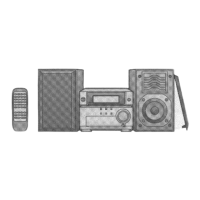
The illustrations show SC-PM53
EEBGN
Table of contents
Caution for AC Mains Lead ................ 2
Safety precautions ............................. 3
Disc information ................................. 3
Placement of speakers ....................... 3
Getting started .................................... 4
Overview of controls .......................... 6
Discs .................................................... 7
Cassette tape ...................................... 9
Radio .................................................... 10
Timer .................................................... 11
Sound adjustment .............................. 12
External unit ........................................ 13
Troubleshooting guide ....................... 14
Specifi cations ..................................... 15
Maintenance ........................................ 15
When moving the unit ........................ 15
SUPPLIED ACCESSORIES
Please check and identify the supplied accessories.
Use numbers indicated in parentheses when asking for
replacement parts. (As of December 2005)
1 x Remote control
(N2QAYB000008)
1 x AC mains lead
(For United Kingdom:
K2CT3CA00004)
1 x FM indoor antenna
(RSA0007-L)
(For Australia and N.Z.:
K2CJ2DA00010)
1 x Antenna plug adaptor
(For United Kingdom:
K1YZ02000013)
(For others:
K2CQ2CA00002)
2 x Remote control
batteries
1 x AM loop antenna
(N1DAAAA00001)
SC-PM54 is available in Australia and New Zealand only.
RQTV0102_2B.indd 1RQTV0102_2B.indd 1 2/9/07 11:14:00 AM2/9/07 11:14:00 AM


Questions and Answers

  • D
    David BurnsAug 13, 2025
    What to do if my Panasonic SC-PM54 remote control doesn't work?
    • D
      David JohnsonAug 13, 2025
      If the Panasonic Stereo System remote control is not working, first, ensure that the batteries are correctly inserted. If the problem persists, replace the batteries with new ones, as the old ones may be worn out.
  • Y
    youngterranceAug 20, 2025
    How to stop noise on Panasonic SC-PM54 Stereo System?
    • M
      Meghan BellAug 20, 2025
      If you hear noise, the stereo indicator flickers or doesn’t light, the sound is distorted, you hear a beat sound, or a low hum during AM broadcast on your Panasonic Stereo System: * Try using an outdoor antenna. * Turn off the TV or separate it from the unit. * Separate the antenna from other cables and cords.
  • E
    emilykimAug 25, 2025
    Why does the TV picture disappear when using my Panasonic Stereo System?
    • R
      Renee LeeAug 25, 2025
      If the picture on your TV disappears or stripes appear on the screen when using your Panasonic Stereo System: * If you're using an indoor antenna, switch to an outdoor antenna. * Ensure the TV antenna wire is not too close to the unit, and separate it if necessary.
  • C
    Connie BishopAug 28, 2025
    Why does my Panasonic Stereo System display different track numbers?
    • C
      Curtis LawrenceAug 28, 2025
      If the total number of tracks displayed differs each time the same disc is inserted or you hear unusual sound from your Panasonic Stereo System, the disc may be scratched or its data may be defective. Replace the disc.
  • J
    Julie DavisAug 31, 2025
    What does TAKE OUT/DISC mean on my Panasonic SC-PM54 Stereo System?
    • J
      jasminegrahamAug 31, 2025
      If your Panasonic Stereo System displays “TAKE OUT/DISC”, there may be a problem with the disc mechanism, possibly due to a power failure. The tray will open automatically. Remove the disc, ensure the tray is empty, and then close it. The unit will make disc changing noises for a few moments and should then operate normally.
  • K
    kingheatherSep 4, 2025
    Why can't my Panasonic SC-PM54 Stereo System read CD-RW?
    • A
      anthony61Sep 4, 2025
      If your Panasonic Stereo System cannot read a CD-RW, it may be because the disc was incompletely formatted. Fully format the disc using the recording equipment before recording.
  • A
    Amanda TurnerSep 7, 2025
    Why does my Panasonic SC-PM54 Stereo System display “VBR–”?
    • M
      Morgan SmithSep 7, 2025
      The Panasonic Stereo System cannot display the remaining play time for variable bit rate (VBR) tracks. That is why “VBR–” is displayed instead of the remaining play time.
  • J
    Jason RyanNov 15, 2025
    How to fix no sound on my Panasonic Stereo System?
    • R
      Randy ManningNov 15, 2025
      If your Panasonic Stereo System displays 'No sound', the sound is unfixed, reversed, or only comes from one speaker, or you hear humming during play, or see 'ERROR', '– –:– –', or 'F61' on the display, try the following: * Ensure the volume is turned up. * Check that the speaker cables are properly connected. * Turn the unit off, check and correct the connections, and then turn it back on. * Keep other appliances and cords away from the unit’s cables, as nearby AC mains leads or fluorescent lights can cause interference. * If an incorrect operation was performed, read the instructions and try again. * If you recently plugged in the AC mains lead or experienced a power failure, set the time. * Unplug and plug in the AC mains lead, then turn on the unit. If the problem persists...

Summary

Supplied Accessories

AC Mains Lead Safety

Before Use Procedures

Instructions on preparing the unit before initial operation, including fuse checks.

Fuse Replacement Guide

Step-by-step guide for safely replacing the fuse in the AC mains plug.

Safety Precautions

Unit Placement and Power Safety

Guidelines for unit placement, voltage precautions, and AC mains lead safety.

Operational and Service Safety

Warnings on foreign matter, liquids, and self-repair to ensure safe operation.

Disc and Speaker Information

Disc Playback Information

Details on playing CDs, CD-R/RWs, MP3s, and DualDiscs.

Speaker Placement Guide

Instructions for positioning SC-PM53 and SC-PM54 speakers for optimal sound.

Getting Started: Connections

AM Loop Antenna Connection

Procedure for connecting the AM loop antenna to the unit.

FM Indoor Antenna Connection

Procedure for connecting the FM indoor antenna and optimal placement.

Speaker Cord Connection

Detailed instructions for connecting speaker cords, including polarity for different regions.

AC Mains Lead Connection

Instructions for connecting the AC mains lead, with a caution for UK users.

Optional Antenna Connections

FM Outdoor Antenna Connection

Details on connecting an optional FM outdoor antenna for improved reception.

AM Outdoor Antenna Connection

Instructions for connecting an optional AM outdoor antenna.

Remote Control Setup

Battery Handling and Usage

Important warnings for batteries and guidance on remote control sensor usage.

DEMO Function Operation

How to activate and use the demonstration mode for unit functions.

Overview of Controls

Main Unit Controls Overview

Description of the buttons and indicators on the main unit for operation.

Remote Control Button Overview

Explanation of the functions of each button on the remote control.

Disc Playback Operations

Basic Playback and Modes

Covers basic disc playback, loading, stopping, and various play modes.

Disc Playback Modes

Details on various playback modes like 1-DISC, ALL-DISC, and random selections.

Changing Discs During Playback

How to change discs in other trays while one disc is playing.

Advanced Disc Operations

Disc Checking and Display Info

How to check discs in trays and display track information.

Direct Access and Repeat Playback

Using direct access to play specific tracks and enabling repeat play.

Program Play Function

Guide to programming up to 24 tracks for custom playback sequences.

Cassette Tape Operations

Basic Playback and Recording

Covers basic cassette playback, recording radio, discs, and programmed tracks.

Other Cassette Operations

Includes TPS track search, erasure prevention, and other basic operations.

Radio Operation

Radio Tuning and Presets

Manual and automatic tuning, plus setting up memory presets for radio stations.

RDS and AM Allocation Settings

Explains RDS features and how to adjust AM frequency allocation settings.

Timer Functions

Play and Record Timer Setup

Guide to setting timers for automatic playback or recording.

Clock and Sleep Timer Setup

Instructions for setting the unit's clock and using the sleep timer.

Sound Adjustment

Preset Equalizer (EQ) Settings

Guide to choosing preset equalization settings like HEAVY, CLEAR, SOFT, VOCAL.

Bass and Treble Adjustment

How to adjust the bass (lower pitch) and treble (higher pitch) levels.

External Unit Connectivity

Connecting Portable Audio

Guide to connecting portable audio devices to the MUSIC PORT for playback.

Recording from Portable Audio

Steps to record audio from portable devices onto a cassette tape.

Troubleshooting Common Issues

Common, Radio, and TV Issues

Solutions for common problems, radio reception, and TV interference.

Cassette, Disc, and Remote Issues

Troubleshooting for cassette deck, disc playback, and remote control problems.

System Technical Specifications

Amplifier, CD, and Tuner Specs

Details for Amplifier, CD, FM Tuner, and AM Tuner sections.

Speaker, Cassette, Maintenance, and Moving

Specs for Speakers, Cassette Deck, plus maintenance and moving instructions.

Panasonic SC-PM54 Specifications

General IconGeneral
Power Output20W
Speaker Configuration2.0
BluetoothYes
CD PlayerYes
FM RadioYes
USB PlaybackYes
Number of Discs1
Playable File FormatsMP3
TunerFM
Preset Stations30
Remote ControlYes
TypeMicro System
Playable MediaCD, CD-R, CD-RW
Speakers2 x 8 cm Full Range

Related product manuals