EasyManua.ls Logo

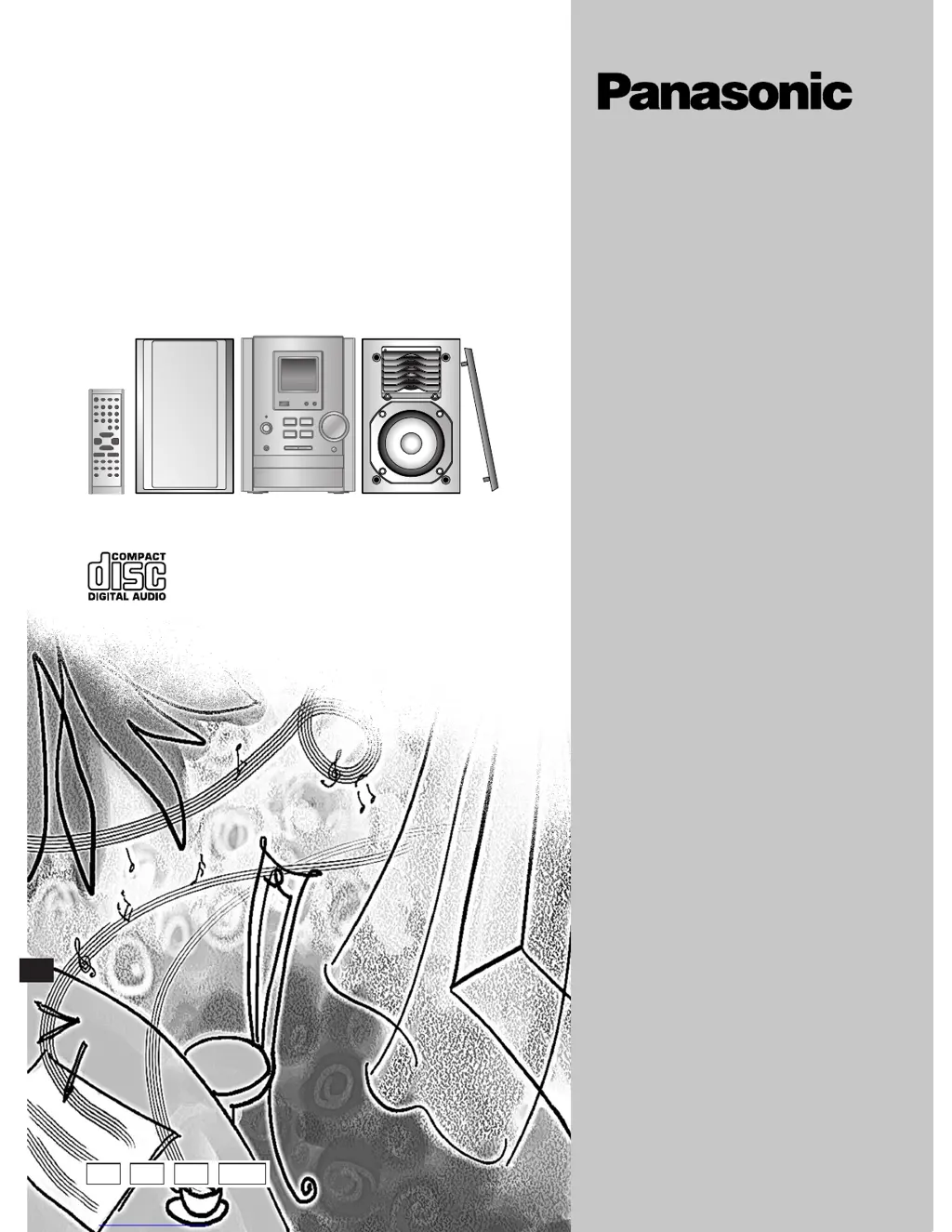
Panasonic SC-PM10 - User Manual

Panasonic SC-PM10
24 pages
Print Icon
To Next Page IconTo Next Page
Loading...
RQT6682-2B
Note:
“EB” on the packaging indicates the United
Kingdom.
Before connecting, operating or adjusting this
product, please read these instructions completely.
Please keep this manual for future reference.
E
CD Stereo System
Operating Instructions
Model No. SC-PM10
EB GN GCS
RQT6682-2B(Cov) 2/25/03, 9:18 AM1

Questions and Answers

  • T
    Thomas BuchananJul 28, 2025
    How to fix '– –:– –' on my Panasonic SC-PM10 Stereo System display?
    • B
      belindavalenciaJul 29, 2025
      If '– –:– –' appears on the display of your Panasonic Stereo System, it could be because you plugged in the AC power supply cord for the first time, or there was a recent power failure. If so, set the time on the unit.
  • M
    micheal28Aug 1, 2025
    What to do if my Panasonic SC-PM10 has no sound?
    • M
      Maureen LoveAug 1, 2025
      If your Panasonic Stereo System has no sound, a possible cause is shorted speaker cords. Turn the unit off, check and correct the connections, and then turn the unit back on. Another cause might be that an AC power supply cord or fluorescent light is near the cables; in this case, keep other appliances and leads away from the unit's cables.
  • N
    Nicole MeadowsAug 6, 2025
    Why is the sound unfixed, reversed or coming from one speaker only on my Panasonic SC-PM10?
    • J
      Justin SantosAug 6, 2025
      If the sound from your Panasonic Stereo System is unfixed, reversed, or coming from only one speaker, the speaker cords may be shorted. Turn the unit off, check and correct the connections, and then turn the unit back on.
  • L
    Laura GriffinAug 11, 2025
    What to do if my Panasonic Stereo System has no sound or displays an error?
    • D
      Dana WeberAug 11, 2025
      If your Panasonic Stereo System is producing no sound, sounds are unfixed, reversed, or only coming from one speaker, or you hear humming during play, and see “ERROR”, “- -:- -”, or “F76” on the display, the speaker cords may be shorted. Turn off the unit, check and correct the connections, then turn it back on. Also, ensure that AC mains leads or fluorescent lights are not near the cables, as they can cause interference. Keep other appliances and leads away from the unit's cables. If the issue persists, review the instructions to ensure correct operation. If you plugged in the AC mains lead for the first time or experienced a recent power failure, set the time. If none of these steps resolve the problem, it may indicate a power supply issue, and you should consult a dealer.
  • S
    Samantha HarrisAug 14, 2025
    Why does my Panasonic SC-PM10 display 'ERROR'?
    • A
      Amanda KochAug 15, 2025
      If your Panasonic Stereo System displays 'ERROR', it could be due to an incorrect operation. Read the instructions and try again. Alternatively, the speaker cords may be shorted. In this case, turn the unit off, check and correct the connections, and then turn the unit on.
  • A
    Antonio CastanedaAug 19, 2025
    What to do if my Panasonic Stereo System is humming?
    • G
      gonzalezchristopherAug 19, 2025
      If you hear humming during play on your Panasonic Stereo System, it may be because an AC power supply cord or fluorescent light is near the cables. Keep other appliances and leads away from this unit’s cables.
  • N
    ndavisAug 23, 2025
    What to do if TV picture disappears when using Panasonic SC-PM10?
    • K
      kellybarnesAug 23, 2025
      If the picture on your TV disappears or stripes appear on the screen when using your Panasonic Stereo System, it may be due to the location and orientation of the antenna. If you are using an indoor antenna, consider switching to an outdoor antenna. Also, ensure that the TV antenna wire is not too close to the unit; separate the antenna wire of the TV set from the unit.

Summary

Before Use

Safety Precautions

Essential guidelines for safe operation, placement, and handling.

AC Mains Lead Safety

Specific advice for the power cord, plug, and fuse replacement.

System Connections

Step-by-step guide for connecting antennas, speakers, and power.

Front Panel Controls Overview

Details of buttons and indicators on the main unit and remote.

Radio Operation

CD Playback

Recording Operations

Recording Radio Broadcasts

Steps to record radio stations onto cassette tape.

Recording CDs

Instructions for recording audio from CDs onto cassette tape.

Sound Quality Settings

Timer Functions

Play;Record Timer

Setting the unit to turn on or record at a specific time.

Troubleshooting Guide

Common Problems and Solutions

Solutions for issues like no sound, humming, or error messages.

Panasonic SC-PM10 Specifications

Amplifier Section IconAmplifier Section
FTC power output14W per channel (6 Ω)
RMS power output15W per channel (6 Ω)
Output impedance - Headphone16-32 Ω
FM Tuner Section IconFM Tuner Section
Frequency range (200 kHz steps)87.9–107.9 MHz
Frequency range (100 kHz steps)87.5–108.0 MHz
Sensitivity2.0 µV (IHF)
AM Tuner Section IconAM Tuner Section
Frequency range520 – 1710 kHz (10 kHz steps)
Sensitivity S/N 20 dB (at 1000 kHz)560 µV/m
Cassette Deck Section IconCassette Deck Section
Tape speed4.8 cm/s
Wow and flutter0.15% (WRMS)
Fast forward and rewind timeApprox. 120 seconds with C-60 cassette tape
CD Section IconCD Section
Sampling frequency44.1 kHz
Beam source/wavelengthSemiconductor laser/780 nm
Wow and flutterBelow measurable limit
Speaker Section IconSpeaker Section
Speaker full range10 cm (4˝) cone type
Tweeter6 cm (2 [3]/8˝) cone type
Dimensions (WxHxD)140 x 225 x 228 mm
General IconGeneral
Power supplyAC 120 V, 60 Hz
Power consumption38 W
Dimensions (WxHxD)165 x 228 x 313 mm

Related product manuals