EasyManua.ls Logo

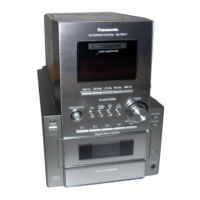
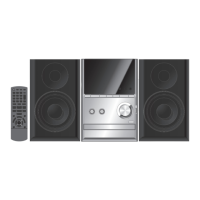
Panasonic SC-PM21 - User Manual

Panasonic SC-PM21
16 pages
Print Icon
To Next Page IconTo Next Page
Loading...
Operating Instructions
CD Stereo System
Model No. SC-PM21
RQT7968-Y
Before connecting, operating or adjusting this product, please read the
instructions completely. Please keep this manual for future reference.
Operations in these instructions are described mainly using remote
control, but you can do the operations on the main unit if the controls
are the same.
Table of contents
Supplied accessories ....................... 2
IMPORTANT SAFETY
INSTRUCTIONS ............................... 3
Product Service ................................ 3
Listening caution .............................. 3
Getting started .................................. 4
Step 1 - Making the connections
Step 2 - Inserting batteries into the remote control
Step 3 - DEMO function
Placement of speakers
Overview of controls ........................ 6
Main unit
Remote control
CDs and MP3 – Play ......................... 7
Playing a disc
Advanced CDs and MP3 functions
Cassette tape – Play ......................... 9
Basic play
TPS (Tape Program Sensor)
Cassette tape – Record ................... 10
Before recording
Recording CDs
Recording the radio
Other basic operations
Radio – Tune ..................................... 11
Manual tuning
Memory preset
FM allocation setting
Timer .................................................. 12
Setting the clock
Using the sleep timer
Using the play or record timer
Sound Adjustment ............................ 13
Selecting sound effects
Enjoying surround sound
Troubleshooting guide ..................... 14
Specifications ................................... 15
Maintenance ...................................... 15
Warranty ............................................ 1
6
PC

PM21_PC.indd 1 12/23/04 4:44:01 PM

Questions and Answers

  • P
    Philip GuzmanAug 18, 2025
    What to do if my Panasonic Stereo System has no sound or displays an error message?
    • D
      Dustin OlsonAug 18, 2025
      If your Panasonic Stereo System displays 'ERROR', '– –:– –', or 'F76', or if there's no sound, sound is reversed, or only coming from one speaker, start by turning the unit off. Check all speaker cord connections and correct any issues. Then, turn the unit back on. Also, ensure that AC power supply cords or fluorescent lights are not near the cables of the unit. Keep other appliances and cords away from the stereo system’s cables. If these steps don't resolve the issue, read the instructions and try again. If you plugged the AC power supply cord in for the first time or there was a recent power failure, set the time.
  • M
    Michelle PerezAug 20, 2025
    How to fix a Panasonic Stereo System remote control that is not working?
    • G
      gwalkerAug 20, 2025
      If your Panasonic Stereo System's remote control isn't working, verify that the batteries are correctly inserted. If the problem persists, the batteries may be worn out and need replacing.
  • D
    david85Aug 23, 2025
    What to do if my Panasonic Stereo System has no sound?
    • M
      margaretjonesAug 23, 2025
      If your Panasonic Stereo System isn't producing sound, first, make sure the volume is turned up. Check that the speaker cords are properly connected. If issues persist, turn off the unit, verify and correct the connections, then turn it back on. Ensure no AC mains leads or fluorescent lights are near the cables, and keep other appliances away from the unit's cables. For the display issues like 'ERROR', '- -:- -', or 'F76', try reading the instructions again. If '- -:- -' appears, set the time. If the problem persists, it may indicate a power supply issue, so consult a dealer.
  • A
    Amber ScottAug 26, 2025
    How to fix a Panasonic SC-PM21 remote control that isn't working?
    • K
      Karen SchultzAug 26, 2025
      If the remote control for your Panasonic Stereo System is not working, start by checking if the batteries are correctly inserted. If they are, try replacing the batteries, as they may be worn out.
  • M
    Megan HolmesAug 28, 2025
    What to do if my Panasonic SC-PM21 has no sound or displays an error?
    • W
      William HouseAug 28, 2025
      If your Panasonic Stereo System produces no sound, sound is unfixed, reversed, or only comes from one speaker, or if you hear humming, see an “ERROR”, “– –:– –”, or “F76” on the display, try the following: * Increase the volume. * Check and correct speaker connections, ensuring cords aren't shorted by turning the unit off first (refer to page 4). * Keep AC power cords and fluorescent lights away from the unit's cables. * If an incorrect operation was performed, read the instructions again. * If this is the first time you've plugged in the AC power cord or there was a recent power failure, set the time (refer to page 12). * If the problem persists, it may indicate a power supply issue. Consult a dealer.
  • K
    Keith PetersonAug 30, 2025
    Why is there noise or distorted sound coming from my Panasonic Stereo System?
    • M
      Maxwell TravisAug 31, 2025
      If you're hearing noise, the stereo indicator flickers or doesn’t light, the sound is distorted, you hear a beat sound, or a low hum during AM broadcast on your Panasonic Stereo System, it is recommended to use an outdoor antenna. Also, turn off the TV or separate it from the unit. Separate the antenna from other cables and cords.
  • S
    stephaniemclaughlinSep 2, 2025
    Why is there noise or distorted sound on my Panasonic Stereo System?
    • P
      philip82Sep 2, 2025
      If you're experiencing noise or distorted sound on your Panasonic Stereo System, or if the stereo indicator is flickering, try these steps: Use an outdoor antenna. Keep the TV off or separate it from the unit. Also, separate the antenna from other cables and cords. If you're having trouble with AM broadcasts, and a low hum is present, check the frequency step setting. If it's set to 10 kHz, change it to 9 kHz.
  • E
    Eric PetersenSep 4, 2025
    Why does my Panasonic SC-PM21 have noise or distorted sound?
    • J
      Jennifer AllenSep 4, 2025
      If you're experiencing noise, a flickering or unlit stereo indicator, distorted sound, a beat sound, or a low hum during AM broadcast on your Panasonic Stereo System, try these steps: * Use an outdoor antenna (refer to page 4). * Turn off the TV or move it away from the unit. * Separate the antenna from other cables and cords.
  • L
    lauramcdanielSep 7, 2025
    What to do if the TV picture disappears or has stripes when using my Panasonic SC-PM21 Stereo System?
    • W
      whoSep 7, 2025
      If the picture on the TV disappears or stripes appear on the screen when using your Panasonic Stereo System, it could be due to the antenna's location and orientation. If you're using an indoor antenna, switch to an outdoor antenna. Also, the TV antenna wire might be too close to the unit, so separate the antenna wire of the TV set from the unit.
  • P
    pblackSep 9, 2025
    Why can't I record with my Panasonic SC-PM21 Stereo System?
    • C
      Crystal WilsonSep 9, 2025
      If recording isn't possible on your Panasonic Stereo System, check if the erasure prevention tabs have been removed. If they have, cover the holes with adhesive tape.

Summary

Supplied Accessories

Safety Precautions

Crucial safety precautions regarding fire, electric shock, laser use, and ventilation.

Product Identification

Details on locating model and serial numbers for user reference.

Important Safety, Service, and Listening Guidelines

Important Safety Instructions

Comprehensive list of safety guidelines for operating the unit.

Product Service and Replacement Parts

Procedures for damage requiring service and replacement parts.

Listening Caution Advice

Advice on safe listening levels to protect hearing.

Getting Started: Making Connections

Getting Started: Remote, DEMO, and Speakers

Remote Control Setup

Instructions for inserting batteries and using the remote control.

DEMO Function and Speaker Placement

Activating the demonstration mode and guidelines for optimal speaker placement.

Overview of Controls

CDs and MP3 Playback

Playback Modes and CD Display Features

Explains different playback modes and how to view track information.

Advanced CD and MP3 Functions

CD;MP3 Search and Cassette Playback

Album and Track Title Search

How to search for specific albums or tracks on a disc.

Cassette Tape Basic Play and TPS

Instructions for playing cassettes and using the Tape Program Sensor.

Cassette Tape Recording Operations

Recording Preparation and Erasure Prevention

Steps before recording and how to prevent accidental erasure of tapes.

Radio Tuning and Memory Presets

Timer Functions for Convenience

Sound Adjustment Options

Sound Effects and Surround Sound Settings

Customizing audio with preset equalizers and enhancing audio with surround sound.

Troubleshooting Common Issues

Specific Troubleshooting Categories

Addresses issues with common problems, radio listening, TV interference, cassette deck, discs, and remote.

Specifications and Maintenance Procedures

Technical Specifications

Detailed technical data for amplifier, CD, speaker, tuner, and cassette sections.

Unit Maintenance Guidelines

Instructions for cleaning the unit's exterior and internal heads.

Warranty Details and Service Information

Warranty Service and Limitations

Information on warranty coverage, exclusions, and how to obtain service.

Panasonic SC-PM21 Specifications

General IconGeneral
Speakers2-way
CD-R playbackYes
DVD Audio playbackNo
Subwoofer dimensions (WxHxD)140 x 225 x 218 mm
Equalizer bands quantity6
Number of decks1 deck(s)
Number of optical discs1 discs
RMS rated power40 W
Tuner typeDigital
FM band range87 - 108 MHz
Supported radio bandsAM, FM
Weight and Dimensions IconWeight and Dimensions
Subwoofer weight1950 g
Center speaker weight3800 g
Center speaker dimensions (WxDxH)165 x 315.6 x 228 mm

Related product manuals