This document provides operating instructions for the Panasonic CD Stereo System, model SC-PM252. It covers various aspects of the system, including safety precautions, setup, media playback, radio functions, clock and timers, sound effects, and troubleshooting.
Function Description
The Panasonic SC-PM252 is a compact CD Stereo System designed for audio playback from multiple sources. Its primary functions include:
- CD Playback: The system supports playback of audio CDs, as well as CD-R/RW discs containing CD-DA format or MP3 files. Users can open and close the disc tray, play, stop, pause, skip tracks, and search within tracks. The system also offers various playback modes such as 1-TRACK, 1-ALBUM, RANDOM, and REPEAT, allowing for customized listening experiences.
- USB Playback: It features a USB port for connecting USB devices, enabling playback of MP3 files stored on them. The system supports USB 2.0 full speed and devices up to 32 GB, formatted with FAT12/16/32 file systems. Users can play, stop, pause, skip tracks, and search within tracks stored on USB devices.
- Bluetooth® Connectivity: The system allows wireless audio streaming from Bluetooth®-enabled devices. It supports Bluetooth® Ver. 2.1 + EDR with A2DP and AVRCP profiles, operating within the 2.4 GHz frequency band. Users can pair up to 8 devices, connect to previously paired devices, and disconnect them. The system also features a Bluetooth® standby function, which automatically switches on the system when a Bluetooth® connection is established from a paired device.
- FM Radio: The system includes an FM tuner, allowing users to listen to FM radio broadcasts. It supports manual tuning and automatic presetting of up to 30 FM stations. Users can also improve sound quality by selecting "MONO" mode for weak signals and check the signal status.
- DAB+ Radio: For models supporting DAB+, the system offers access to digital audio broadcasting. It allows manual tuning and automatic scanning for DAB+ stations, with the capability to preset up to 20 stations. Users can also listen to secondary services and view available information about DAB+ broadcasts, including programme type, ensemble label, frequency, and time. The signal quality can be checked to assist with antenna adjustment.
- Clock and Timers: The system includes a 24-hour clock that can be set manually or automatically adjusted. It features a sleep timer, which automatically switches off the system after a set duration (30, 60, 90, or 120 minutes), and a play timer, which can be set to turn on the system at a specific time to play a selected audio source.
- Sound Effects: Users can customize the audio output with various sound effects. The system offers preset equalizer settings like "HEAVY," "SOFT," "CLEAR," "VOCAL," and "FLAT." Additionally, it allows for manual adjustment of BASS and TREBLE levels. Features like "D.BASS" (Dynamic Bass Boost) and "SURROUND" can be toggled to enhance the listening experience.
Usage Features
The SC-PM252 is designed for user-friendly operation, primarily through a remote control, with essential controls also available on the main unit.
- Remote Control: The remote control provides comprehensive access to all system functions, including power, source selection, playback controls, menu navigation, volume adjustment, and sound effect settings.
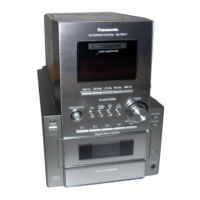
- Main Unit Controls: The main unit features buttons for power, source selection (CD, USB, DAB+, FM, Bluetooth®), disc tray open/close, basic playback (play/pause, stop, skip), volume control, and sound effect adjustments (BASS, TREBLE, PAIRING).
- Display Panel: An integrated display panel shows current settings, track information, radio frequencies, time, and other relevant data. The brightness of the display panel can be adjusted.
- Input Level Adjustment: For Bluetooth® transmission, the input level can be adjusted if the sound input level is too low, with options for LEVEL 0, LEVEL +1, and LEVEL +2.
- Link Mode for Bluetooth®: Users can select between "MODE 1" (emphasis on connectivity) and "MODE 2" (emphasis on sound quality) for Bluetooth® connections, allowing optimization based on preference or to address sound interruptions.
- Auto Off Function: To conserve power, the system automatically switches off after 20 minutes of inactivity, unless it is in DAB+ or radio mode, or a Bluetooth® device is connected.
- System Memory Reset: The system allows for a full memory reset, restoring all settings to factory presets. This is useful for troubleshooting or clearing all stored data.
- Remote Control Code Change: If other Panasonic equipment responds to this system's remote control, the remote control code can be changed to "REMOTE 1" or "REMOTE 2" to prevent interference.
Maintenance Features
Maintaining the SC-PM252 is straightforward, focusing on basic cleaning and software updates.
- Cleaning: The system should be cleaned with a soft, dry cloth. Users are advised against using alcohol, paint thinner, benzine, or chemically treated cloths unless specifically instructed by the cloth's manufacturer.
- Software Updates: Panasonic may release software updates to improve features or performance. Users can check the current software version and access update information via the Panasonic support website.
- Battery Replacement: The remote control requires R6/LR6, AA batteries. Instructions are provided for correct installation, disposal, and storage of batteries to ensure safety and longevity.
- AC Mains Lead: The manual provides detailed instructions on how to replace the fuse in the AC mains plug, ensuring safety and proper operation.
- Speaker Placement: Guidelines are provided for optimal speaker placement, including maintaining distance from the main unit for ventilation and avoiding proximity to equipment sensitive to magnetism. Warnings are given regarding playing at high levels to prevent speaker damage.

 Need help?
 General








 To Next Page