EasyManua.ls Logo

Panasonic SC-CH55 - From the remote control; Program indicator; Notes

Panasonic SC-CH55
60 pages
Print Icon
To Next Page IconTo Next Page
To Previous Page IconTo Previous Page
Loading...
MUTING
@
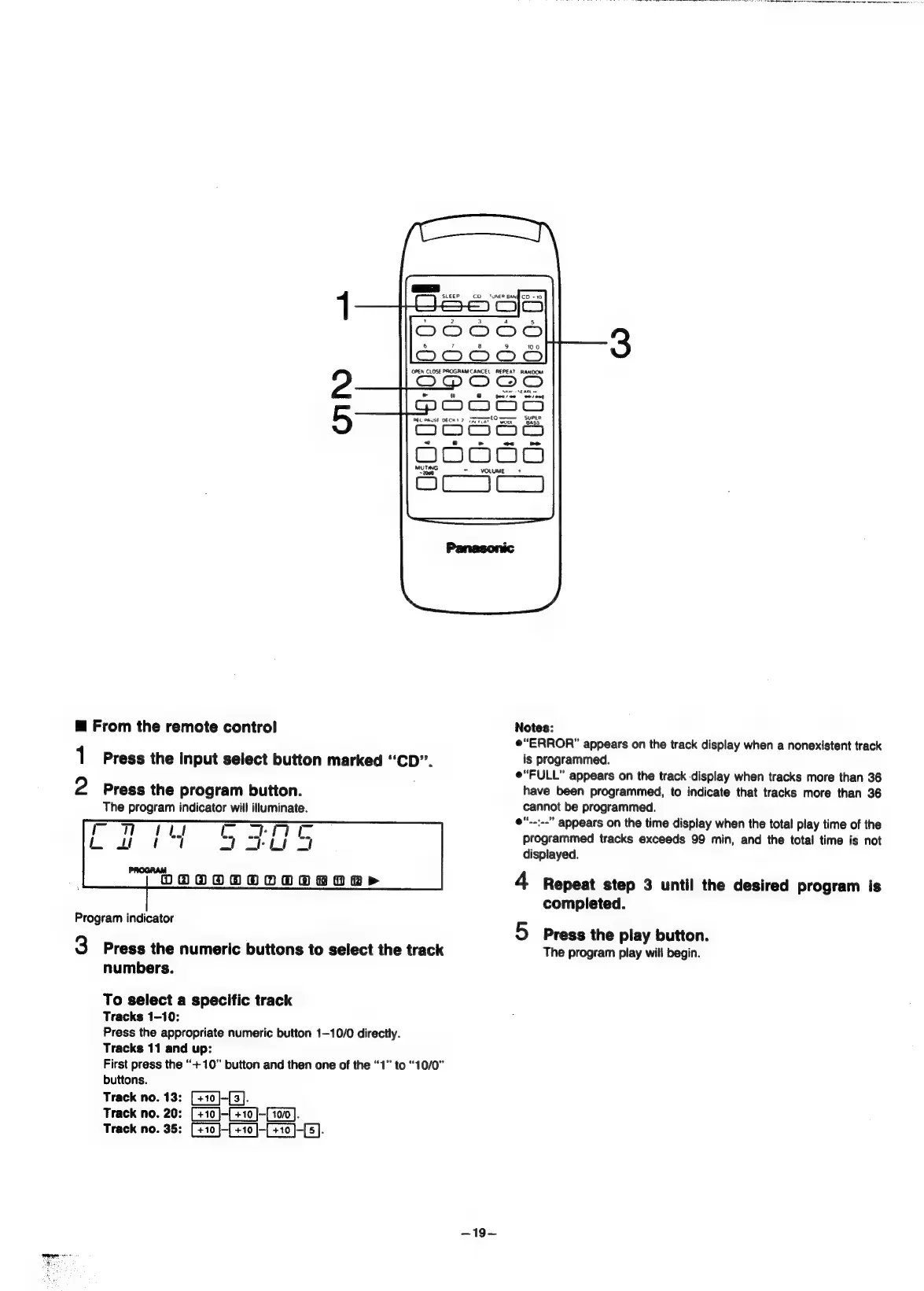
From
the
remote
control
1
Press
the
input
select
button
marked
“CD”.
2
Press
the
program
button.
The
program
indicator
will
illuminate.
Hi
fla
t
PROGRAM
OBWVOOOOOORORRP
Program
indicator
3
Press
the
numeric
buttons
to
select
the
track
numbers.
To
select
a
specific
track
Tracks
1-10:
Press
the
appropriate
numeric
button
1-10/0
directly.
Tracks
11
and
up:
First
press
the
“+10”
button
and
then
one
of
the
“1”
to
“10/0”
buttons.
Track
no.
13:
[+10]-{3].
Track
no.
20:
[+10]-[+10]
Track
no.
35:
mote
Semi
eo
|
is)
ea
a
=
VOLUME
2
|
-—19—
Notes:
“ERROR”
appears
on
the
track
display
when
a
nonexistent
track
is
programmed.
e“FULL”
appears
on
the
track
display
when
tracks
more
than
36
have
been
programmed,
to
indicate
that
tracks
more
than
36
cannot
be
programmed.
e".-:--”
appears
on
the
time
display
when
the
total
play
time
of
the
programmed
tracks
exceeds
99
min,
and
the
total
time
is
not
displayed.
4
Repeat
step
3
until
the
desired
program
is
completed.
5
Press
the
play
button.
The
program
play
will
begin.

Related product manuals