EasyManua.ls Logo

Panasonic SC-CH55 - Listening to Compact Discs (continued); Program play; Program memory function

Panasonic SC-CH55
60 pages
Print Icon
To Next Page IconTo Next Page
To Previous Page IconTo Previous Page
Loading...
Listening
to
Compact
DISCS
coninues
Panasonic
REC
TIMER
Program
play
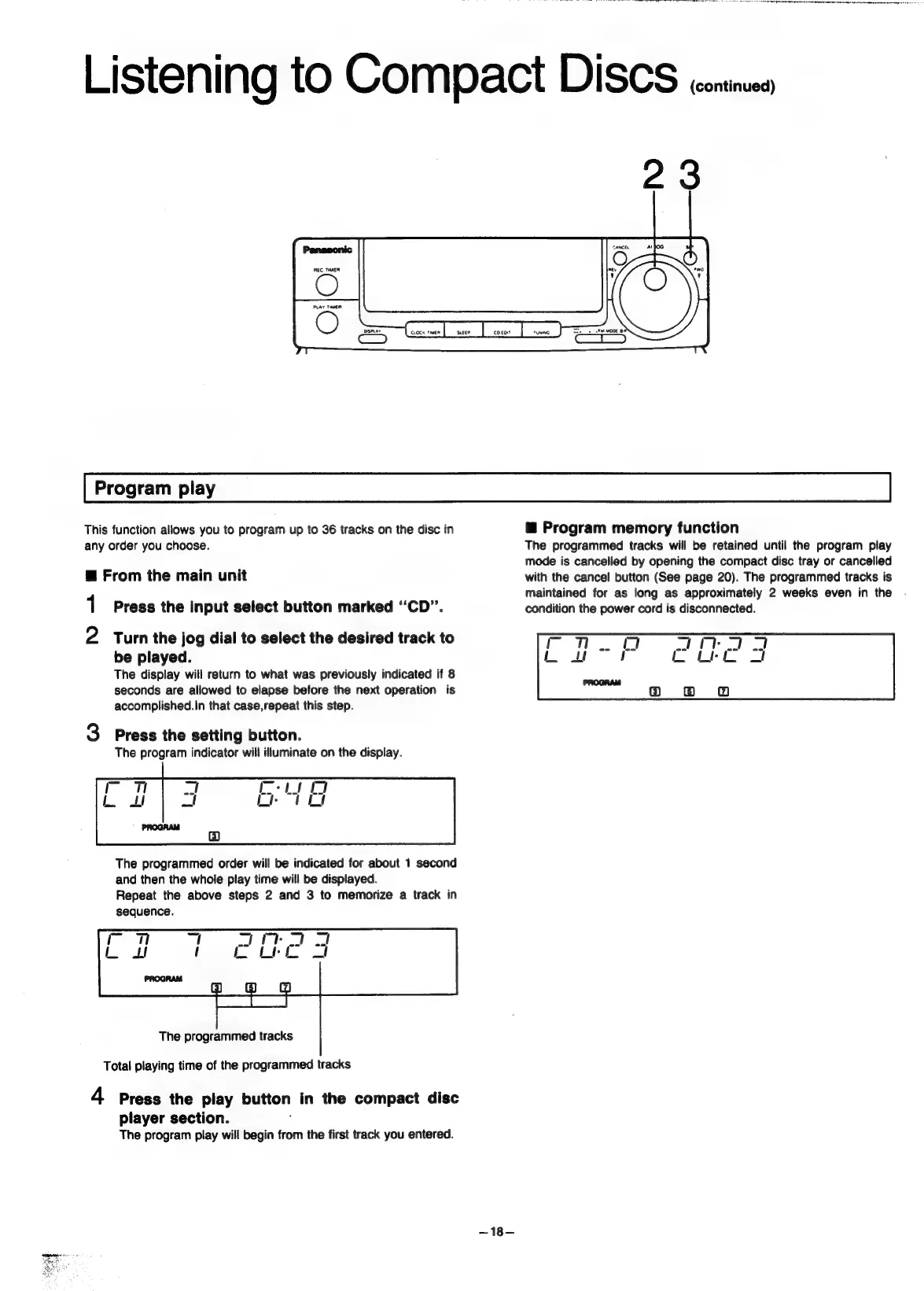
23
This
function
allows
you
to
program
up
to
36
tracks
on
the
disc
in
any
order
you
choose.
@
From
the
main
unit
1
Press
the
input
select
button
marked
‘‘CD”’.
2
Turn
the
jog
dial
to
select
the
desired
track
to
be
played.
The
display
will
return
to
what
was
previously
indicated
if
8
seconds
are
allowed
to
elapse
before
the
next
operation
is
accomplished.in
that
case,repeat
this
step.
3
Press
the
setting
button.
The
program
indicator
will
illuminate
on
the
display.
The
programmed
order
will
be
indicated
for
about
1
second
and
then
the
whole
play
time
will
be
displayed.
Repeat
the
above
steps
2
and
3
to
memorize
a
track
in
sequence.
The
programmed
tracks
Total
playing
time
of
the
programmed
tracks
4
Press
the
play
button
in
the
compact
disc
player
section.
7
The
program
play
will
begin
from
the
first
track
you
entered.
~18—
@
Program
memory
function
The
programmed
tracks
will
be
retained
until
the
program
play
mode
is
cancelled
by
opening
the
compact
disc
tray
or
cancelled
with
the
cancel
button
(See
page
20).
The
programmed
tracks
is
maintained
for
as
long
as
approximately
2
weeks
even
in
the
condition
the
power
cord
is
disconnected.

Related product manuals