EasyManua.ls Logo

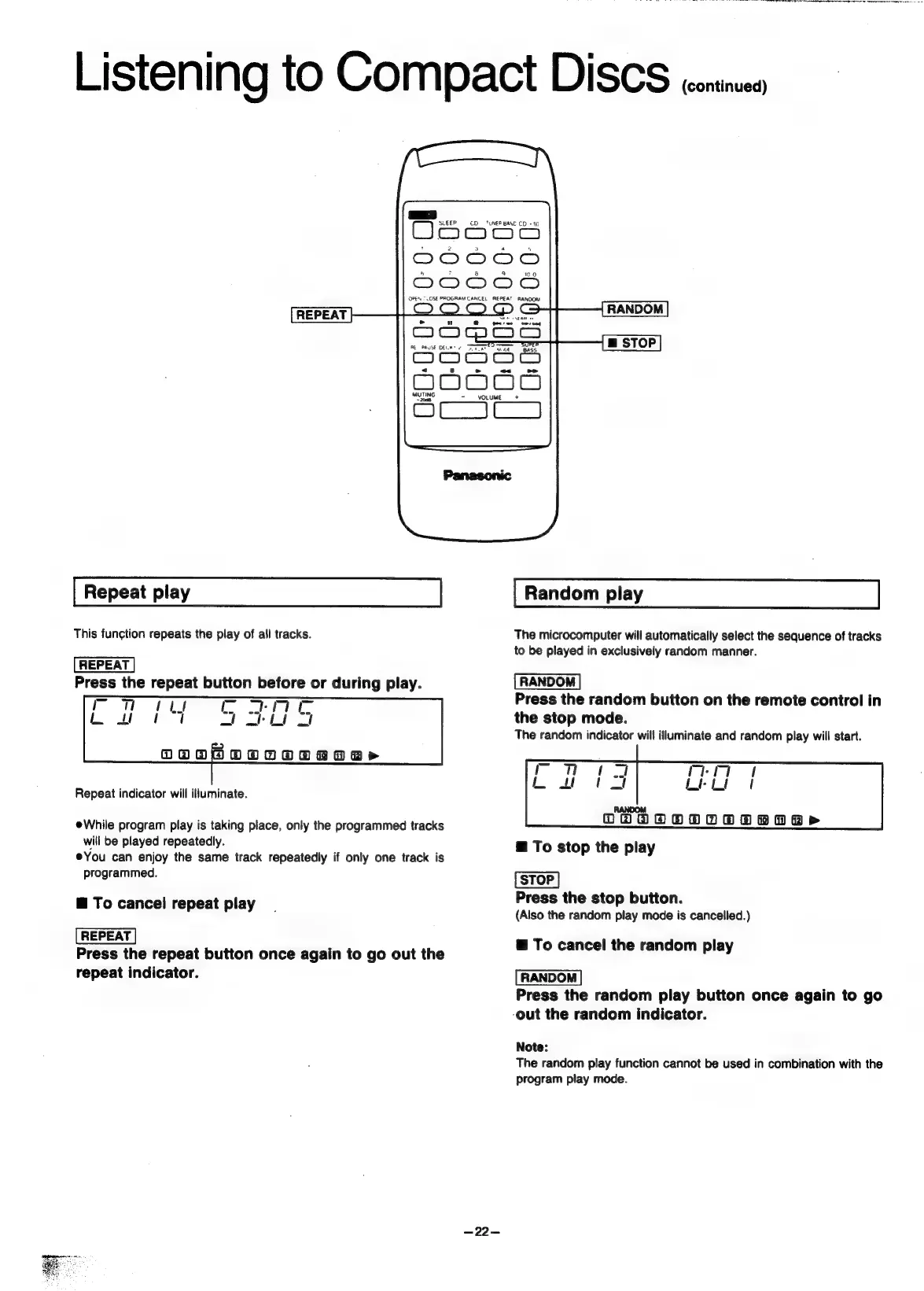
Panasonic SC-CH55 - Repeat play; To cancel repeat play; Random play; To stop the play

Panasonic SC-CH55
60 pages
Print Icon
To Next Page IconTo Next Page
To Previous Page IconTo Previous Page
Loading...
Listening
to
Compact
DISCS
ceninues
=.
CO
TUNER
BAND
CO
-
10,
Oso
cnc
(=n
an
en
op
an:
DO0O08
OPEN
“LOSE
PROGRAM
CANCEL
REPEAT
RANDOM
m
STOP
REPEAT
Repeat
play
Random
play
This
function
repeats
the
play
of
all
tracks.
The
microcomputer
will
automatically
select
the
sequence
of
tracks
to
be
played
in
exclusively
random
manner.
Press
the
repeat
button
before
or
during
play.
=
Press
the
random
button
on
the
remote
control
in
en
ee
ee
ort
27
the
stop
mode.
The
random
indicator
will
illuminate
and
random
play
will
start.
OOOH
OOODOO
ROR»
Repeat
indicator
will
illuminate.
RANDOM
@While
program
play
is
taking
place,
only
the
programmed
tracks
OVAAGOTOTeDaPr
will
be
played
repeatedly.
To
stop
the
play
eYou
can
enjoy
the
same
track
repeatedly
if
only
one
track
is
programmed.
STOP
aT
t
pl
Press
the
stop
button.
eicence:
sh
kee
cit
A
(Also
the
random
play
mode
is
cancelled.)
REPEAT
@
To
cancel
the
random
play
Press
the
repeat
button
once
again
to
go
out
the
repeat
indicator.
RANDOM
Press
the
random
play
button
once
again
to
go
-out
the
random
indicator.
Note:
The
random
play
function
cannot
be
used
in
combination
with
the
program
play
mode.
-22—

Related product manuals