EasyManua.ls Logo

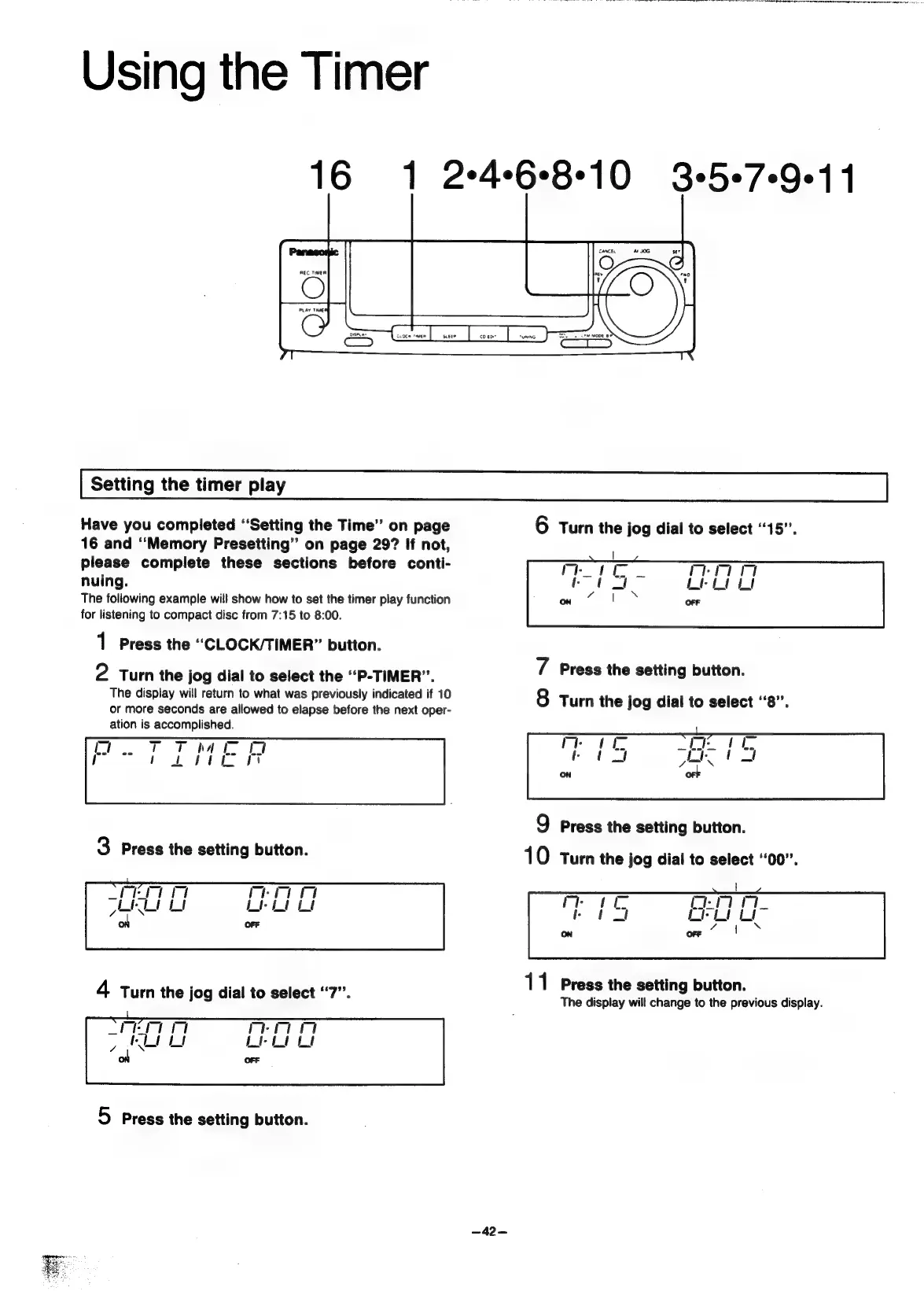
Panasonic SC-CH55 - Using the Timer; Setting the timer play

Panasonic SC-CH55
60 pages
Print Icon
To Next Page IconTo Next Page
To Previous Page IconTo Previous Page
Loading...
Using
the
Timer
16
1
2468-10
3+5+7-9+1
1
Setting
the
timer
play
Have
you
completed
“Setting
the
Time”
on
page
6
Turn
the
jog
dial
to
select
“15”.
16
and
“Memory
Presetting”
on
page
29?
If
not,
please
complete
these
sections
before
conti-
nuing.
The
following
example
will
show
how
to
set
the
timer
play
function
for
listening
to
compact
disc
from
7:15
to
8:00.
1
Press
the
““CLOCK/TIMER”
button.
N
Press
the
setting
button.
2
Turn
the
jog
dial
to
select
the
“P-TIMER”.
The
display
will
return
to
what
was
previously
indicated
if
10
or
more
seconds
are
allowed
to
elapse
before
the
next
oper-
ation
is
accomplished.
Thatk
et
tft
fee]
Turn
the
jog
dial
to
select
“8”.
Lor
Q
Press
the
setting
button.
Turn
the
jog
dial
to
select
‘‘00”.
11
Press
the
setting
button.
The
display
will
change
to
the
previous
display.
mon
Lt“
Li
OFF
5
Press
the
setting
button.
—42—

Related product manuals