EasyManua.ls Logo

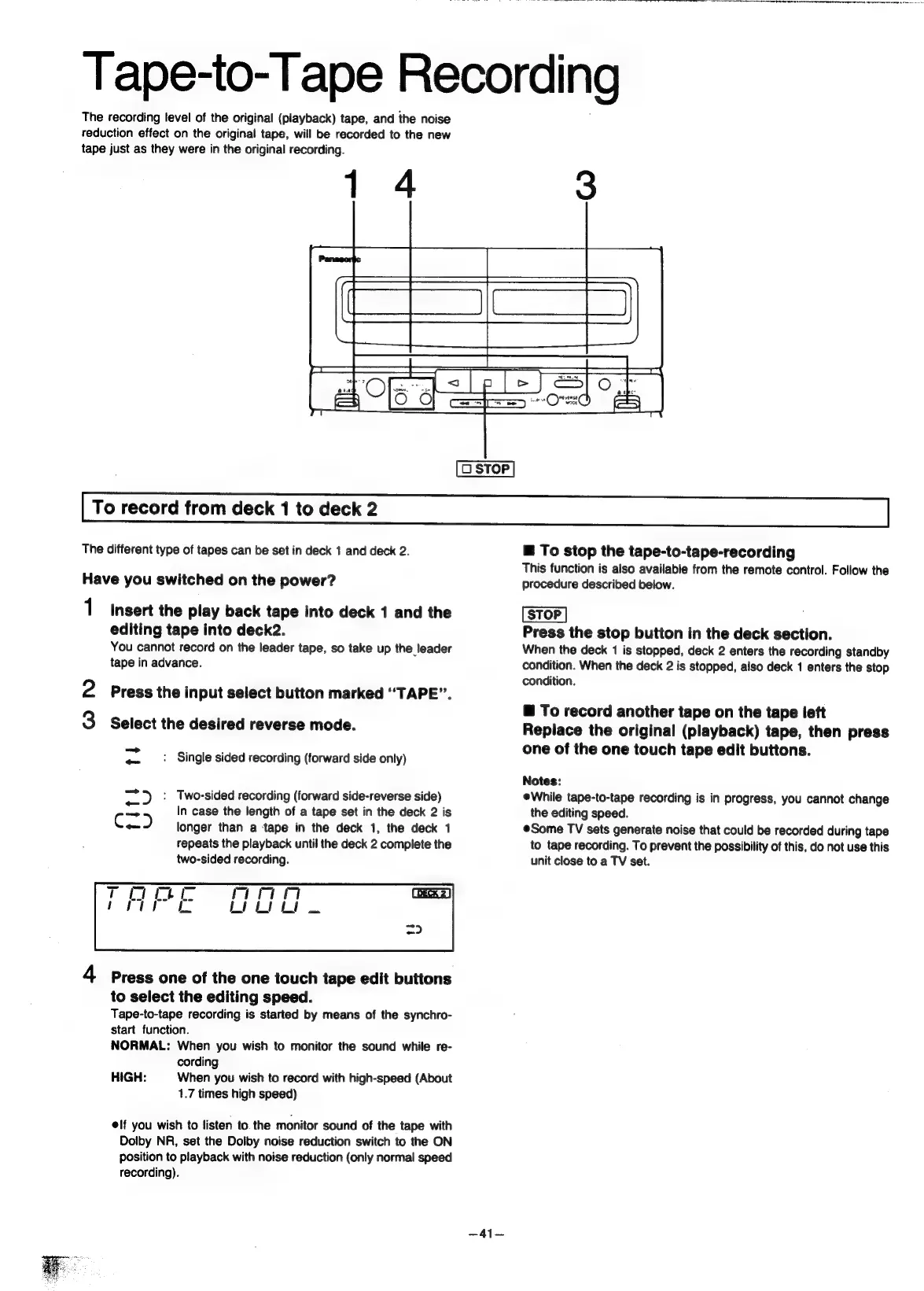
Panasonic SC-CH55 - Tape-to-Tape Recording; To record from deck 1 to deck 2; To stop the tape-to-tape-recording; To record another tape on the tape left

Panasonic SC-CH55
60 pages
Print Icon
To Next Page IconTo Next Page
To Previous Page IconTo Previous Page
Loading...
Tape-to-Tape
Recording
The
recording
level
of
the
original
(playback)
tape,
and
the
noise
reduction
effect
on
the
original
tape,
will
be
recorded
to
the
new
tape
just
as
they
were
in
the
original
recording.
To
record
from
deck
1
to
deck
2
The
different
type
of
tapes
can
be
set
in
deck
1
and
deck
2.
Have
you
switched
on
the
power?
1
Insert
the
play
back
tape
into
deck
1
and
the
editing
tape
into
deck2.
You
cannot
record
on
the
leader
tape,
so
take
up
the
leader
tape
in
advance.
ie)
Press
the
input
select
button
marked
“TAPE”.
1¢)
Select
the
desired
reverse
mode.
«
_:
Single
sided
recording
(forward
side
only)
=
*)
:
Two-sided
recording
(forward
side-reverse
side)
ag
In
case
the
length
of
a
tape
set
in
the
deck
2
is
are
longer
than
a
tape
in
the
deck
1,
the
deck
1
repeats
the
playback
until
the
deck
2
complete
the
two-sided
recording.
mn
ee
4
Press
one
of
the
one
touch
tape
edit
buttons
to
select
the
editing
speed.
Tape-to-tape
recording
is
started
by
means
of
the
synchro-
start
function.
NORMAL:
When
you
wish
to
monitor
the
sound
while
re-
cording
When
you
wish
to
record
with
high-speed
(About
1.7
times
high
speed)
HIGH:
elf
you
wish
to
listen
to.
the
monitor
sound
of
the
tape
with
Dolby
NR,
set
the
Dolby
noise
reduction
switch
to
the
ON
position
to
playback
with
noise
reduction
(only
normal
speed
recording).
-41—
@
To
stop
the
tape-to-tape-recording
This
function
is
also
available
from
the
remote
control.
Follow
the
procedure
described
below.
Press
the
stop
button
in
the
deck
section.
When
the
deck
1
is
stopped,
deck
2
enters
the
recording
standby
condition.
When
the
deck
2
is
stopped,
also
deck
1
enters
the
stop
condition.
@
To
record
another
tape
on
the
tape
left
Replace
the
original
(playback)
tape,
then
press
one
of
the
one
touch
tape
edit
buttons.
Notes:
eWhile
tape-to-tape
recording
is
in
progress,
you
cannot
change
the
editing
speed.
eSome
TV
sets
generate
noise
that
could
be
recorded
during
tape
to
tape
recording.
To
prevent
the
possibility
of
this,
do
not
use
this
unit
close
to
a
TV
set.
I
AS
a
A
A
he
a
NN
Th
i
a
a
a
re
a
a

Related product manuals