EasyManua.ls Logo

Panasonic SC-CH55 - Using the Timer (continued); Setting the timer play; Setting the timer recording

Panasonic SC-CH55
60 pages
Print Icon
To Next Page IconTo Next Page
To Previous Page IconTo Previous Page
Loading...
PLAY
TIMER
Setting
the
timer
play
@
To
cancel
the
timer
play
Press
the
play
timer
button.
The
play
timer
indicator
will
no
longer
illuminate.
The
timer
will
not
be
functioned,
but
the
setting
for
the
timer
play
still
be
memorized
in
the
unit.
@
When
wrong
setting
has
been
done
CANCEL
Press
the
cancel
button.
The
display
will
return
to
the
previous
step.
@
To
confirm
the
timer
play
Press
the
clock/timer
button
in
the
power
standby
mode.
The
ON
time
and
OFF
time
will
be
displayed.
The
setting
source
will
be
displayed
if
the
button
is
pressed
again.
Setting
the
timer
recording
Have
you
completed
“Setting
the
Time”
on
page
16
and
‘“‘Memory
Presetting”
on
page
297?
if
not,
please
complete
these
sections
before
conti-
nuing.
1
Follow
steps
1-11
on
page
42
for
setting
the
time.
(Select
the
‘‘R-TIMER”
in
step
2.)
2
Press
the
input
select
button
marked
“TUNER”
and
tune
in
the
station
which
broad-
cast
is
to
be
recorded,
and
then
insert
the
tape
into
deck
2.
CLOCK/TIMER
—44—
CANCEL
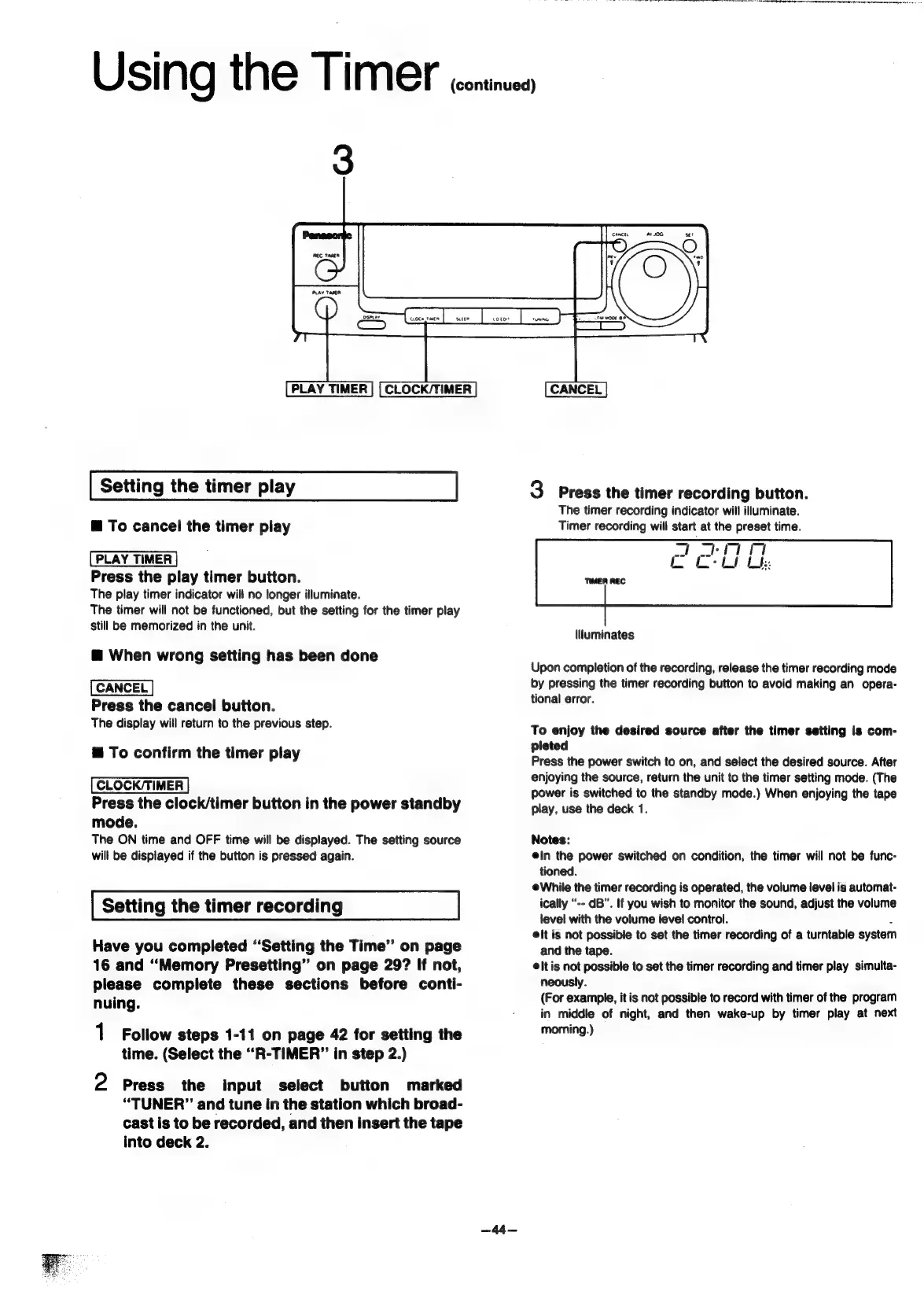
3
Press
the
timer
recording
button.
The
timer
recording
indicator
will
illuminate.
Timer
recording
will
start
at
the
preset
time.
7
ie
Mt
Re
i
Be
llluminates
Upon
completion
of
the
recording,
release
the
timer
recording
mode
by
pressing
the
timer
recording
button
to
avoid
making
an
opera-
tional
error.
To
enjoy
the
desired
source
after
the
timer
setting
is
com-
pleted
Press
the
power
switch
to
on,
and
select
the
desired
source.
After
enjoying
the
source,
return
the
unit
to
the
timer
setting
mode.
(The
power
is
switched
to
the
standby
mode.)
When
enjoying
the
tape
play,
use
the
deck
1.
Notes:
ein
the
power
switched
on
condition,
the
timer
will
not
be
func-
tioned.
@While
the
timer
recording
is
operated,
the
volume
level
is
automat-
ically
“--
dB”.
If
you
wish
to
monitor
the
sound,
adjust
the
volume
level
with
the
volume
level
control.
.
elt
is
not
possible
to
set
the
timer
recording
of
a
turntable
system
and
the
tape.
lt
is
not
possible
to
set
the
timer
recording
and
timer
play
simulta-
neously.
(For
example,
it
is
not
possible
to
record
with
timer
of
the
program
in
middle
of
night,
and
then
wake-up
by
timer
play
at
next
morning.)

Related product manuals