EasyManua.ls Logo

Panasonic SC-CH55 - Using the KARAOKE function; To cancel the karaoke mode; To make a mixing recording with karaoke function

Panasonic SC-CH55
60 pages
Print Icon
To Next Page IconTo Next Page
To Previous Page IconTo Previous Page
Loading...
Using
the
“KARAOKE?”
function
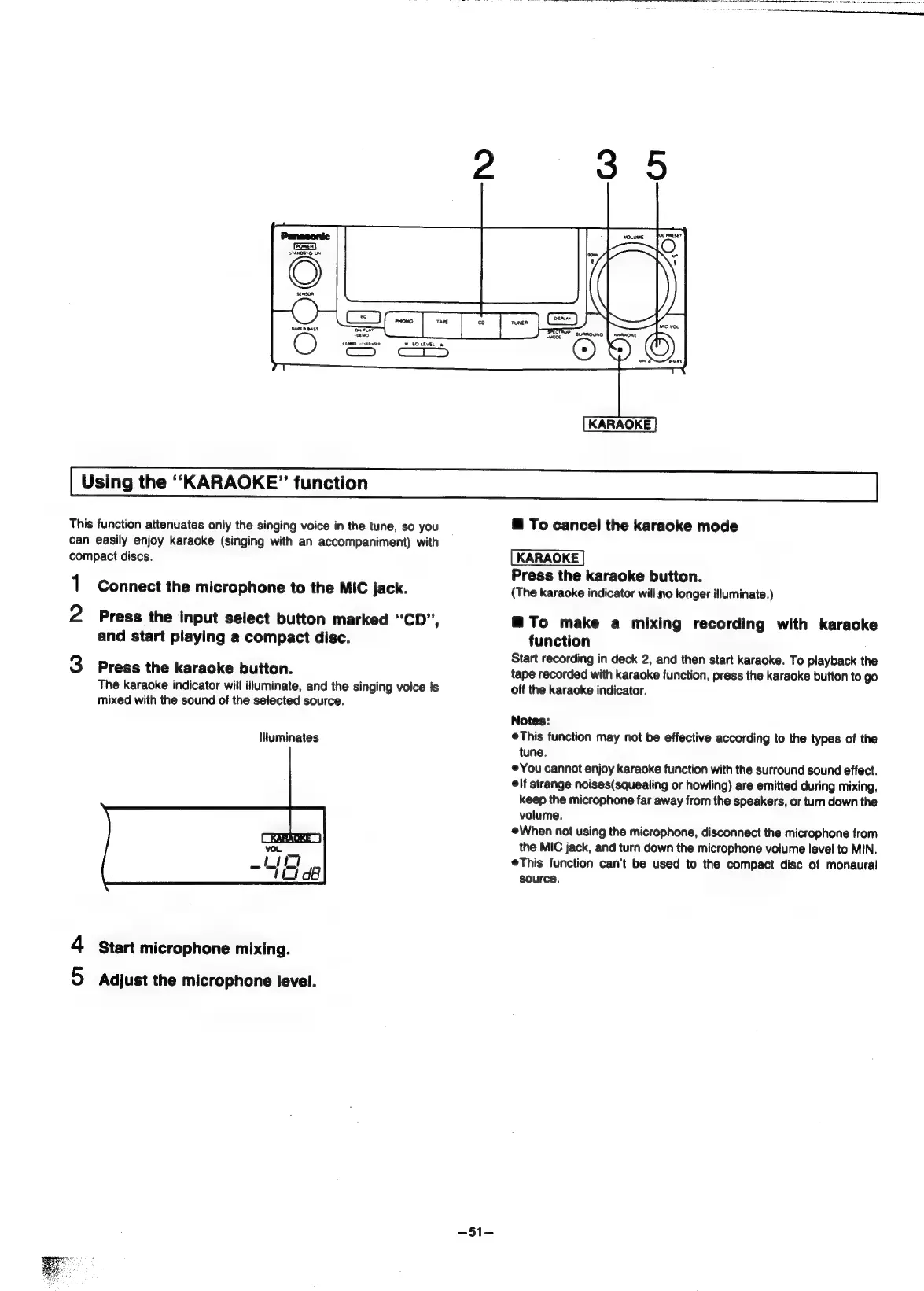
KARAOKE
This
function
attenuates
only
the
singing
voice
in
the
tune,
so
you
can
easily
enjoy
karaoke
(singing
with
an
accompaniment)
with
compact
discs.
1
Connect
the
microphone
to
the
MIC
jack.
2
Press
the
input
select
button
marked
“CD”,
and
start
playing
a
compact
disc.
3
Press
the
karaoke
button.
The
karaoke
indicator
will
illuminate,
and
the
singing
voice
is
mixed
with
the
sound
of
the
selected
source.
illuminates
4
start
microphone
mixing.
5
Adjust
the
microphone
level.
=51=
@
To
cancel
the
karaoke
mode
KARAOKE
Press
the
karaoke
button.
(The
karaoke
indicator
will.y0
longer
illuminate.)
@To
make
a
mixing
recording
with
karaoke
function
Start
recording
in
deck
2,
and
then
start
karaoke.
To
playback
the
tape
recorded
with
karaoke
function,
press
the
karaoke
button
to
go
off
the
karaoke
indicator.
Notes:
eThis
function
may
not
be
effective
according
to
the
types
of
the
tune.
©
You
cannot
enjoy
karaoke
function
with
the
surround
sound
effect.
elf
strange
noises(squealing
or
howling)
are
emitted
during
mixing,
keep
the
microphone
far
away
from
the
speakers,
or
turn
down
the
volume.
When
not
using
the
microphone,
disconnect
the
microphone
from
the
MIC
jack,
and
turn
down
the
microphone
volume
level
to
MIN.
eThis
function
can’t
be
used
to
the
compact
disc
of
monaural
source.

Related product manuals