EasyManua.ls Logo

Panasonic SC-CH55 - Concerning the Display; Selecting the display; About the spectrum display

Panasonic SC-CH55
60 pages
Print Icon
To Next Page IconTo Next Page
To Previous Page IconTo Previous Page
Loading...
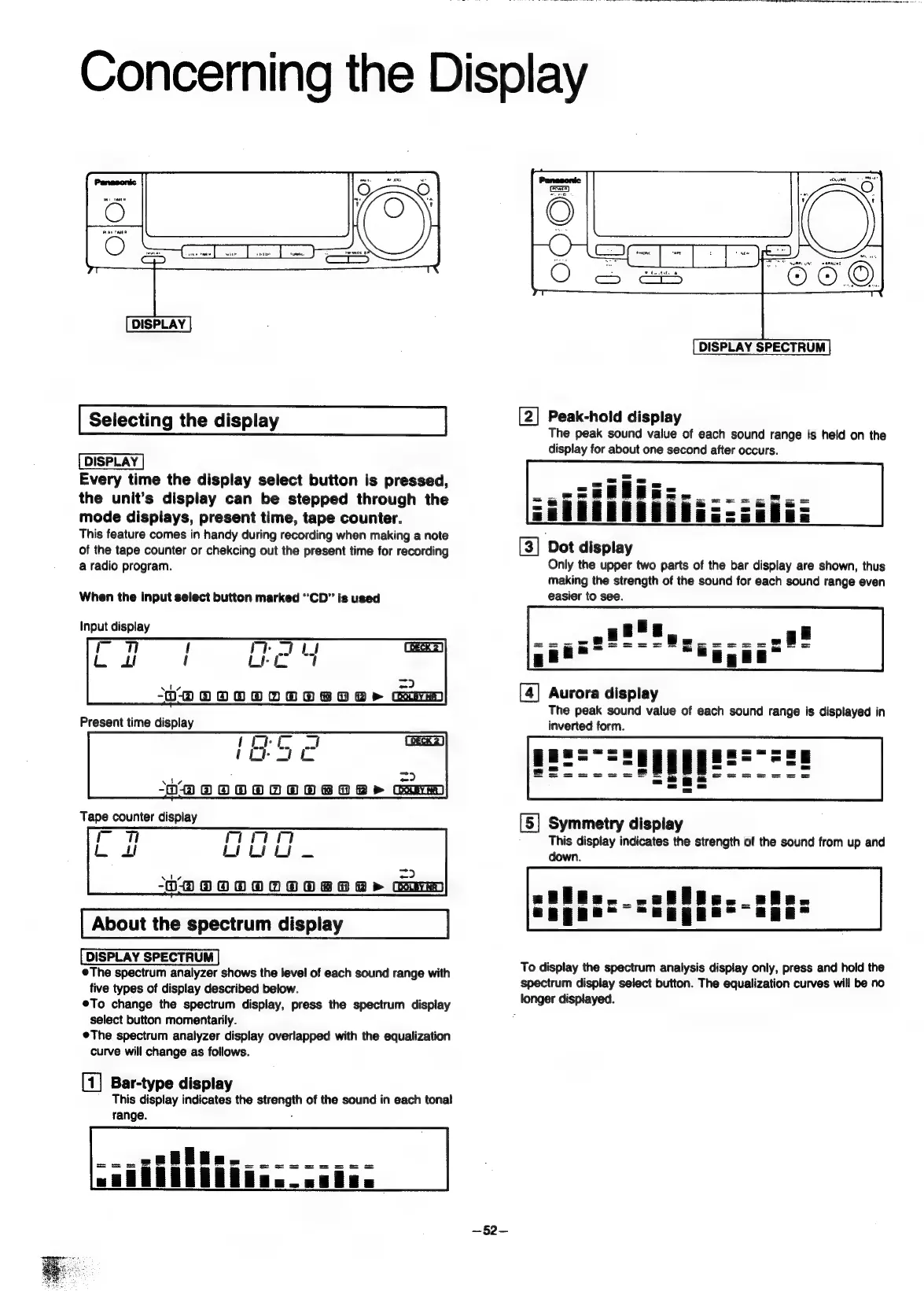
DISPLAY
Selecting
the
display
Every
time
the
display
select
button
is
pressed,
the
unit’s
display
can
be
stepped
through
the
mode
displays,
present
time,
tape
counter.
This
feature
comes
in
handy
during
recording
when
making
a
note
of
the
tape
counter
or
chekcing
out
the
present
time
for
recording
a
radio
program.
When
the
input
select
button
marked
“CD”
is
used
Input
display
-
ale
=?
-ODOOOOOOOBOR>
Gaim
-
mn
a2
2
oS
pen
=>
OHO
OOOOOOB8TR>
City
About
the
spectrum
display
The
spectrum
analyzer
shows
the
level
of
each
sound
range
with
five
types
of
display
described
below.
®To
change
the
spectrum
display,
press
the
spectrum
display
select
button
momentarily.
The
spectrum
analyzer
display
overlapped
with
the
equalization
curve
will
change
as
follows.
[1]
Bar-type
display
This
display
indicates
the
strength
of
the
sound
in
each
tonal
range.
:
—52—
DISPLAY
SPECTRUM
[2]
Peak-hold
display
The
peak
sound
value
of
each
sound
range
is
held
on
the
display
for
about
one
second
after
occurs.
[3]
Dot
display
Only
the
upper
two
parts
of
the
bar
display
are
shown,
thus
making
the
strength
of
the
sound
for
each
sound
range
even
easier
to
see.
[4]
Aurora
display
The
peak
sound
vaiue
of
each
sound
range
is
displayed
in
inverted
form.
[5]
Symmetry
display
This
display
indicates
the
strength
of
the
sound
from
up
and
down.
To
display
the
spectrum
analysis
display
only,
press
and
hold
the
spectrum
display
select
button.
The
equalization
curves
will
be
no
longer
displayed.

Related product manuals