Recordingfrom
Radio
Broadcasts (irabacion de radiodifusiones
3PB
To stop
recording:
Press
.
To cut
an
unnecessary
part while
recording:
1. Press REC
PAUSE.
The
cassette
deck will go into
the
recording standby state.
2. To resume
recording,
press
<ot>
corresponding to the
direc-
tion In which
recording
Is talking place.
To reduce
the noise
while
MW/SW
(For China,
Australia
and New
Zealand: AM)
recording
(Beat
proof
function)
E
While
In the
recording standby
mode of
MW/SW band;
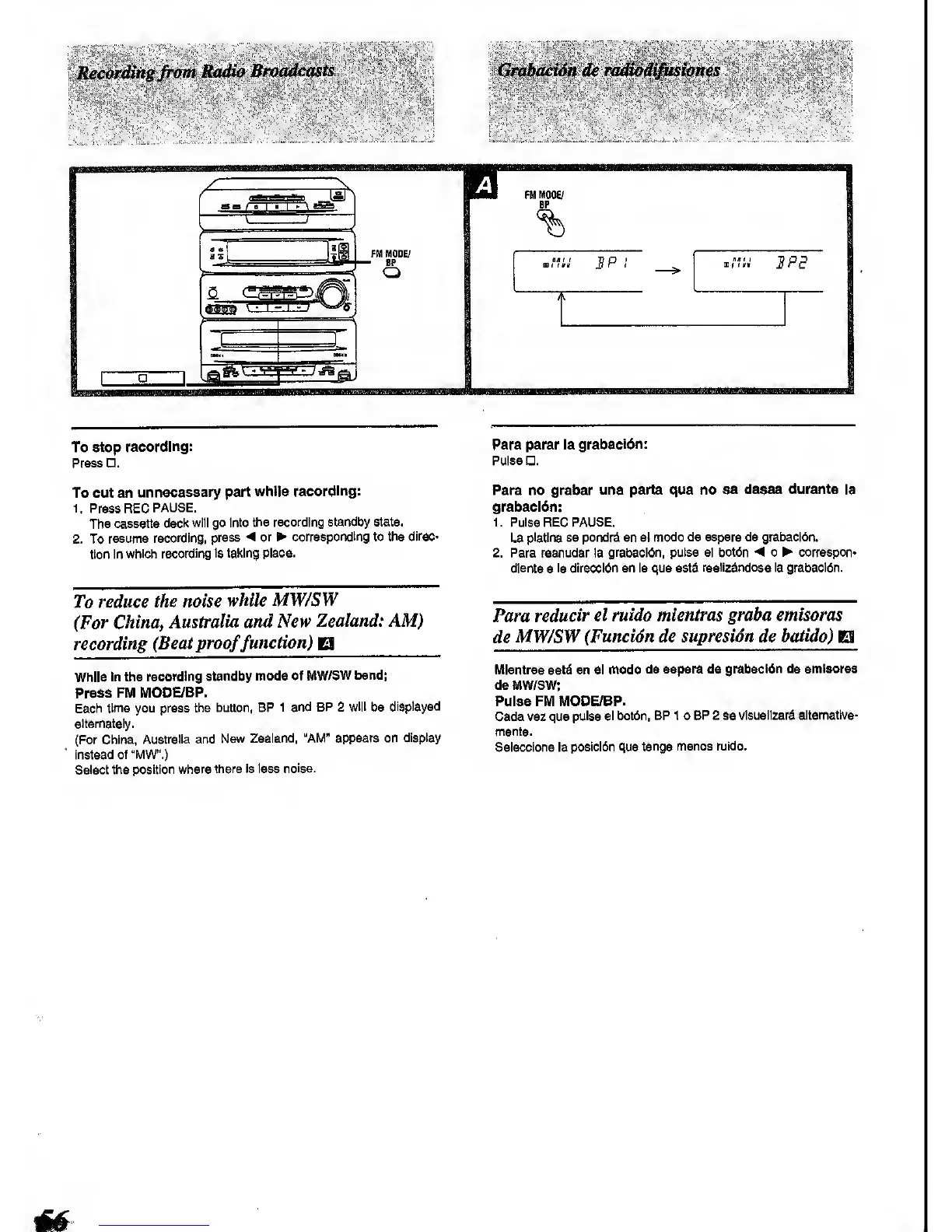
Press FM
MODE/BP.
Each
time you press
the button, BP
1 and BP 2
will
be
displayed
alternately.
(For China,
Australia and
New Zealand,
"AM" appears on
display
instead
of "MW".)
Select the
position where
there is less
noise.
Para parar la
grabactdn:
Pulse .
Para no grabar una parte que no
se desee durante la
grabaeldn:
1. Pulse
REC
PAUSE.
La
platina se pondrd en el
modo
de espera de
grabacl6n.
2. Para reanudar la
grabaci6n, pulse el botdn
^
o ^
correspond
diente a
la direccidn en la que estd
reallzdndose la grabaci6n.
Para
reducir el
ruido mientras graha emisoras
de
MW/SW
(Funcidn de supresidn de
batido)
El
Mientras estA en el modo
de espera de
grabacldn de emisorss
de MW/SW;
Pulse FM MODE/BP.
Cade vez que
puise el bot6n, BP 1 o
BP 2 se vlsuallzara
altematlva-
mente.
Seiecclone la
posici6n que
tenga menos ruido.









 To Next Page