Rpn'ording
from
Compaci
Dha
Grabacion
de discos compactos
n-n 1
U'U
'
nun
w
Linking up
several discs
(LINK)
You
can link up
another CD when
"LINK"
lights after editing a CD,
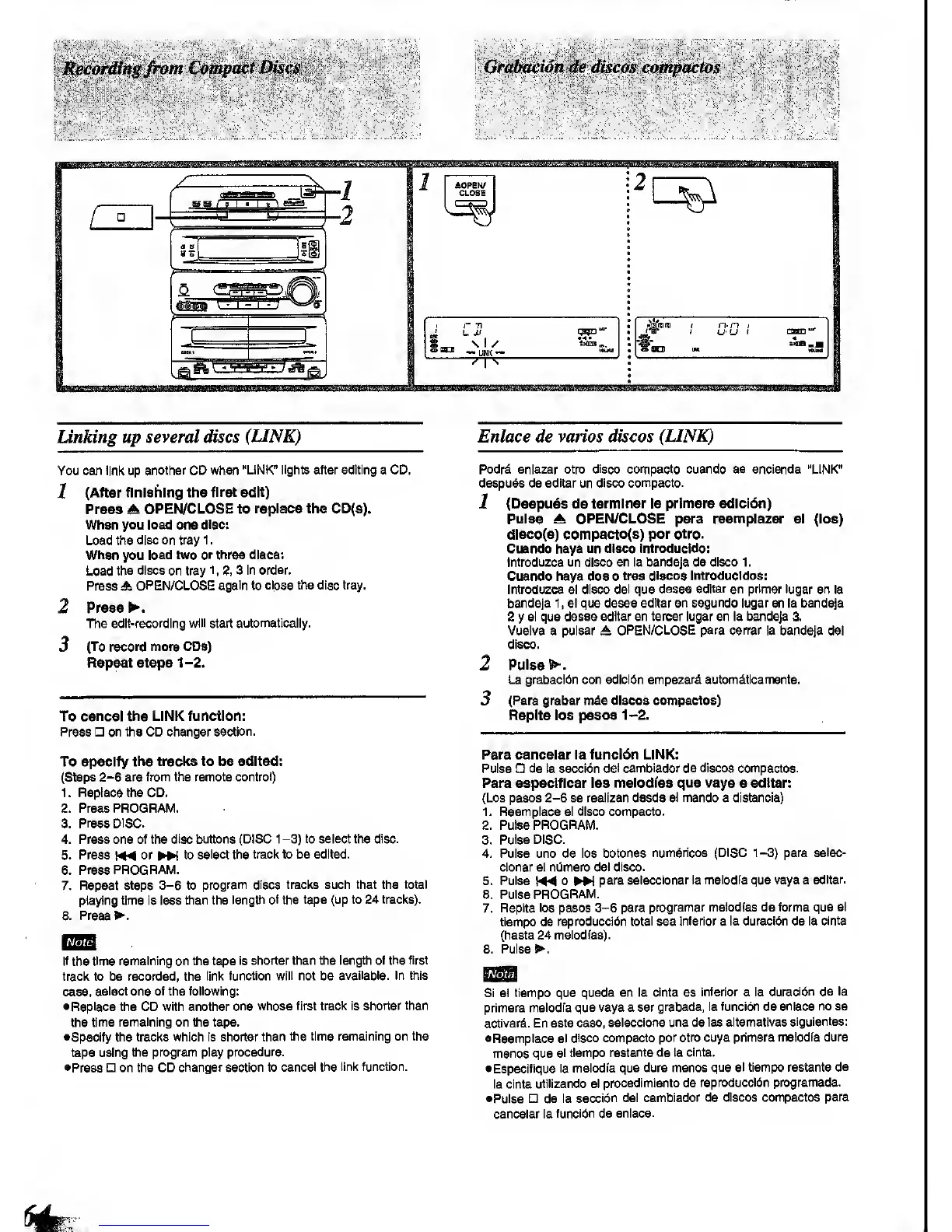
1
(After
finishing the
first
adit)
Press A
OPEN/CLOSE
to
replace the CD(8).
Whan you load one
diac:
Load
the disc on
trayl.
Whan you load two
or thraa diacs:
Load
the discs on tray 1 ,
2,
3
In order.
Press A
OPEN/CLOSE again to
close the disc tray.
2 Preas
The edit-recording
wlii
start
automaticaiiy.
3
(To record mora CDs)
Repeat steps
1-2.
To
cancel the LINK function:
Preas on the CD changer
section.
To specify
the tracks to be edited:
(Steps
2-6
are from the remote
control)
1. Replace the CD,
2. Press PROGRAM.
3.
Press DISC.
4. Press one of the
disc buttons (DISC 1
-3)
to seiect the disc.
5. Press or
^
to
select the traclt to be edited.
6.
Press PROGRAM.
7. Repeat
steps
3-6
to
program discs traclts such that the total
playing time Is less
than the length
of
the
tape (up to 24 tracks).
8. Press
If
the
time remaining on the tape
is shorter than the length of
the first
track to be recorded, the
linl< function
will
not be
available. In mis
case,
select one of the following:
•Replace the CD with another
one whose first
track Is shorter than
the
time remaining on the tape,
•Specify
the tracks which Is shorter than
the time remaining on the
tape using
the program play
procedure.
•Press
on the CD
changer section to cancel
the link function.
Enlace de varies discos
(LINK)
Podrd enlazar otro
disco
compacto
cuando
se encienda "LINK"
despuds de edltar un disco
compacto.
1
(Despues de termlnar
la prtmera edicldn)
Pulse
A OPEN/CLOSE para
reemplazar el (loa)
dlsco(s) compacto(s)
per
otro.
Cuando haya un disco introducido:
Introduzca un disco
en la bandeja
de
disco
1.
Cuando haya
dos o
tras discos
Introducldos:
Introduzca el
disco
del
que
dssee edltar
en primer lugar
en la
bandeja
1
, al
que desee
edltar en segundo lugar
en la bandeja
2
y
el que desee
edltar en tercer lugar en la bandeja 3.
Vuelva a pulsar A
OPEN/CLOSE para cerrer
la bandeja del
disco.
2
Pulse
La grabaol6n con edicl6n
empezard
autom&tlcamente.
3
(Para
grabar m&s discos
compactos)
Replta loa
pa«o8l-2.
Para
canceiar la funcidn LINK:
Pulse de la
secci^n del
cambiador de discos
compactos.
Para
especlficar las meiodfas
que vaya
a
edltar:
(Los pasos
2-6
se reallzan desde el mando a distancia)
1 . Reemplace el disco compacto.
2. Pulse PROGRAM.
3.
Pulse DISC.
4. Pulse uno de los botones
num6ricos (DISC 1-3) para
selec-
cionar el nijmero del disco.
5. Pulse
h44
0
^
para
seleccionar la melodfa que vaya a
edltar.
6. Pulse
PROGRAM.
7.
Replta los pasos
3-6
para
programar meiodfas de forma
que el
tiempo de
reproducci6n
total
sea
Inferior
a
la duracibn de la
cinta
(hasta 24
meiodfas).
Pulsed.8.
Si el tiempo que
queda en la
cinta
es
inferior a la
duractbn de la
primera
melodia que vaya a ser
grabada, la funcidn de
enlace no se
activar^. En sste
caso,
seleccione una
de
las aitematlvas
slgulentes:
•Reemplace el
disco compacto
por otro cuya primera
melodia dure
menos que
el tiempo
restante de la cinta.
•
Especifique
la
melodia que dure menos
que el tiempo restante
ds
la cinta
utiiizando el procedlmiento de
reproduccldn programada.
•Pulse
n de la
secci6n del
cambiador de discos compactos
para
canceiar la
funcibn de enlace.


 To Next Page
 Loading...






