II
1
-DISPLAY/
-DEMO
2, 4
3
,w • •....... •.....
For U.S.A.: 12-hour clock
For others: 24-hour clock
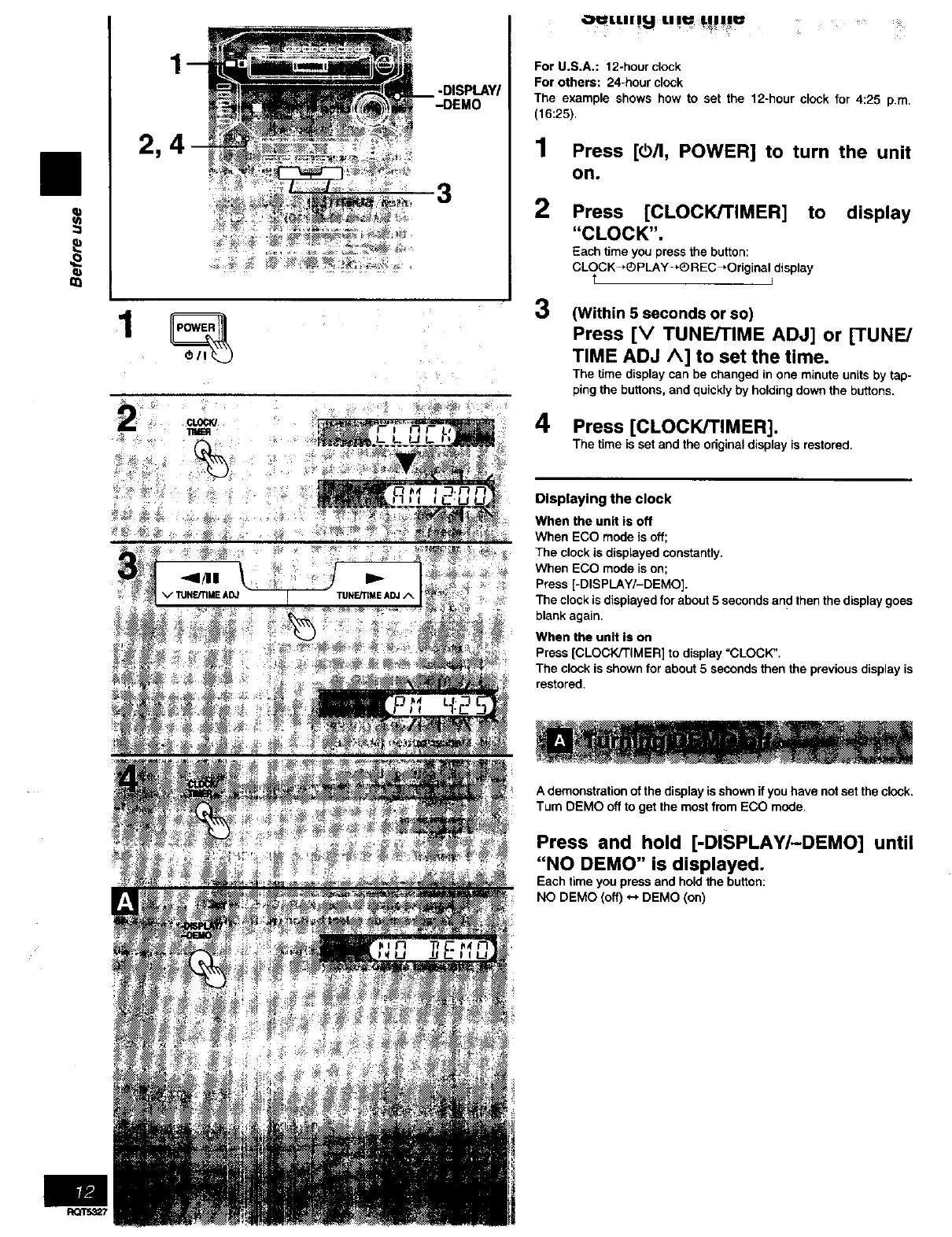
The example shows how to set the 12-hour clock for 4:25 p.m.
(16:25).
1 Press [@/I, POWER] to turn the unit
OR.
2 Press [CLOCK/TIMER] to display
"CLOCK".
Each time you press the button:
CLOCK_ PLAY-+® REC_Original display
T i
3
4
(Within 5 seconds or so)
Press [V TUNEKIME ADJ] or [TUNE/
TIME ADJ A] to set the time.
The time display can be changed in one minute units by tap-
ping the buttons, and quickly by holding down the buttons.
Press [CLOCK/TIMER].
The time is set and the original display is restored,
Displaying the clock
When the unit is off
When ECO mode isoff;
The clock is displayed constantly.
When ECO mode ison;
Press [-DISPLAY/-DEMO].
The clock is displayed for about 5 seconds and then the display goes
blank again.
When the unit Is on
Press [CLOCK/TIMER] to display =CLOCK".
The clock is shown for about 5 seconds then the previous display is
restored.
A demonstration of the display is shown if you have not set the clock.
Turn DEMO off to get the most from ECO mode.
Press and hold [-DISPLAY/-DEMO] until
"NO DEMO" is displayed.
Each time you press and hold the button:
NO DEMO (off) *-, DEMO (on)



 To Next Page