1
2
1
2
Set the unit to reduce energy consumption in the standby mode.
While the unit is on:
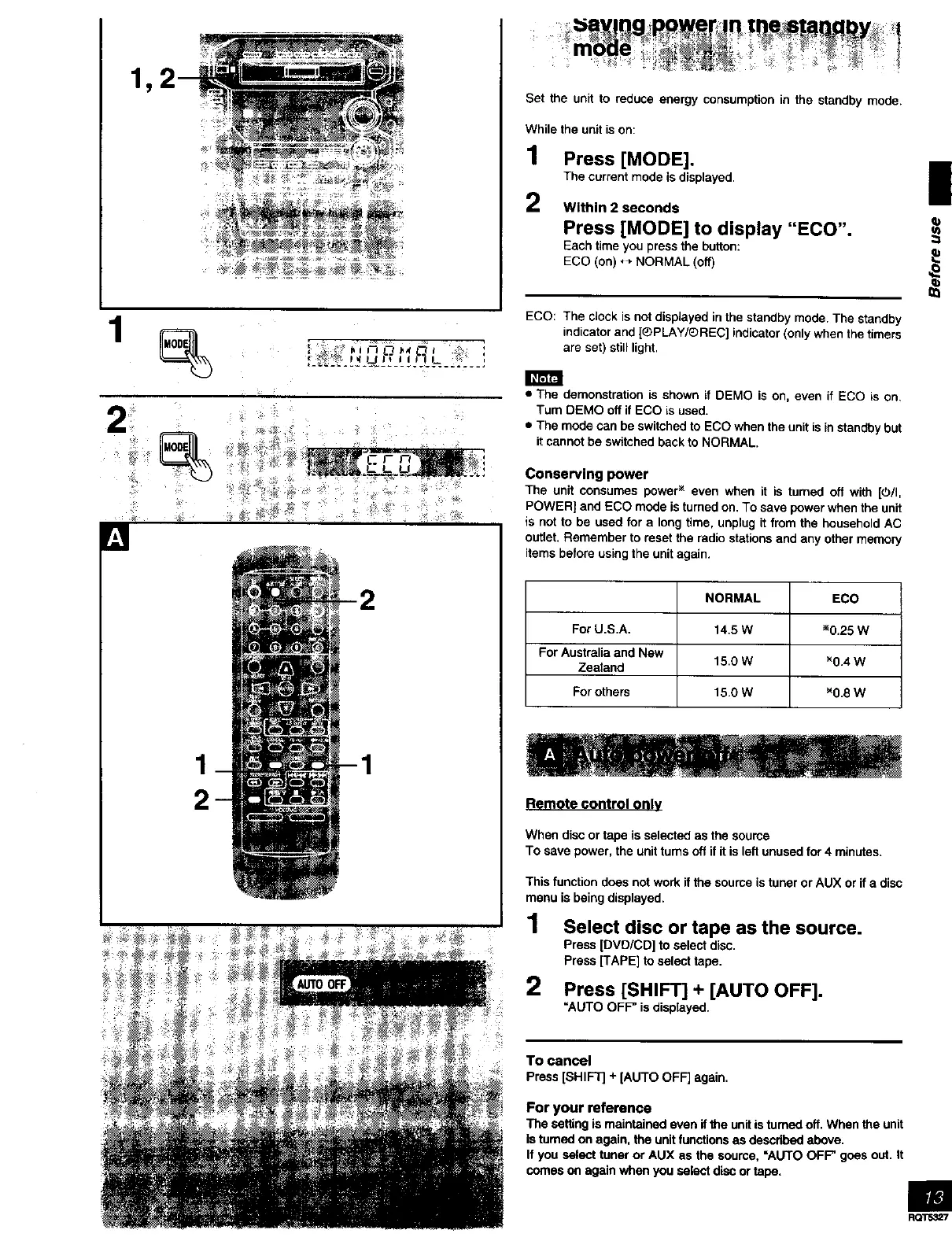
1 Press [MODE].
The current mode is displayed. •
2 Within 2 seconds
Press [MODE] to display "ECO".
Each time you press the button:
ECO (on) *_ NORMAL (off)
ECO: The clock is not displayed in the standby mode. The standby
indicator and [®PLAY/_)REC] indicator (only when the timers
are set) still light.
P
• The demonstration is shown if DEMO is on, even if ECO is on,
Tum DEMO off if ECO is used.
• The mode can be switched to ECO when the unit is in standby but
it cannot be switched back to NORMAL.
Conserving power
The unit consumes power _ even when it is tamed off with [(_/I,
POWER] and ECO mode is turned on. To save power when the unit
is not to be used for a long time, unplug it from the household AC
outlet. Remember to reset the radio stations and any other memory
items before using the unit again.
NORMAL ECO
For U.S.A. 14.5 W _0.25 W
For Australia and New
Zealand 15.0 W _0.4 W
For others 15.0 W _0.8 W
Remote control only
When disc or tape is selected as the source
To save power, the unit tams off if it is left unused for 4 minutes.
This function does not work if the source is tuner or AUX or if a disc
menu is being displayed.
1 Select disc or tape as the source.
Press [DVD/CD] to select disc.
Press [TAPE] to select tape•
2 Press [SHIFT] + [AUTO OFF].
=AUTO OFF" is displayed.
To cancel
Press[SHIFTJ+[AUTO OFF] again,
For your reference
The setting is maintained even if the unit is tamed off. When the unit
is tumed on again, the unit functions as descdbed above.
If you select tuner or AUX as the soume, =AUTO OFF" goes out. It
comes on again when you select disc or tape.
ROTS327



 To Next Page