_joy!ng sur_no s_uf!o
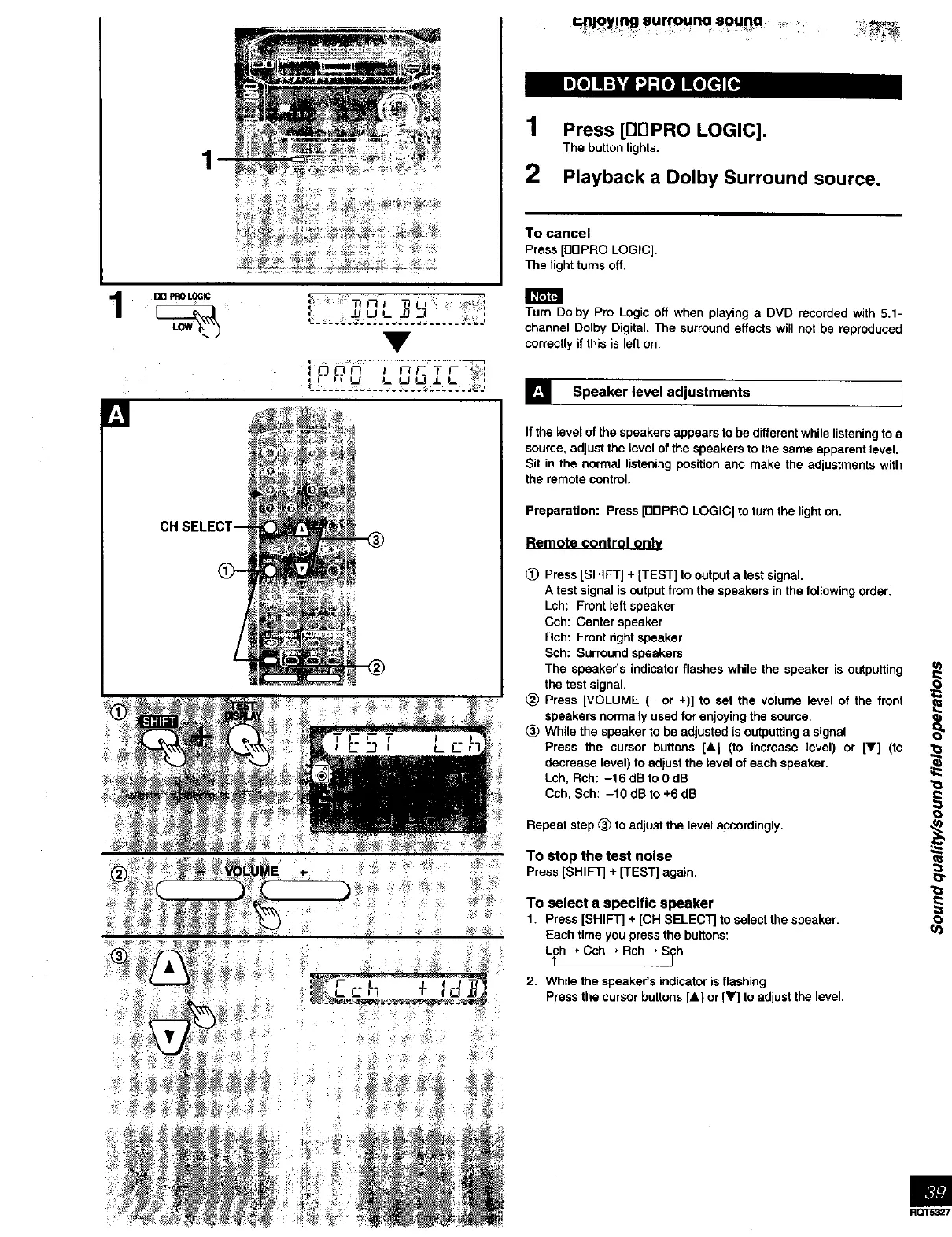
1 Press [BF1PRO LOGIC].
The button lights.
2 Playbacka Dolby Surround source.
To cancel
Press [DDPRO LOGIC].
The light turns off.
I _r;IF4
KI
Oo,h _ c, rT,- ),
®
Turn Dolby Pro Logic off when playing a DVD recorded with 5.1-
channel Dolby Digital. The surround effects will not be reproduced
correctly if this is left on,
] Speaker level adjustments i
If the level of the speakers appears to be different while listening to a
source, adjust the level of the speakers to the same apparent level.
Sit in the normal listening position and make the adjustments with
the remote control.
Preparation: Press [DDPRO LOGIC] to turn the lighton.
Remote control only
(_ Press [SHIFT] + [TEST] to output a test signal.
A test signal isoutput from the speakers in the following order.
Lch: Front left speaker
Cch: Center speaker
Rch: Front dght speaker
Sch: Surround speakers
The speaker's indicator flashes while the speaker is outputting
the test signal.
_) Press [VOLUME (- or +)] to set the volume level of the front
speakers normally used for enjoying the source.
_) While the speaker to be adjusted is outputting a signal
Press the cursor buttons [A] (to increase level) or [V] (to
decrease level) to adjust the level of each speaker.
Lch, Rch: -16 dB to 0 dB
Cch, Sch: -10 dB to +6 dB
Repeat step (_ to adjust the level apcordingly.
,_ To stop the test noise
.... Press [SHIFT]+[TEST]again.
To select a specific speaker
1. Press [SHIFT] + [CH SELECTJ to select the speaker.
Each time you press the buttons:
L_h -* Cch _ Rch _ S_h
2. While the speaker's indicator is flashing
Press the cursor buttons [A] or [V] to adjust the level•
o
RQT5327



 To Next Page