I
[]
i_ i_!_ ,,_" ,_'!&: : _i_
MID
• i
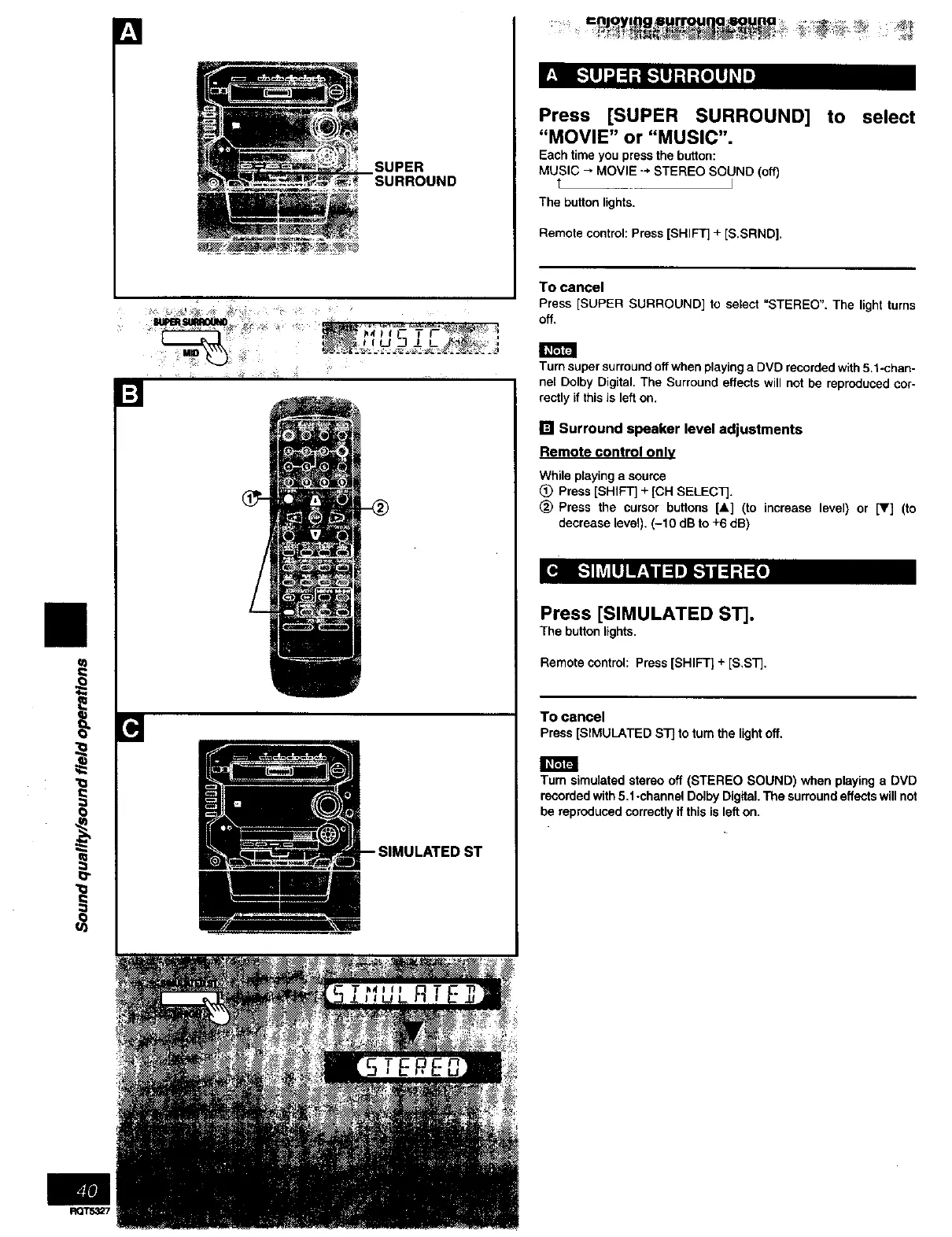
SUPER
SURROUND
[]
-- SIMULATED ST
= ijoyl g_ a : ....... _
Press [SUPER SURROUND]
"MOVIE" or "MUSIC".
Each time you press the button:
MUSIC _ MOVIE "-* STEREO SOUND (Off)
t J
The button lights,
Remote control: Press [SHIFT] + [S.SRND].
to select
To cancel
Press [SUPER SURROUND] to select "STEREO", The light turns
off,
Turn super surround off when playing a DVD recorded with 5.1 -chan-
nel Dolby Digital. The Surround effects will not be reproduced cor-
rectly if this is left on.
[] Surround speaker level adjustments
Remote control only
While playing a source
_) Press [SHIFT] + [CH SELECT].
_) Press the cursor buttons [A] (to increase level) or [Y] (to
decrease level), (-10 dB to +6 dB)
Press [SIMULATED ST].
The button lights,
Remote control: Press [SHIFT] + [S,ST],
TO cancel
Press[SIMULATEDST]toturnthe lightoff,
Tum simulatod stereo off (STEREO SOUND) when playing a DVD
recorded with 5.1*channel Dolby Digital. The surround effects will net
be reproduced correctly if this is left on.



 To Next Page