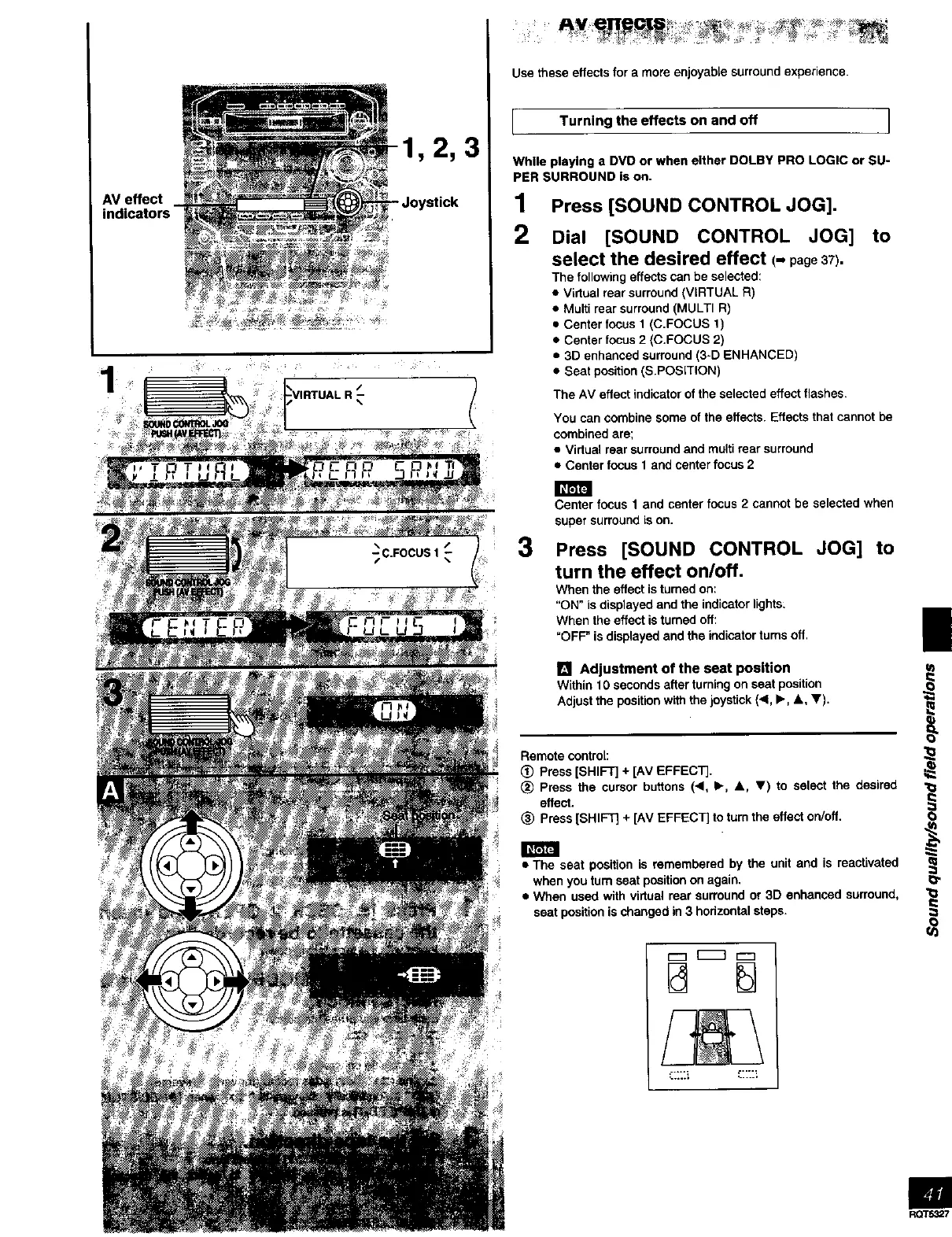
AV effect
indicators -
1,2,3
Joystick
m
Use these effects for a more enjoyable surround experience.
I Turning the effects on and off ]
While playing a DVD or when either DOLBY PRO LOGIC or SU-
PER SURROUND is on.
1
2
Press [SOUND CONTROL JOG].
Dial [SOUND CONTROL JOG]
select the desired effect (- page37).
The following effects can be selected:
• Virtual rear surround (VIRTUAL R)
• Multi rear surround (MULTI R)
• Center focus 1 (C.FOCUS 1)
• Center focus 2 (C.FOCUS 2)
• 3D enhanced surround (3-D ENHANCED)
• Seat position (S.POSITION)
to
The AV effect indicator of the selected effect flashes.
You can combine some of the effects. Effects that cannot be
combined are;
• Vidual rear surround and multi rear surround
• Center focus 1 and center focus 2
3
Center focus 1 and center focus 2 cannot be selected when
super surround Lson.
Press [SOUND CONTROL JOG] to
turn the effect on/off.
When the effect is turned on:
"ON" is displayed and the indicator lights:
When the effect isturned off:
"OFF" is displayed and the indicator turns off,
[] Adjustment of the seat position
Within 10 seconds after turning on seat position
Adjust the position with the joystick (<, I_, A, V).
Remote control:
(_ Press [SHIFT] + [AV EFFECT].
(_ Press the cursor buttons (4, I_, A, V) to select the desired
effect.
(_ Press [SHIFT] + [AV EFFECT] to turn the effect on/off.
• The seat position is remembered by the unit and is reactivated
when you turn seat position on again.
• When used with virtual rear surround or 3D enhanced surround,
seat position is changed in 3 horizontal steps.
...... r....;
L.,,+_ • .....
|
i
1
#.
I
i
i
I:e
'10
e-
In
RQT5327



 To Next Page