SI¸_i ?:,_
M_or_'ng ulscs _
Preparation:
• Do the preparatory steps (-- page 42).
• Press [DVD/CD] to select disc as the source and insert the disc(s)
you want to record (m page 15).
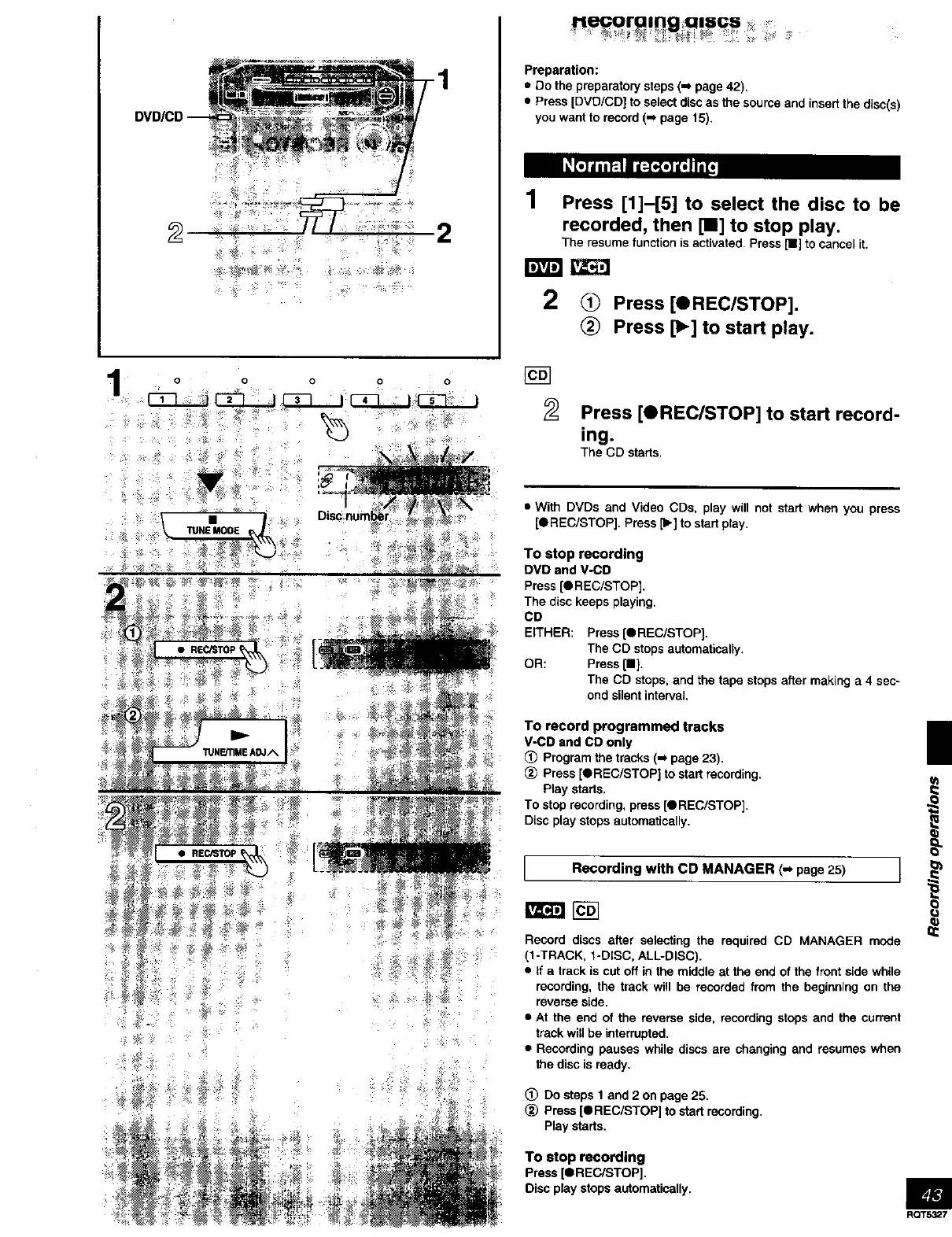
1 Press [1]-[5] to select the disc to be
recorded, then [11] to stop play.
The resume function isactivated. Press [!1] to cancel it.
2 <_ Press [OREC/STOP].
Press [_] to start play.
Press [OREC/STOP] to start record-
ing.
The CD starts,
• With DVDs and Video CDs, play will not start when you press
[OREC/STOP]. Press [b.] to start play.
To stop recording
DVD and V-CD
Press [O REC/STOP],
The disc keeps playing,
CD
EITHER: Press [QREC/STOP].
The CD stops automatically,
OR: Press [11].
The CD stops, and the tape stops after making a 4 sec-
ond silent interval.
To record programmed tracks
V-CD and CD only
Program the tracks (-_ page 23).
_) Press [OREC/STOP] to start recording.
Play starts,
To stop recording, press [_REC/STOP].
Disc play stops automatically.
Recording with CD MANAGER (,,, page25)
Record discs after selecting the required CD MANAGER mode
(I-TRACK, 1-DISC, ALL-DISC)•
• If a track is cut off in the middle at the end of the front side while
recording, the track will be recorded from the beginning on the
reverse side.
• At the end of the reverse side, recording stops and the current
track will be interrupted.
• Recording pauses while discs are changing and resumes when
the disc is ready.
(_ Do steps 1 and 2 on page 25.
_) Press [OREC/STOP] to start recording.
Play starts,
|
O
To stop recording
Press [e REC/STOP].
Disc play stops automatically. _J_
RQT5327



 To Next Page