15
RQT6924
Disc operations
Starting play from a selected item
[RAM] [DVD-A] [DVD-V] [VCD] [CD] [WMA] [MP3] [JPEG]
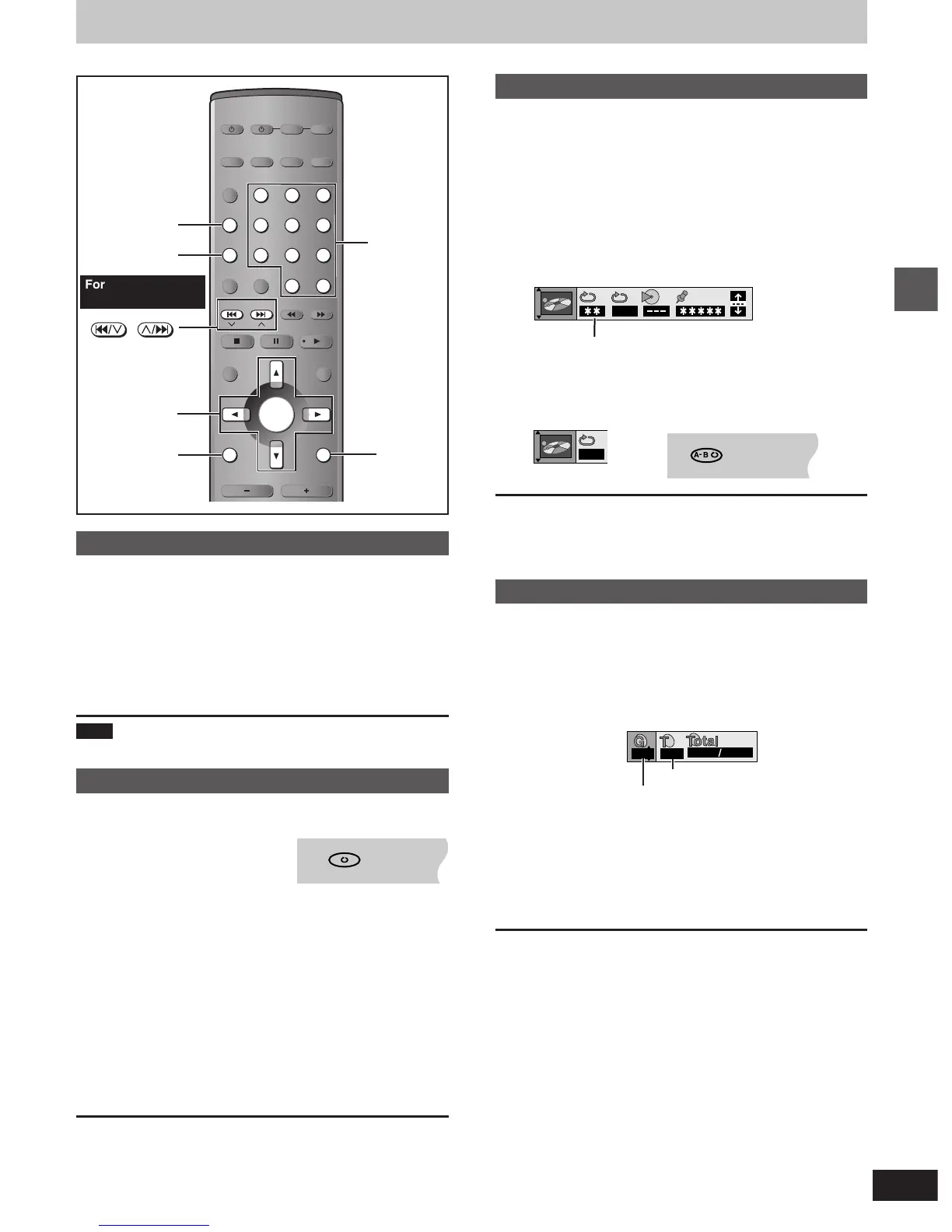
Press the numbered buttons to select the
item.
Play starts from the selected item.
To select a 2-digit number
Example: To select track 23, press [S10/-/--] ➡ [2] ➡ [3].
[WMA] [MP3] [JPEG] : [2] ➡ [3] ➡ [ENTER]
Note
This works only when stopped with some discs.
Repeat play
[RAM] [DVD-A] [DVD-V] [VCD][[CD] [WMA] [MP3] [JPEG]
During play
Press [REPEAT].
Each time you press the button:
[RAM]
Program>All (Entire disc)>Off
≥During play list play
Scene>Playlist>Off
[DVD-V]
Chapter>Title
§
>Off
[VCD] [CD]
Track>All (Entire disc)>Off
[DVD-A] [WMA] [MP3]
Track>Group
§
>Off
[JPEG]
Group>Off
§
During all group ( [DVD-A] ), program and random play
“All” is displayed.
≥You can also repeat play of content and group on HighMAT discs.
∫ To repeat only your favorite tracks/chapters
Start program play (➡ page 16) and press [REPEAT] to select the
repeat mode.
A-B repeat play
[RAM] [DVD-A] [DVD-V] [VCD][[CD]][WMA] [MP3]
You can repeat a section between points A and B within a program,
title or track.
1 During play
Press [DISPLAY] until the unit
information screen is displayed
( ➡page 23).
2 Press [3, 4] to select the play menu.
3
Press [2, 1] to select “A-B Repeat” and
1
Press [ENTER] at the starting point (A).
2
Press [ENTER] at the finishing point (B).
A-B repeat starts.
To return to the normal play
Press [ENTER] again.
To clear the menus
Press [RETURN] until the menu disappears.
Selecting groups to play
[DVD-A] [WMA] [MP3] [JPEG]
1 [For\the\United\Kingdom,\Continental\Europe\and\Russia]
Press [GROUP].
[For\Southeast\Asia,\Australia\and\N.Z.]
Press and hold [
WW
WW
W/9, -GROUP].
2
Press the numbered buttons to select
the group number and press [ENTER].
3 Press the numbered buttons to select
the track/picture number and press
[ENTER].
[DVD-A]
Playing all the groups in succession (➡ page 16, All group play)
Playing bonus groups
Some discs contain bonus groups. If a password screen appears
after selecting a group, enter the password with the numbered
buttons. Refer to the disc’s jacket.
Discs—Convenient functions
AV SYSTEM
SLEEP
GROUP
REPEAT/
MIX 2CH
PLAY MODE/
P.MEMORY
CANCEL
SKIP
CH
TOP MENU
DISPLAY
VOLUME














 To Next Page