EasyManua.ls Logo

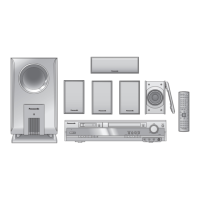
Panasonic SC-HT680 - User Manual

Panasonic SC-HT680
32 pages
Print Icon
To Next Page IconTo Next Page
Loading...
RQT7969-1P
P
PC
Operating Instructions
DVD Home Theater Sound System
Model No. SC-HT680
Region number
The player plays DVD-Video marked with labels containing the region
number “1” or “ALL”.
Example:
§
For Canada only: The word “Participant” is used in place of the word
“Partner”.
1 ALL
2
4
1
As an ENERGY STAR Partner,
Panasonic has determined that
this product meets the ENERGY STAR
guidelines for energy efficiency.
®
®
If you have any questions contact
In the U.S.A.: 1-800-211-PANA (7262)
In Canada: 1-800-561-5505
Before connecting, operating or adjusting this product,
please read the instructions completely.
Please keep this manual for future reference.
Advanced
progressive scan
Provides a smoother and sharper image.
6page
Compatible with a variety
of media formats
DVD-RAM, DVD-Audio, DVD-Video and more.
9page
High performance
sound effects
Sound field control (SFC), Super Surround and more.
22page
HT680.book Page 1 Thursday, March 10, 2005 10:38 AM

Other manuals for Panasonic SC-HT680

Questions and Answers

  • C
    Charles SmithJul 30, 2025
    How to control TV with Panasonic Home Cinema speakers remote?
    • T
      Timothy SparksJul 30, 2025
      If you cannot operate the TV with your Panasonic Home Cinema speakers remote, press [TV] first to operate the television. Also, check the remote control code for the TV manufacturer.
  • D
    David ChangAug 3, 2025
    Why is the picture distorted on my Panasonic Home Cinema speakers?
    • V
      Vanessa BradshawAug 3, 2025
      If you're experiencing picture distortion, the picture size doesn’t fit the screen, the menu isn't displayed correctly, the auto zoom function isn't working well, or the picture disappears or shows stripes, ensure the unit is directly connected to the TV, not through a VCR. Try changing the “TV Aspect” in the “Video” tab or adjusting the Zoom setting. Restore the zoom ratio to “a1.00”. Also, the zoom function may not work well, especially in dark scenes and may not work depending on the type of disc, so turn off your TV’s zoom function.
  • A
    Anthony GoodwinAug 9, 2025
    How to stop humming sound from Panasonic Home Cinema speakers?
    • R
      Renee JonesAug 9, 2025
      If you hear humming during play on your Panasonic Home Cinema speakers, it might be due to an AC power supply cord or fluorescent light being near the cables. To resolve this, keep other appliances and cords away from the unit’s cables.
  • J
    Jessica SalasAug 13, 2025
    Why are my Panasonic Home Cinema speakers not responding?
    • S
      Sharon CraigAug 13, 2025
      If your Panasonic Home Cinema speakers aren't responding to button presses, won't play DVDs, have no picture or sound, or you've forgotten your ratings password, it could be due to lightning, static electricity, or another external factor. Turn the unit off and then back on. If condensation has formed, wait 1 to 2 hours for it to evaporate. If the batteries are depleted, replace them. If CD Mode is on, press [SHIFT]i[CD MODE] to turn it off. Check the power or input setting of the connected equipment.
  • W
    walkeraaronAug 25, 2025
    Why is Point B automatically set on my Panasonic Home Cinema speakers?
    • J
      Joshua LeeAug 25, 2025
      If Point B is automatically set and A-B repeat is automatically canceled on your Panasonic Home Cinema speakers, it's because the end of an item becomes point B when it is reached.
  • G
    ggonzalezSep 10, 2025
    How to adjust subtitles on Panasonic Home Cinema speakers?
    • L
      Lori HillSep 12, 2025
      If the subtitle position is wrong, there are no subtitles, or the subtitles overlap closed captions on discs with your Panasonic Home Cinema speakers, adjust the position using the “Subtitle Position” setting in the Display Menu.

Summary

Safety and Product Identification

Important Safety Warnings

Critical safety instructions regarding laser, electrical shock, and fire hazards.

Simple Setup Guide

STEP 1 Front Speaker Assembly

Instructions for assembling the front speakers and their stands.

STEP 2 Speaker Positioning

Guidance on optimal placement of speakers for sound quality.

Connections

STEP 3 Speaker Connections

Steps for connecting speaker cables to the main unit and speakers.

STEP 4 Video Connections

Instructions for connecting video sources to the television.

Initial Connections

STEP 5 Antenna and Power Cord Setup

Connecting AM/FM antennas and the AC power supply cord.

STEP 6 Remote Control Setup

Installing batteries and basic usage of the remote control.

System Setup and Controls

STEP 7 QUICK SETUP

Guided initial setup process for the system.

Control Reference Guide

Overview of remote control buttons and their functions.

Disc Handling

Discs That Can Be Played

Lists compatible disc types and formats.

Main Unit and Disc Cautions

Precautions for handling discs and the main unit to prevent damage.

Basic Playback

Basic Play Steps

Guide to powering on, selecting discs, and starting playback.

Remote Control Operations

Using the Remote Control

Comprehensive guide to operating functions via the remote control.

Convenient Functions

ADVANCED DISC REVIEW

Browse and start playback from selected points on a disc.

Disc Information Screen

View loaded discs and select one for playback.

CD Sequential Play (CD MODE)

Play multiple music CDs sequentially.

Quick Replay Function

Skip back a few seconds for reviewing content.

Convenient Functions - Playback Adjustments

Picture and Sound Adjustments

Controls for zoom, soundtrack, subtitle, and play speed.

Playback Control Features

Angle selection, still picture rotation, and repeat play functions.

Convenient Functions - Programming

Program and Random Play

Setting up programmed or random playback sequences.

Convenient Functions - Random Playback

Random Play Modes

Instructions for playing items in random order on discs.

Navigation Menus

Playing Data Discs

How to play JPEG files and HighMAT discs.

Playback Menu Navigation

Navigating menus to play items sequentially.

Search by Content or Group Title

Finding specific content or groups using the search function.

Navigation Menus - Disc Specific Playback

Playing HighMAT Discs

Specific instructions for playing HighMAT discs.

Playing RAM Discs

How to play programs and playlists recorded on RAM discs.

On-Screen Menus

Main Menu Options

Overview of the main menu options and how to access them.

Time and Audio Settings

Setting playback start time and selecting audio options.

Picture and Subtitle Settings

Options for displaying still pictures, thumbnails, and subtitles.

Other Settings

Playback Speed and Repeat Options

Adjusting playback speed and setting repeat functions.

Picture and Video Output Settings

Adjusting picture modes and video output configurations.

Changing Player Settings

Disc Tab Settings

Configuring audio, subtitle, and menu languages.

Video Tab Settings

Adjusting TV aspect ratio and display preferences.

Changing Player Settings - Advanced Options

Audio Tab Settings

Adjusting surround sound and dialogue enhancement features.

Speaker Settings

Adjusting delay times for optimal surround sound.

Sound Field and Sound Quality Features

Surround Sound Technologies

Explains Center Focus, Dolby Pro Logic II, Super Surround, and Subwoofer level.

Sound Field Control (SFC)

Selects various sound field effects for different listening experiences.

Other Useful Functions

Speaker Level Adjustments

Fine-tuning individual speaker volume levels for surround effect.

Sleep Timer and Muting

Functions for setting auto-off timer and muting audio.

Using Headphones

Instructions for connecting and using headphones.

The Radio

Automatic Station Presetting

Automatically scans and stores FM/AM radio stations.

Manual Radio Tuning and Presets

Manually tuning and selecting preset radio channels.

Operating Other Equipment

Controlling TVs and VCRs

Using the remote to control televisions and video cassette recorders.

Connecting External Sources

Connecting devices via AUX input for playback.

Speaker Setup Options

Wall Mounting Speakers

Instructions for securely mounting speakers on a wall.

Speaker Stand Fitting

Guidelines for selecting and fitting speaker stands.

Specifications

Amplifier and Speaker Specifications

Technical details for amplifier output power and speaker systems.

Disc and Video Specifications

Lists playable disc types and video output specifications.

Troubleshooting Guide

Power and Responsiveness Issues

Solutions for unit not powering on or buttons not responding.

Disc Playback and Connection Errors

Troubleshooting playback issues and incorrect connections.

Picture and Sound Problems

Steps to resolve issues with distorted or absent video/audio.

Troubleshooting Guide - Common Issues

Menu and Display Problems

Solutions for issues with accessing or displaying menus.

Picture Quality Issues

Troubleshooting distorted, incorrect, or missing picture display.

Radio Reception Issues

Solutions for radio reception and sound quality problems.

Product Service, Maintenance, and Glossary

Product Service and Repair

Guidelines for when and how to get the unit serviced.

Unit Maintenance and Cleaning

Instructions for cleaning the unit and handling discs.

Technical Glossary

Definitions of technical terms used in the manual.

Limited Warranty Information

Warranty Coverage and Exclusions

Details of warranty period, coverage, and limitations.

Customer Support and Services

Information on obtaining product support and accessories.

Accessories

Supplied Accessories and Ordering

List of included accessories and how to order replacements.

Panasonic SC-HT680 Specifications

General IconGeneral
TypeHome Theater System
Speaker Configuration5.1 Channel
Total Power Output1000 W
Audio Formats SupportedDolby Digital, DTS
DVD PlayerYes
Supported MediaDVD, CD, MP3
Progressive ScanYes
Component Video OutputYes
S-Video OutputYes
Composite Video OutputYes
Radio TunerFM/AM
Remote ControlYes
Digital Audio InputOptical

Related product manuals