EasyManua.ls Logo

Panasonic SC-HT623 - User Manual

Panasonic SC-HT623
36 pages
Print Icon
To Next Page IconTo Next Page
Loading...
GCU
GCS GCA
EE
RQTC0047-1B
Operating Instructions
DVD Home Theater Sound System
Model No. SC-HT888/SC-HT623
EJECT
/ I
REW
FF
REV MODE
REC
TUNE MODE FM MODE
M.RE-MASTER
SFC
SW LEVEL
SURROUND
VOLUME
OPEN/CLOSE
SELECTOR
DOWN
UP
KARAOKE
MEMORY
TUNING
PHONES
12MIC MIC VOL
MIN MAX
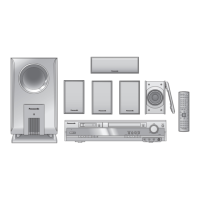
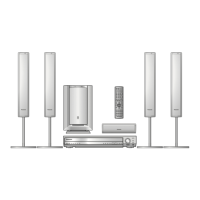
The illustration shows SC-HT623.
Before connecting, operating or adjusting this product,
please read these instructions completely.
Please keep this manual for future reference.
Region number
The player plays DVD-Video marked with labels containing the
region number or “ALL”.
Example: [Southeast]Asia]and]Singapore[
Region Number
United Arab Emirates 2
Southeast Asia and Singapore 3
Russia 5
3 ALL
3
5
2
Table of contents
Accessories . . . . . . . . . . . . . . . . . . . . . . . . . . . . . . 2
Safety precautions/Maintenance . . . . . . . . . . . . . 3
Glossary . . . . . . . . . . . . . . . . . . . . . . . . . . . . . . . . . 3
Control reference guide . . . . . . . . . . . . . . . . . . . 10
Discs that can be played/Disc handling . . . . . . 11
Convenient functions . . . . . . . . . . . . . . . . . . . . . 14
Position memory/Zoom/Audio/Subtitle/Quick replay/
Page skip/A-B Repeat play/Repeat play/
All group, random and program play
Using navigation menus . . . . . . . . . . . . . . . . . . . 16
Playing data discs/Playing HighMAT
TM
discs/Playing
the programs/Playing a play list
Using on-screen menus . . . . . . . . . . . . . . . . . . . 18
Changing the player settings . . . . . . . . . . . . . . . 20
Speaker Setting
The radio. . . . . . . . . . . . . . . . . . . . . . . . . . . . . . . . 22
Automatic presetting/Selecting the preset channels/
Manual tuning/Optional antenna connections
Cassette tapes . . . . . . . . . . . . . . . . . . . . . . . . . . . 24
Basic play/Recording to cassette tapes
Sound field and sound quality . . . . . . . . . . . . 26-28
Sound Field Control/Super Surround/Center Focus/
Dolby Pro Logic II/Adjusting the speaker levels/Down-
mixing/Subwoofer level/Custom Sound Memory
Other functions . . . . . . . . . . . . . . . . . . . . . . . . . . 29
Sleep timer/Muting/Enjoying Karaoke/
Using headphones
Connecting to other equipment . . . . . . . . . . . . . 30
Language code list . . . . . . . . . . . . . . . . . . . . . . . 31
Specifications . . . . . . . . . . . . . . . . . . . . . . . . . . . 32
Troubleshooting guide . . . . . . . . . . . . . . . . . . . . 34
Getting started
Simple setup
STEP 1 Front and surround speaker
assembly. . . . . . . . . . . . . . . . . . . . . . . 4
Other speaker setup options . . . . . . 5
STEP 2 Locating . . . . . . . . . . . . . . . . . . . . . . . 6
STEP 3 Connecting speakers with the
active subwoofer . . . . . . . . . . . . . . . . 7
STEP 4 Video connections . . . . . . . . . . . . . . . 8
STEP 5 Radio and system connection . . . . . 9
STEP 6 The remote control. . . . . . . . . . . . . . . 9
STEP 7 QUICK SETUP. . . . . . . . . . . . . . . . . . 10
Disc operations
Basic play (DISC). . . . . . . . . . . . . . . . . . . . . . . . 12
Other operations
Karaoke Song Album—Unique functions
Enjoying other recording methods/
DVD/CD-TAPE mode
Reference
This manual was printed with soy based ink.
RQT0047.book 1 ページ 2004年8月4日 水曜日 午後5時48

Questions and Answers

  • N
    Nathaniel RosarioAug 4, 2025
    Why can't I access the setup menu on my Panasonic SC-HT623?
    • F
      fullerjessicaAug 4, 2025
      If you cannot access the Setup menu on your Panasonic Home Theater System, first select “DVD/CD” as the source. Also, cancel all group, program, and random play settings.
  • K
    Keith RileyAug 14, 2025
    Why does my Panasonic Home Theater System display 'NO DISC' or 'ERROR'?
    • K
      Kristen TaylorAug 15, 2025
      If your Panasonic Home Theater System displays 'NO DISC', 'ERROR', or similar messages, it could be due to several reasons. First, ensure you've inserted a disc that the unit can play and that it's inserted correctly. If a disc is already inserted, it may be dirty; wipe it clean. Also, check and correct the speaker cord connections. If the display is dark, select “Bright” in “FL Dimmer” in “Others” tab. You may have performed an incorrect operation; read the instructions and try again. If you see an error code like 'DVD H??', turn the unit off and then back on. Alternatively, turn the unit off, disconnect the AC mains lead, and then reconnect it. If the service numbers fail to clear, note the service number and contact a qualified service person.
  • A
    Anita CruzAug 19, 2025
    How to troubleshoot a Panasonic SC-HT623 Home Theater System that won't power on?
    • J
      Jorge CarrollAug 19, 2025
      If your Panasonic Home Theater System isn't powering on, ensure the AC mains lead and system cable are securely inserted. Also, check if the Sleep timer is activated.
  • L
    Lauren GrayAug 25, 2025
    How do I resolve ghosting issues on my Panasonic SC-HT623?
    • C
      Cathy ReedAug 25, 2025
      If you're experiencing ghosting with progressive output on your Panasonic Home Theater System, change 'Video Output Mode' in the Picture Menu to '480I'. If the problem is caused by the editing method or material used on DVD-Video, it should be corrected if you use interlace output. You can also select 'Enable (NTSC Disc Only)' in 'Progressive Out (Component)' in the 'Video' tab, then play an NTSC disc. When playing NTSC discs, select '480P' in 'Video Output Mode' in the Picture Menu so 'PROG.' is displayed. If the unit is connected to the television through VIDEO OUT or S VIDEO OUT, output will be interlace.
  • R
    Randy MooreOct 29, 2025
    What to do if my Panasonic SC-HT623 remote is not working?
    • R
      Ronald LawsonOct 29, 2025
      If your Panasonic Home Theater System isn't responding to the remote, try these steps: First, ensure the batteries are correctly installed or replace them with new ones. Then, aim the remote directly at the remote control sensor. Also, check the video and audio connections, as well as the power and input settings of any connected equipment. If the issue persists, the unit may not be operating properly due to an external factor such as lightning or static electricity. Turn the unit off and then back on. Alternatively, turn it off, disconnect the AC mains lead, and then reconnect it. If you have forgotten your ratings password, while stopped and 'DVD/CD' is the source, press and hold [?] on the main unit and [S10] on the remote control until 'Initialized' disappears from the television. Turn...
  • J
    Jamie HenryNov 8, 2025
    How to fix a distorted picture on my Panasonic Home Theater System?
    • N
      Nicole KingNov 8, 2025
      If the picture is distorted on your Panasonic Home Theater System, make sure the unit is directly connected to the TV and not through a VCR. Try changing the 'TV Aspect' in the 'Video' tab or using your TV to adjust the aspect ratio. You can also change the '4:3 Aspect' in the Display Menu, or adjust the Zoom setting. If the system used on the disc doesn't match your TV, this could also cause issues. Restore the zoom ratio to a1.00. Set 'Subtitle Position' in Display Menu to '0', and '4:3 Aspect' in Display Menu to 'Normal'. Turn off the TV's zoom function or try other preset aspect ratios or manual adjustments. Also, mobile telephone chargers can cause some disturbance. If you're using a TV indoor antenna, switch to an outdoor antenna. Ensure the television antenna wire is not too close t...

Summary

Accessories

Safety Precautions

Glossary of Terms

Simple Setup Guide

Front and Surround Speaker Assembly

Step-by-step instructions for assembling the front and surround speakers.

Other Speaker Setup Options

Instructions for attaching speakers to walls and alternative speaker placement.

Speaker Locating and Placement

Guidance on positioning speakers for optimal sound field and bass.

Connecting Speakers to Subwoofer

Details on connecting speaker cables to the active subwoofer for proper audio output.

Video Connections

Instructions for connecting the system to televisions via VIDEO IN, S-VIDEO IN, or COMPONENT VIDEO IN.

Radio and System Connections

Steps for connecting antennas, AC power, and system cables.

Remote Control Operation

How to use the remote control, including battery installation and aiming.

Quick Setup Procedure

Steps to perform initial system settings via the on-screen menu.

Control Reference Guide

Overview of remote control buttons and their corresponding functions and page references.

Disc Operations

Playable Discs and Handling

Details on compatible disc types (DVD, CD, etc.) and precautions for disc care.

Basic Disc Playback

Step-by-step guide to turning on the unit, loading, and playing discs.

Convenient Playback Functions

Explains features like Position Memory, Zoom, Audio, Subtitle, Quick Replay, Page Skip, and A-B Repeat.

Play Modes (Group, Random, Program)

How to set up and use All group, Random, and Program play modes for discs.

Navigation and Menus

Navigating Data Discs and HighMAT Discs

Instructions for navigating through files on data discs and HighMAT discs.

Playing Programs and Playlists

Guide to playing programmed tracks or content and managing playlists.

On-Screen Menu Operations

Using on-screen menus for playback control, time slip, and other settings.

Picture and Display Settings

Adjusting picture modes, aspect ratios, and display settings via menus.

Player Settings Configuration

Changing audio, subtitle, menu language, ratings, TV aspect, and progressive output settings.

Speaker Settings and Delay Time

Adjusting speaker delay times and levels for optimal surround sound.

Radio Operation

Automatic and Manual Radio Tuning

How to automatically preset stations and manually tune to specific frequencies.

Preset Channel Selection

Selecting and tuning to previously stored radio stations.

Antenna Connections for Radio

Guidance on connecting indoor or outdoor antennas for improved radio reception.

Cassette Tape Functions

Basic Cassette Playback

How to insert and play cassette tapes, including reverse mode selection.

Cassette Tape Recording

Instructions for recording audio onto cassette tapes, including preparation and basic recording.

Karaoke and Other Recording Methods

Recording voice with accompaniment, recording from discs/radio, and using DVD/CD-TAPE mode.

Sound Field and Quality

Sound Field Control Modes

Using modes like HEAVY, CLEAR, SOFT, DISCO, LIVE, HALL for various listening scenarios.

Surround Sound and Center Focus

Activating Super Surround, Dolby Pro Logic II, and Center Focus for enhanced audio.

Speaker Level Adjustment

Adjusting individual speaker levels and balance for optimal surround sound effects.

Down-mixing and Custom Sound Memory

Outputting 2-channel signals and storing custom sound settings.

Other Functions

Sleep Timer and Muting

Setting the unit to turn off automatically and temporarily silencing audio output.

Headphone Use and Karaoke

Connecting headphones and using the karaoke function with microphone input.

Connecting Other Equipment

External Device Connectivity

Wiring diagrams and instructions for connecting TVs, VCRs, tape decks, and laser disc/record players.

Language Code List

Specifications

Amplifier and Disc Section Specifications

Details on power output, input sensitivity, playable disc types, and audio/video signal formats.

Tuner and Cassette Deck Specifications

Technical data for FM/AM tuners and the cassette deck, including frequency ranges and tape speed.

Speaker and General System Specifications

Specifications for front, center, and surround speakers, as well as power consumption and player dimensions.

Troubleshooting Guide

Power and Responsiveness Issues

Troubleshooting steps for power-related problems and unresponsive controls.

Operation and Display Errors

Addressing issues with disc playback, menus, subtitles, markers, and error messages.

Picture and Sound Problems

Diagnosing and resolving issues with picture distortion, no display, noise, or distorted sound.

Panasonic SC-HT623 Specifications

General IconGeneral
BrandPanasonic
ModelSC-HT623
CategoryHome Theater System
LanguageEnglish

Related product manuals