EasyManua.ls Logo

Panasonic SC-HT885 - User Manual

Panasonic SC-HT885
36 pages
Print Icon
To Next Page IconTo Next Page
Loading...
RQT8225-B
E
Operating Instructions
DVD Home Theater Sound System
Model No.SC-HT535/SC-HT845/
SC-HT885
Region number
The player plays DVD-Video marked with labels containing the region
number “2” or “ALL”.
Example:
2 ALL
3
5
2
Before connecting, operating or adjusting this product,
please read the instructions completely.
Please keep this manual for future reference.
Advanced
progressive scan
Provides a smoother and sharper image.
page
8
Compatible with a variety
of media formats
DVD-RAM, DVD-Audio, DVD-Video, DivX and more.
page
11
High performance
sound effect
Sound field control (SFC), Bass sound enhancement and more.
page
24
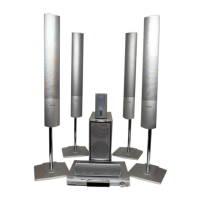
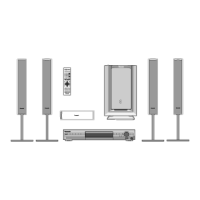
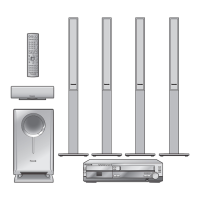
The illustration shows SC-HT535.
HT535_845_885En.book Page 1 Monday, April 18, 2005 3:17 PM


Questions and Answers

  • M
    Michael PetersonAug 17, 2025
    Why won't my Panasonic Home Theater System turn on?
    • L
      Laura CarrollAug 17, 2025
      If your Panasonic Home Theater System won't turn on, ensure that the AC mains lead and system cable are securely inserted. The Sleep timer may have reached the set time limit, causing the unit to switch to standby mode.
  • H
    Heather LongAug 19, 2025
    How to operate the TV with Panasonic SC-HT885 Home Theater System remote?
    • S
      Susan SandovalAug 19, 2025
      To operate the TV with your Panasonic Home Theater System remote, press [TV] first.
  • W
    Willie ReyesAug 22, 2025
    Why is the picture distorted on my Panasonic SC-HT885?
    • S
      Sarah NorrisAug 22, 2025
      Picture distortion on your Panasonic Home Theater System can occur for several reasons. Ensure the unit is directly connected to the television, not through a video cassette recorder. The unit and television might be using different video systems, so use a multi-system or PAL television. If the system used on the disc doesn't match your television, this unit can convert NTSC signals to PAL 60. Also, separate the antenna wire of the television from the unit.
  • M
    Michelle McclureAug 26, 2025
    Why is there no sound or distorted sound on my Panasonic SC-HT885?
    • J
      Joshua StoneAug 26, 2025
      Sound issues such as distortion or no sound on your Panasonic Home Theater System can arise from several factors. Noise may occur when playing WMA files. Some audio effects might not work or have less effect with certain discs. Ensure that AC mains leads or fluorescent lights are not near the subwoofer, as this can cause humming. Keep other appliances and cables away from the subwoofer. Also, try turning off the connected equipment at one or the other terminals.
  • R
    Rachel FrancisAug 28, 2025
    What to do if my Panasonic SC-HT885 Home Theater System is unresponsive?
    • N
      Nicholas ThomasAug 28, 2025
      If your Panasonic Home Theater System becomes unresponsive, several factors could be the cause. The unit may not be operating properly due to lightning, static electricity, or some other external factor; in this case, turn the unit off and then back on. If condensation has formed, wait 1 to 2 hours for it to evaporate. Also, depleted batteries in the remote can cause unresponsiveness, so replace them with new ones. Alternatively, press and hold [?] on the main unit and [S10] on the remote control until 'Initialised' disappears from the television. Turn the unit off and on again.
  • R
    Robert JacksonAug 31, 2025
    What to do if my Panasonic SC-HT885 display is dark or shows an error message?
    • J
      Jesse Perkins MDAug 31, 2025
      If your Panasonic Home Theater System's display is dark or showing error messages like “NO PLAY,” “NO DISC,” “F61,” “DVD U11,” or “ERROR,” it could be due to several reasons. You might have inserted a disc the unit cannot play, so insert one it can. If the disc is dirty, wipe it clean. You can also try turning the unit off and then back on.
  • M
    Marc BaileySep 2, 2025
    How to fix ghosting when progressive output is on Panasonic Home Theater System?
    • M
      michelle27Sep 2, 2025
      If you're experiencing ghosting with progressive output on your Panasonic Home Theater System, it may be due to the editing method or material used on the DVD-Video. Change 'Video Output Mode' in Picture Menu to '625i' or '525i'. You can also press [PROGRESSIVE] on the main unit so 'PRG' is displayed.
  • E
    Eric AlvarezSep 5, 2025
    Why does my Panasonic SC-HT885 say 'cannot play' or 'check the disc'?
    • L
      Laurie MarshallSep 5, 2025
      If your Panasonic Home Theater System displays messages like 'cannot play,' 'check the disc,' or similar errors, it could be due to several reasons. The operation might be prohibited by the unit or disc, or you might be trying to play incompatible content. If there's no audio, the audio might not have been recorded or is in an incompatible format, in which case only video playback is possible. Also, the disc may be dirty. Finally, ensure that 'On-Screen Messages' in the 'Display' tab is set to 'On'.
  • J
    Jessica DickersonSep 7, 2025
    How to improve radio reception on Panasonic SC-HT885 Home Theater System?
    • V
      Veronica StewartSep 8, 2025
      To improve radio reception on your Panasonic Home Theater System, adjust the position of the FM or AM antenna.
  • S
    Susan PittsSep 12, 2025
    Why does my Panasonic SC-HT885 Home Theater System automatically set Point B during A-B Repeat?
    • J
      John BarnettSep 12, 2025
      The end of an item becomes point B when it is reached. A-B Repeat is canceled when you press [QUICK REPLAY].

Summary

Safety Precautions

Placement

Instructions on how to set up the unit on an even surface, away from direct sunlight, high temperatures, humidity, and vibration.

Voltage and Power

Guidance on using appropriate power sources and protecting the AC mains lead to prevent fire or electric shock.

Foreign Matter and Service

Precautions against foreign objects, liquids, and advice on seeking professional servicing for repairs.

Glossary of Terms

Audio and Video Terminology

Definitions for technical terms like Decoder, DivX, Dolby Digital, DTS, Dynamic range, Frame still, Field still, I/P/B, MPEG4, PBC, and Sampling frequency.

Simple Setup Guide

Step 1: Speaker Assembly

Detailed instructions for assembling the front and surround speakers with their stands for various models.

Step 2: Speaker Positioning

Guidance on optimal speaker placement to affect bass and sound field, including angles and distance from seating.

Step 3: Connecting Speakers

Instructions for connecting speaker cables to the main unit and subwoofer, emphasizing correct polarity.

Step 4: Video Connections

Diagrams and instructions for connecting the unit to televisions via VIDEO IN, S-VIDEO IN, and COMPONENT VIDEO IN terminals.

Step 5: Radio and System Connections

Steps for connecting the AM loop antenna, FM indoor antenna, and system cable to the main unit and subwoofer.

Step 6: The Remote Control

Instructions on inserting batteries and basic usage of the remote control, including operating range.

Step 7: Quick Setup

Guide to using the QUICK SETUP screen for initial essential settings like language, ratings, and video output.

Control Reference Guide

An overview of the remote control buttons and their corresponding functions with page references.

Discs That Can Be Played

Supported Disc Formats

Details on various disc types (DVD-RAM, DVD-Audio, CD, etc.) and their compatibility with the unit.

Video Systems and Audio Formats

Information on video systems (PAL/NTSC) and audio formats supported by the unit for discs.

Basic Playback Operations

Using the Main Unit

Step-by-step guide on how to turn on the unit, select a source, load a disc, and start playback.

Using the Remote Control

Instructions for performing basic playback functions like stop, pause, skip, search, and frame-by-frame using the remote.

Convenient Playback Functions

Quick OSD and Disc Review

How to display playback status quickly and review titles or programs for advanced playback.

Quick Replay and Track Skipping

Functions for quickly rewinding playback by a few seconds or skipping tracks.

Subtitle and Angle Selection

How to change subtitles, select different viewing angles, or rotate still pictures.

Playback Speed and Repeat Play

Adjusting playback speed and setting repeat modes for tracks, chapters, or entire discs.

Group, Program, and Random Play

Methods for playing content in groups, creating custom programs, or random playback modes.

Using Navigation Menus

Playing Data Discs and Playback Menus

Navigating and playing files from data discs like WMA, MP3, JPEG, MPEG4, and DivX.

Searching and Selecting Content

How to search for specific content or groups by title and play selected items or tracks.

Playing HighMAT and DVD-VR Discs

Instructions for playing HighMAT discs and navigating RAM/DVD-RW (DVD-VR) discs and their programs.

Using On-Screen Menus

Main Menu Navigation

How to access and navigate the main menu for various playback options like program, title, and time.

Other Settings and Menu Options

Accessing and adjusting other settings like Picture Menu, Audio Menu, and Video Output Mode.

Changing Player Settings

Disc and Video Settings

Customizing audio language, subtitle language, menu language, and video aspect/type settings.

Audio and Other Settings

Adjusting audio settings, display options, DivX registration, and speaker delay times for optimal sound.

Radio Operation

Selecting Preset Channels

How to select preset FM/AM channels using numbered buttons or auto-tuning.

Automatic and Manual Tuning

Instructions for automatic presetting of stations and manual tuning of frequencies.

RDS Broadcasting and Antenna Connections

Displaying RDS text data and connecting optional FM/AM outdoor antennas for improved reception.

Sound Field and Quality Adjustments

Center Focus and Dolby Pro Logic II

Adjusting center speaker focus and enabling Dolby Pro Logic II for surround sound effects.

Sound Field Control and Super Surround

Modifying sound quality with SFC options and adding surround effects to stereo audio with Super Surround.

Bass Enhancement and Subwoofer Level

Enhancing bass sound and adjusting the subwoofer level for optimal low-frequency output.

Speaker Level Adjustments

Calibrating individual speaker levels using test signals for balanced surround sound.

Operating Other Equipment

Connecting and Operating TVs;VCRs

Guidance on connecting to televisions and video cassette recorders and operating them.

Operating Tape Decks and Remote Control Codes

Instructions for operating tape decks and changing remote control codes for other brands.

Other Useful Functions

Using Headphones

Instructions on connecting headphones and adjusting volume, with a note on listening safety.

Sleep Timer and Muting

How to set the sleep timer and use the muting function for audio playback.

Speaker Setup Options

Attaching Speakers to a Wall

Methods and precautions for securely mounting speakers to a wall using screws.

Fitting Speaker Stands

Guidelines for selecting and fitting compatible speaker stands, considering weight and stability.

DivX VOD Content and Maintenance

About DivX VOD Content Registration

Information on registering the unit to play DivX VOD content and managing content authorization.

Unit Maintenance and Disc Handling

Instructions for cleaning the unit, handling discs carefully, and precautions against damaged discs.

Language Code List

Specifications

Amplifier and Tuner Specifications

Technical details for the amplifier section and FM/AM tuner, including output power and frequency ranges.

Disc and Video Specifications

Specifications related to playable discs, video systems, and output formats like composite and component video.

Speaker and General Specifications

Details on individual speaker models, general power supply, dimensions, and operating conditions.

Troubleshooting Guide

Power and Basic Operation Issues

Solutions for power-related problems, unresponsive functions, and remote control issues.

Picture and Sound Problems

Troubleshooting steps for distorted pictures, no sound, incorrect colors, and abnormal audio effects.

Disc Playback and Menu Issues

Resolving problems with disc playback, menu display, specific content playback, and subtitle issues.

Television Display and Specific Errors

Guidance for TV display anomalies, error messages, and issues related to DivX VOD content playback.

Accessories List

Panasonic SC-HT885 Specifications

General IconGeneral
TypeHome Theater System
Total Power Output1000 W
Speaker Configuration5.1 Channel
DVD PlayerYes
HDMI Inputs1
USB PortYes
BluetoothNo
Playable Media FormatDVD, CD, MP3
Dolby DigitalYes
DTS DecoderYes
HDMI OutputYes
Component Video OutputYes
Progressive ScanYes
Surround SoundYes
Digital Audio InputOptical

Related product manuals