EasyManua.ls Logo

Panasonic SC-HT892 - User Manual

Panasonic SC-HT892
40 pages
Print Icon
To Next Page IconTo Next Page
Loading...
RQT8804-L
GCS
GC
GS
Operating Instructions
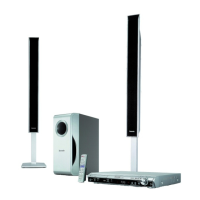
DVD Home Theater Sound System
Model No. SC-HT892
Region number
The player plays DVD-Video marked with labels containing the region
number orALL”.
Example:
[Southeast\Asia]
Before connecting, operating or adjusting this product,
please read the instructions completely.
Please keep this manual for future reference.
Region Number
The Middle East, South Africa, Saudi Arabia and
Kuwait
2
Southeast Asia 3
3 ALL
3
5
2
High-quality
picture
HDMI capability, Advanced
progressive scan and more.
page
10
Compatible with a variety
of media formats
DVD-RAM, DVD-Audio,
DVD-Video, DivX and more.
page
15
High-performance
sound effects
Sound quality enhancement,
Bass enhancement and more.
page
31
8804En_p01-05.fm Page 1 Monday, June 5, 2006 11:42 AM

Table of Contents

Questions and Answers

  • T
    Todd VargasJul 31, 2025
    What to do if my Panasonic SC-HT892 has no picture or sound?
    • W
      Wendy HansonJul 31, 2025
      If your Panasonic Home Theater System shows no picture or sound and doesn't respond to button presses, it might be due to lightning, static electricity, or another external factor. Try turning the unit off and then back on. Also, ensure that the batteries in the remote control are not depleted; if they are, replace them. If “DVD/CD” is the source, try to initialize the unit by pressing and holding [?] (Stop) on the main unit and [S10] on the remote control until “Initialized” disappears from the television. Turn the unit off and on again. All settings will return to the default values. If condensation has formed, wait 1 to 2 hours for it to evaporate.
  • D
    Derek SmithAug 7, 2025
    Why is the picture on my Panasonic SC-HT892 Home Theater System not displaying correctly?
    • P
      perezjohnAug 8, 2025
      If the picture on your television is not displayed correctly or disappears when using your Panasonic Home Theater System, ensure that the unit is connected directly to the television and not through a video cassette recorder. If you are using a mobile telephone charger, move it away from the unit. You can also try changing the “Source Select” in the Picture Menu. If the picture is distorted or not displayed when using HDMI output, press and hold [CANCEL] until the picture is displayed correctly.
  • C
    Claudia LindseyAug 16, 2025
    How to fix subtitle issues on Panasonic SC-HT892?
    • L
      Laura BrewerAug 16, 2025
      If the subtitle position is wrong or there are no subtitles displayed on your Panasonic Home Theater System, it may be due to the disc. Adjust the position using the “Subtitle Position” option in the Display Menu or display the subtitles using the “Subtitle” option in the Main menu.
  • K
    kelly95Aug 23, 2025
    Why does my Panasonic Home Theater System have no power?
    • A
      Ashley HansenAug 23, 2025
      If your Panasonic Home Theater System has no power and automatically switches to standby mode, insert the AC mains lead securely. This may be because the Sleep timer was working and had reached the set time limit.

Summary

Safety Precautions

About DivX VOD Content

Information on registering the unit and playing DivX VOD content.

Assembling Front Speakers

Speaker Installation Options

Attaching to a Wall

Instructions for attaching speakers to a wall, including safety measures.

Positioning the Speakers

Irregular TV Coloring

Instructions on how to resolve picture interference caused by speakers.

Speaker Connections

Audio and Video Connections

Television with HDMI Terminal

Connect using HDMI for higher quality audio and video.

Control with HDMI (HDAVI Control)

Operate television and home theater system synchronously.

Other Video Connections for Picture Quality

Radio and AC Mains Lead Connections

Preparing the Remote Control

Performing QUICK SETUP

Control Reference Guide

Discs That Can Be Played

Discs That Cannot Be Played

Lists types of discs that are not supported by the unit.

Disc Caution

Precautions for handling and cleaning discs.

Maintenance

Instructions for cleaning the unit.

Basic Play

Using the Remote Control (Detailed)

Convenient Functions

Playing Data Discs Using Navigation Menus

Using On-Screen Menus

Navigating On-Screen Menus

Guide to accessing and using the main menu and its options.

Other Settings

Picture Menu

Adjust picture quality settings like Normal, Cinema, Dynamic, User.

Audio Menu

Display Menu

Other Menu Settings

Changing the Player Settings

Using the Radio

Using Sound Effects

Using Other Useful Functions

Enjoying Karaoke

Operating Other Equipment

HDMI Control (HDAVI Control)

Troubleshooting Guide

Inoperable Functions

Troubleshooting for buttons not responding, no picture/sound.

Panasonic SC-HT892 Specifications

General IconGeneral
BrandPanasonic
ModelSC-HT892
CategoryHome Theater System
LanguageEnglish

Related product manuals