RQT9995-1B
Thank you for purchasing this product.
Please read these instructions carefully before using this product, and save this
manual for future use.
Model number suffix “EB” denotes UK model.
[For_the_United_Kingdom_and_Ireland]
Sales and Support Information
Customer Communications Centre
• For customers within the UK: 0344 844 3899
• For customers within Ireland: 01 289 8333
• Monday–Friday 9:00 am – 5:00 pm
(Excluding public holidays).
• For further support on your product, please visit our website:
www.panasonic.co.uk
Direct Sales at Panasonic UK
•
Order accessory and consumable items for your product with ease and
confidence by phoning our Customer Communications Centre
Monday–Friday 9:00 am – 5:00 pm
(Excluding public holidays).
• Or go on line through our Internet Accessory ordering application at
www.pas-europe.com
.
• Most major credit and debit cards accepted.
• All enquiries transactions and distribution facilities are provided directly by
Panasonic UK.
• It couldn’t be simpler!
• Also available through our Internet is direct shopping for a wide range of
finished products. Take a browse on our website for further details.
Operating Instructions
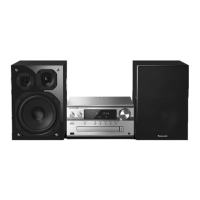
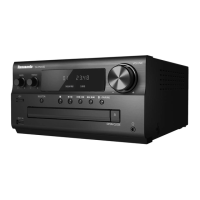
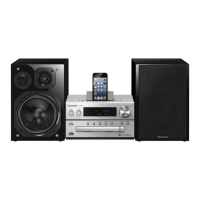
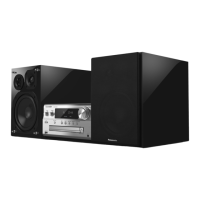
CD Stereo System
Model No. SC-PMX100
SC-PMX100B
Table of contents
Safety precautions ................................................................................2
Caution for AC Mains Lead ..................................................................3
Supplied accessories ...........................................................................3
Maintenance ..........................................................................................3
Placement of speakers .........................................................................4
Making the connections .......................................................................4
Overview of controls ............................................................................5
Preparing the remote control...............................................................5
Network settings ...................................................................................6
Streaming music over the network .....................................................8
Using AirPlay.......................................................................................10
About Bluetooth
®
................................................................................10
Bluetooth
®
operations ........................................................................10
Media information ...............................................................................12
Inserting media ...................................................................................12
Media playback controls ....................................................................12
FM radio ...............................................................................................14
[PMX100B] DAB+....................................................................................14
Using the auxiliary input ....................................................................15
Using the PC input ..............................................................................15
Sound effects ......................................................................................16
Clock and timers .................................................................................16
Others ..................................................................................................16
Troubleshooting..................................................................................18
Specifications......................................................................................21
Limited Warranty (ONLY FOR AUSTRALIA) .....................................23
SC-PMX100-100B_EGEBGN-RQT9995-B.book 1 ページ 2015年4月20日 月曜日 午後3時45分


 To Next Page
 General