EasyManua.ls Logo

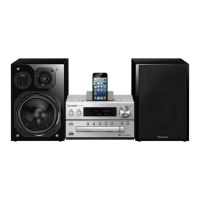
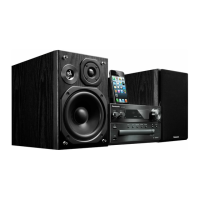
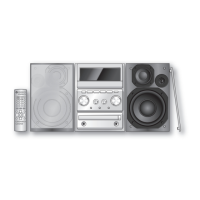
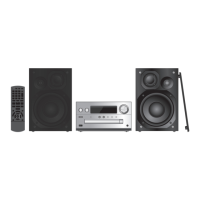
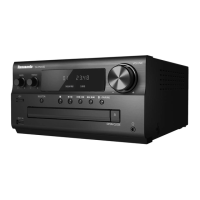
Panasonic SC-PMX92 - User Manual

Panasonic SC-PMX92
16 pages
Print Icon
To Next Page IconTo Next Page
Loading...
TQBM0358
EG
EB
GN
2019/02/05
Thank you for purchasing this product.
Please read these instructions carefully before using this product, and save this
manual for future use.
Model number suffix “EB” denotes UK model.
[For_the_United_Kingdom_and_Ireland]
Sales and Support Information
Customer Communications Centre
For customers within the UK: 0344 844 3899
For customers within Ireland: 01 289 8333
Monday–Friday 9:00 am – 5:00 pm
(Excluding public holidays).
For further support on your product, please visit our website:
www.panasonic.co.uk
Direct Sales at Panasonic UK
Order accessory and consumable items for your product with ease and
confidence by phoning our Customer Communications Centre
Monday–Friday 9:00 am – 5:00 pm
(Excluding public holidays).
Or go on line through our Internet Accessory ordering application at
www.pas-europe.com
.
Most major credit and debit cards accepted.
All enquiries transactions and distribution facilities are provided directly by
Panasonic UK.
It couldn’t be simpler!
Also available through our Internet is direct shopping for a wide range of
finished products. Take a browse on our website for further details.
Operating Instructions
CD Stereo System
Model No. SC-PMX92
SC-PMX90
Table of contents
Maintenance ..........................................................................................2
Safety precautions................................................................................2
Caution for AC Mains Lead ..................................................................3
Supplied accessories ...........................................................................3
Placement of speakers .........................................................................3
Making the connections .......................................................................4
Overview of controls ............................................................................5
Preparing the remote control...............................................................5
About Bluetooth
®
..................................................................................6
Bluetooth
®
operations ..........................................................................6
Media information .................................................................................7
Inserting media .....................................................................................7
Media playback controls ......................................................................8
FM radio .................................................................................................9
[PMX92] DAB/DAB+.................................................................................9
Clock and timers .................................................................................10
Sound effects ......................................................................................10
Using the AUX IN input....................................................................... 11
Using the PC input..............................................................................11
Others ..................................................................................................12
Troubleshooting..................................................................................12
Specifications......................................................................................14
SC-PMX90-92-EGEBGN~TQBM0358.book 1 ペー 019年1月16日 水曜日 午後2時55分

Questions and Answers

  • J
    Jacob ManningAug 16, 2025
    What to do if Panasonic SC-PMX92 Stereo System cannot connect to device?
    • K
      Kelly BarnettAug 16, 2025
      If the Panasonic Stereo System cannot connect to a device, try pairing the device again, disconnect any other device and try pairing again, select “MODE 1”, or turn the unit off and on, then try again.
  • G
    graypaigeAug 19, 2025
    What to do if PC does not recognize Panasonic SC-PMX92?
    • T
      Terri JensenAug 19, 2025
      If the PC does not recognize the Panasonic Stereo System, verify your operating environment. Try restarting the PC, switch the system off and on, and then reconnect the USB cable. You could also try another USB port on your PC, or install the dedicated driver if you are using Windows.
  • J
    Jesse HallAug 22, 2025
    How to fix “USB OVER CURRENT ERROR” on Panasonic SC-PMX92 Stereo System?
    • M
      Marie JonesAug 22, 2025
      If your Panasonic Stereo System displays “USB OVER CURRENT ERROR”, remove the USB device and switch the system off and on again.
  • A
    Andrew DeckerAug 26, 2025
    What to do if Panasonic SC-PMX92 says “NO DISC”?
    • P
      Pamela RobinsonAug 26, 2025
      If the Panasonic Stereo System displays “NO DISC”, put in a disc that the system is able to play.
  • T
    tgomezAug 28, 2025
    How to fix “NO PRESET” on Panasonic Stereo System?
    • G
      Glenn LopezAug 28, 2025
      If the Panasonic Stereo System displays “NO PRESET”, preset some channels.
  • R
    Robert ElliottAug 31, 2025
    How to fix “SCAN FAILED” on Panasonic SC-PMX92?
    • S
      staceymillsAug 31, 2025
      If the Panasonic Stereo System displays “SCAN FAILED”, check your antenna and try DAB/DAB+ manual tuning.
  • M
    Matthew BakerSep 3, 2025
    How to cancel “AUTO OFF” on Panasonic Stereo System?
    • J
      Jessica ShepardSep 3, 2025
      If the Panasonic Stereo System displays “AUTO OFF”, press any button to cancel it.
  • S
    Sara ZunigaSep 6, 2025
    What to do if Panasonic SC-PMX92 shows “NO PLAY”?
    • M
      Michelle CollinsSep 6, 2025
      If the Panasonic Stereo System displays “NO PLAY”, examine the content, format the USB device and try again, or turn the unit off and then on again.
  • S
    simsjonathanSep 9, 2025
    What to do if Panasonic SC-PMX92 Stereo System displays “ADJUST CLOCK”?
    • E
      Eric ChambersSep 9, 2025
      If the Panasonic Stereo System displays “ADJUST CLOCK”, adjust the clock accordingly.
  • D
    dunnbrianSep 12, 2025
    What does “NOT SUPPORTED” mean on Panasonic SC-PMX92 Stereo System?
    • R
      Richard GreenSep 12, 2025
      If the Panasonic Stereo System displays “NOT SUPPORTED”, you have connected an unsupported USB device.

Summary

Safety and Handling

General Safety Precautions

Essential safety advice for operation, fire, electric shock, and battery handling.

AC Mains Lead Safety and Fuse Replacement

Safety instructions for the power cord and fuse replacement procedures.

Setup and Installation

Checking Supplied Accessories

Identification of all items included with the system for proper setup.

Making Connections

Connecting Speakers, Antenna, and Power

Step-by-step instructions for connecting speakers, antenna, and AC mains.

System Controls and Interface

Main Unit and Remote Control Overview

Explanation of buttons and functions on the main unit and remote.

Bluetooth Connectivity

Pairing and Connecting Bluetooth Devices

Detailed steps for establishing a wireless connection with Bluetooth® devices.

Media Handling and Playback

Basic Media Playback Controls

How to play, stop, pause, skip tracks, and use search functions.

Radio Functions

External Input Sources

Troubleshooting and System Messages

Common Problems and Solutions

Solutions for issues like power failure, remote malfunction, and unit not responding.

Audio and Connectivity Troubleshooting

Diagnosing and fixing sound distortion, noise, USB, and Bluetooth® connection problems.

Panasonic SC-PMX92 Specifications

General IconGeneral
TypeHome audio mini system
Cassette deckNo
Product colorBlack
Optical disc playerYes
Clock mode24h
ColorationMonochromatic
Equalizer bands quantity4
Power sourceAC
Input voltage220 - 240 V
Input frequency50 Hz
Speaker type3-way
RMS rated power120 W
Number of speakers2
Mid-range driver diameter140 mm
Disc types supportedCD
Audio formats supportedAAC, AIFF, DSD, FLAC, MP3, WAV
Phono inputs (RCA)1
Headphone connectivity3.5 mm
USB 2.0 ports quantityUSB 2.0 ports have a data transmission speed of 480 Mbps, and are backwards compatible with USB 1.1 ports. You can connect all kinds of peripheral devices to them.
Supported radio bandsDAB+, FM
Preset stations quantity50

Related product manuals