EasyManua.ls Logo

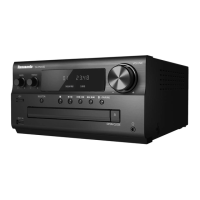
Panasonic SC-PMX802 - User Manual

Panasonic SC-PMX802
40 pages
Print Icon
To Next Page IconTo Next Page
Loading...
TQBM0736
E
2021/06/08
Unless otherwise indicated, illustrations in these operating instructions are of SC-PMX802.
Sauf indication contraire, les illustrations contenues dans ce mode d’emploi sont celles du
modèle SC-PMX802.
[For_the_United_Kingdom_and_Ireland]
Sales and Support Information
Customer Communications Centre
For customers within the UK: 0344 844 3899
For customers within Ireland: 01 289 8333
Monday–Friday 9:00 am – 5:00 pm
(Excluding public holidays).
For further support on your product, please visit our website:
www.panasonic.co.uk
Direct Sales at Panasonic UK
Order accessory and consumable items for your product with ease and
confidence by phoning our Customer Communications Centre
Monday–Friday 9:00 am – 5:00 pm
(Excluding public holidays).
Or go on line through our Internet Accessory ordering application at
www.pas-europe.com
.
Most major credit and debit cards accepted.
All enquiries transactions and distribution facilities are provided directly by
Panasonic UK.
It couldn’t be simpler!
Also available through our Internet is direct shopping for a wide range of
finished products. Take a browse on our website for further details.
Operating Instructions
Mode d’emploi
CD Stereo System
Chaîne stéréo avec lecteur CD
Model No. SC-PMX802
SA-PMX802M
Thank you for purchasing this product.
Please read these instructions carefully before using this product, and save this
manual for future use.
Nous vous remercions d’avoir acheté ce produit.
Veuillez lire attentivement les présentes instructions avant d’utiliser ce produit, et
conserver ce manuel pour utilisation ultérieure.
SC-PMX802_E_eng_fre.book 1 ペー 021年5月7日 金曜日 午後2時48分

Other manuals for Panasonic SC-PMX802

Questions and Answers

  • R
    richardbaxterJul 29, 2025
    What to do if my Panasonic SC-PMX802 Stereo System does not work?
    • J
      Joe DominguezJul 29, 2025
      If your Panasonic Stereo System isn't working, one of its safety features might be activated. Try pressing the [Í/I] button on the unit to put it in standby mode. If it still doesn't turn off, unplug it from the AC outlet, wait about 30 seconds, plug it back in, wait 10 seconds, and then press [Í/I] again to switch it on. If it still doesn't work, consult a dealer.
  • F
    fisheranthonyAug 4, 2025
    What to do if my Panasonic Stereo System displays “FAIL” “DL ERROR”?
    • K
      kyledownsAug 4, 2025
      If your Panasonic Stereo System displays “FAIL” or “DL ERROR”, it means updating or setting has failed. Turn off the unit, disconnect the AC mains lead, reconnect after seconds, then turn it back on and redo the update. If the firmware download failed, press any button to exit and try again later. If the server cannot be found, press any button to exit and make sure your wireless network is connected to the Internet.
  • M
    Miguel Cross MDAug 9, 2025
    What to do if my Panasonic SC-PMX802 displays “NO DEVICE”?
    • L
      laurapetersonAug 9, 2025
      If your Panasonic Stereo System shows “NO DEVICE”, it means the USB device is not connected. Check the connection to ensure it is properly connected.
  • K
    kelseygutierrezAug 15, 2025
    What to do if my Panasonic SC-PMX802 Stereo System displays “SCAN FAILED”?
    • M
      Monica SmithAug 15, 2025
      If your Panasonic Stereo System displays “SCAN FAILED”, it means stations are not receivable. Check your antenna and try DAB/DAB+ manual tuning.
  • N
    nflowersAug 22, 2025
    Why does my Panasonic Stereo System say “NO DISC”?
    • E
      Elizabeth NobleAug 22, 2025
      If your Panasonic Stereo System displays “NO DISC”, it means that you have not inserted a disc or the system cannot play the disc you inserted. Check the disc content.

Summary

Safety precautions

Battery

Precautions for handling and replacing batteries.

Caution for AC Mains Lead

Making the connections

Connecting to AUDIO IN terminal

Connect external audio devices using analog input.

Connecting to OPT IN (Optical Audio In) terminal

Connect digital audio sources via optical cable.

Connecting to AUX IN terminal

Connect portable audio players via 3.5mm jack.

Overview of controls

Network settings

Wired LAN connection

Connect the system to a network using a LAN cable.

Wireless LAN connection

Connect the system to a network via Wi-Fi.

Streaming music over the network

About Bluetooth

Bluetooth operations

Connecting via Bluetooth menu

Pairing and connecting Bluetooth devices.

Inserting media

Media playback controls

FM radio

DAB;DAB+

Using the AUX IN input

Using the PC input

Sound effects

Clock and timers

Firmware updates

Others

Troubleshooting

The unit does not work

Steps to take if the system fails to operate.

Error messages

Explanations of error codes and status indicators.

Initialisation

Specifications

Panasonic SC-PMX802 Specifications

General IconGeneral
CD PlaybackYes
BluetoothYes
USB PlaybackYes
Hi-Res AudioYes
DAB+ RadioYes
FM RadioYes
AirPlay 2Yes
Chromecast built-inYes
TypeMicro Hi-Fi System
Total Harmonic Distortion1 %
Speaker Type2-way
Tweeter Diameter1.9 cm
Woofer Diameter14 cm
Optical Disc PlayerYes
Disc Types SupportedCD, CD-R, CD-RW
Internet RadioYes
Bluetooth Version4.2
USB PortYes
USB Ports Quantity1
Ethernet LANYes
Wi-FiYes
Headphone Outputs1
Headphone Connectivity3.5 mm
Playback MP3Yes
Product ColourBlack
Speakers2
FM TunerYes
Impedance3 Ohm
Audio Formats SupportedMP3, AAC, FLAC, WAV, AIFF, ALAC
Dimensions (W x H x D)211 x 114 x 267 mm

Related product manuals