11
11
ENGLISH
TQBM0736
This system can show the text data transmitted by the
Radio Data System available in some areas.
Press [DISPLAY] repeatedly.
Note:
• Radio Data System is available only when stereo works in
reception.
• Radio Data System may not be available if reception is
poor.
DAB/DAB+
Preparation
Press [RADIO, EXT-IN] repeatedly to select “DAB+”.
If you select “DAB+” for the first time, the system will
start the “DAB AUTO SCAN” procedure.
Note:
• If no station is detected, “SCAN FAILED” is shown.
Adjust the antenna and try again.
1 Press [RADIO MENU] to select “AUTO SCAN”
and then press [OK].
“START?” is shown.
2 Press [OK].
“DAB AUTO SCAN” is shown.
To find the best antenna position, use manual tuning to
search selected DAB/DAB+ frequency block.
1 Press [RADIO MENU] repeatedly to select
“MANUAL SCAN”.
2 Press [2, 1] to select a frequency block to scan
and then press [OK].
“TUNING” is shown.
If “SCAN FAILED” is still displayed, repeat steps 1 to
2 until a station is stored. If the situation does not
improve, use an outdoor DAB antenna or consult
your dealer.
You can preset up to 20 DAB/DAB+ stations.
1 Press [6] or [5] to select a station.
• Alternatively, press [:/6] or [5/9] on the
main unit when “STATION” is selected as the tune
mode*
1
.
2 Press [PGM, -DEL].
3 Press the numeric buttons to select a preset
number.
Do steps 1 through 3 again to preset more stations.
Note:
• A station previously stored is overwritten when another
station is stored in the same preset number.
• You cannot preset a station when the station is not
broadcasting or when you have selected a secondary
service.
• Previous station memory is cleared during auto scan.
Press the numeric buttons, [:] or [9] to select
the preset station.
• Alternatively, press [:/6] or [5/9] on the main
unit when “PRESET” is selected as the tune mode*
1
.
*1: To change the tune mode
1 Press [RADIO MENU] repeatedly to select “TUNE
MODE”.
2 Press [2, 1] to select “STATION” or “PRESET”, and
then press [OK].
You can view information about the DAB/DAB+
broadcast, programme type, ensemble label and
frequency.
Press [DISPLAY] to view available information.
1 Press [RADIO MENU] repeatedly to select an
option.
2 Press [2, 1] to select the desired setting and
then press [OK].
When adjusting the antenna, you can check the
reception quality.
1 Press [RADIO MENU] repeatedly to select
“SIGNAL QUALITY”.
2 Press [2, 1] to select frequency.
The current frequency block is displayed and then
the reception quality is indicated.
To display Radio Data System text data
“PS”: Programme service
“PTY”: Programme type
“FREQ”: Frequency
DAB/DAB+ auto scan
DAB/DAB+ manual tuning
Memory presetting
Selecting a preset station
Viewing available information
DAB/DAB+ settings
DAB SECONDARY
PRIMARY To listen to primary service.
SECONDARY To listen to secondary services.
“ ” is shown.
AUTO CLOCK ADJ
ON ADJUST Start auto clock adjustment.
OFF ADJUST Cancel auto clock adjustment.
DAB/DAB+ signal quality
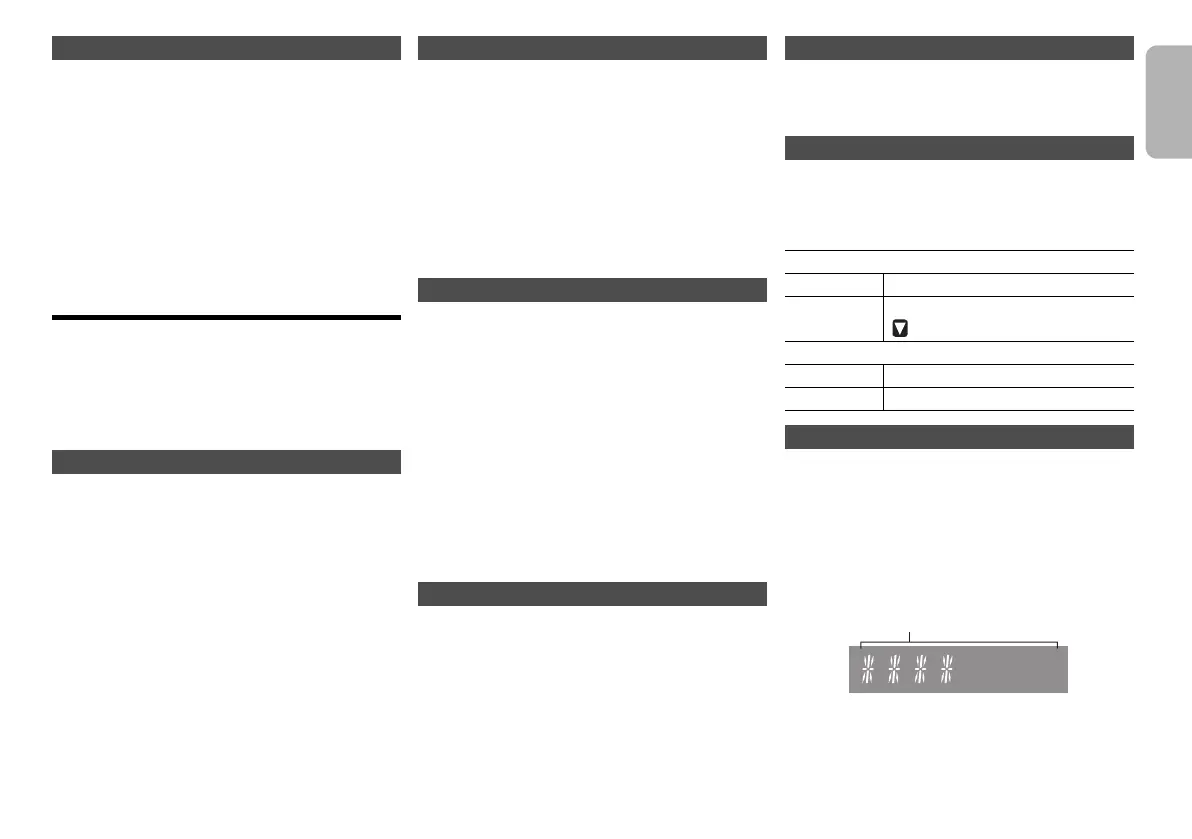
Reception quality
0 (poor) to 8 (excellent)
SC-PMX802_E_eng_fre.book 11 ページ 2021年5月7日 金曜日 午後2時48分







 To Next Page