EasyManua.ls Logo

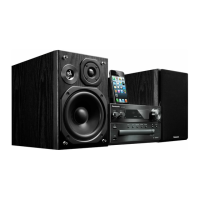
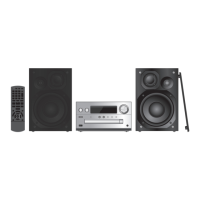
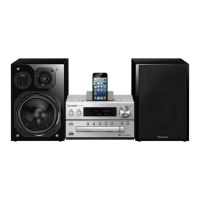
Panasonic SC-PMX7DB - User Manual

Panasonic SC-PMX7DB
12 pages
Print Icon
To Next Page IconTo Next Page
Loading...
VQT4X47-1
until
2013/3/25
EB
Thank you for purchasing this product.
Please read these instructions carefully before using this product,
and save this manual for future use.
Model number suffix “EB” denotes UK model.
Sales and Support Information
Customer Communications Centre
For customers within the UK: 0844 844 3899
For customers within Ireland: 01 289 8333
Monday–Friday 9:00 am – 5:00 pm
(Excluding public holidays).
For further support on your product, please visit our website:
www.panasonic.co.uk
Direct Sales at Panasonic UK
Order accessory and consumable items for your product with ease and
confidence by phoning our Customer Communications Centre
Monday–Friday 9:00 am – 5:00 pm
(Excluding public holidays).
Or go on line through our Internet Accessory ordering application at
www.pas-europe.com
.
Most major credit and debit cards accepted.
All enquiries transactions and distribution facilities are provided directly by
Panasonic UK.
It couldn’t be simpler!
Also available through our Internet is direct shopping for a wide range of
finished products. Take a browse on our website for further details.
Operating Instructions
CD Stereo System
Model No. SC-PMX7DB
Table of contents
Safety precautions ................................................................................. 2
Supplied accessories ............................................................................ 3
Maintenance ...........................................................................................3
Preparing the remote control................................................................3
Making the connections ........................................................................ 3
Placement of speakers .......................................................................... 4
Overview of controls ............................................................................. 4
Inserting media ......................................................................................5
Media information ..................................................................................5
Bluetooth
®
operations ...........................................................................6
About Bluetooth
®
................................................................................... 6
Media Playback operations................................................................... 7
Radio ....................................................................................................... 8
DAB/DAB+ .............................................................................................. 8
Clock and timers .................................................................................... 9
Sound effects ......................................................................................... 9
Using the auxiliary input ....................................................................... 9
Others .....................................................................................................9
Troubleshooting................................................................................... 10
Specifications....................................................................................... 11
Caution for AC Mains Lead ................................................. Back Cover
SC-PMX7EB-VQT4X47.book 2 ページ 2013年2月6日 水曜日 午後5時46分

Questions and Answers

  • U
    ucoleAug 16, 2025
    Why is the sound distorted or there is no sound from my Panasonic SC-PMX7DB Stereo System?
    • S
      Steve StricklandAug 16, 2025
      If the sound from your Panasonic Stereo System is distorted or absent, first adjust the volume. If that doesn't work, switch off the system, identify and fix the issue, and then turn it back on. This distortion can be caused by speakers straining due to excessive volume, power, or use in a hot environment.
  • J
    james61Aug 19, 2025
    Why is the sound interrupted when using Bluetooth on my Panasonic Stereo System?
    • S
      Steven HarrisAug 19, 2025
      If the sound is interrupted on your Panasonic Stereo System, bring the Bluetooth device closer to the system, as it may be out of the 10 m communication range. Also, remove any obstacles between the system and the device. Interference from other devices using the 2.4 GHz frequency band (like wireless routers, microwaves, or cordless phones) can also cause interruptions, so move the Bluetooth device closer.
  • C
    Christina HollowayAug 22, 2025
    What to do if my device cannot be connected to Panasonic Stereo System?
    • H
      houstonjosephAug 22, 2025
      If the device cannot be connected to your Panasonic Stereo System, it might be because the pairing was unsuccessful or the registration has been replaced. Try pairing the device again. It's also possible that the system is connected to a different device, so disconnect any other devices and try pairing again.
  • L
    Lauren TaylorAug 25, 2025
    Why can't I hear audio through my Panasonic SC-PMX7DB even though the device is connected?
    • D
      Danielle HunterAug 26, 2025
      For some built-in Bluetooth devices, you have to set the audio output to “SC-PMX7” manually. Read the operating instructions for the device for details.
  • M
    Matthew GlennAug 27, 2025
    What to do if my iPod/iPhone/iPad does not charge when connected to Panasonic SC-PMX7DB?
    • M
      Mrs. Elizabeth Kelly MDAug 28, 2025
      If your iPod/iPhone/iPad isn't charging with the Panasonic Stereo System, first check the connection. If using the “iPod_Port” connection, ensure the stereo system is on until the iPod/iPhone/iPad becomes operational, especially if the battery is depleted. If using the “iPod_Dock” connection, “Checking Connection” will be displayed, and charging should begin.
  • R
    Rachel MoranAug 30, 2025
    How to improve poor radio reception on Panasonic Stereo System?
    • C
      Christopher VazquezAug 30, 2025
      If you're experiencing poor reception or hearing a beat sound on your Panasonic Stereo System, keep the antenna away from computers, TVs, other cables, and cords. Try using an outdoor antenna. Also, switch off the TV or move it away from the system.
  • J
    jameswatersSep 2, 2025
    Why is there a humming sound during playback on my Panasonic SC-PMX7DB Stereo System?
    • S
      Sabrina AndersonSep 2, 2025
      If a “humming” sound can be heard during playback on your Panasonic Stereo System, keep other appliances and cords away from the cables of this system. This can be caused by an AC mains lead or fluorescent light being near the cables.
  • A
    Ann GonzalezSep 4, 2025
    What to do if you cannot switch on the iPod/iPhone/iPad connected to Panasonic SC-PMX7DB Stereo System?
    • J
      Jennifer BallSep 4, 2025
      If your iPod/iPhone/iPad is not switching on when connected to the Panasonic Stereo System, examine that the battery of the iPod/iPhone/iPad is not depleted. Also, switch off the iPod/iPhone/iPad and the system before you connect the iPod/iPhone/iPad, then connect the iPod/iPhone/iPad and try again.
  • B
    Brent CabreraSep 7, 2025
    Why can't my Panasonic SC-PMX7DB read my USB device?
    • A
      ashley98Sep 7, 2025
      If the USB device or the contents in it cannot be read by your Panasonic Stereo System, it may be because the format of the USB device or the contents in it is/are not compatible with the system. USB devices with storage capacity of more than 32 GB may also not work in some conditions.
  • J
    Jack LeonardSep 10, 2025
    Why is my Panasonic SC-PMX7DB USB device operating slowly?
    • S
      Sarah MyersSep 12, 2025
      If you are experiencing slow operation of the USB device with your Panasonic Stereo System, it may be because a large content size or large memory USB device takes longer time to read.

Summary

Safety Precautions

System Setup and Connections

Connecting System Components

Step-by-step guide for connecting the system components.

Speaker Placement and Controls

Media Insertion and Playback

Connecting Devices

Instructions for connecting Apple devices and USB storage.

CD Disc Tray Operation

How to insert and play CDs.

Bluetooth Connectivity and Operations

Pairing Bluetooth Devices

Steps to connect and pair Bluetooth-enabled devices.

Media Playback Functions

Basic Media Playback Controls

Basic functions for playing media from various sources.

Radio Tuning and Reception

Troubleshooting Common Issues

Operational Issues Troubleshooting

Solutions for remote, sound, humming, and disc problems.

Device Connectivity Troubleshooting

Resolving problems with iPod/iPhone/iPad, USB, and Bluetooth.

System Display Error Troubleshooting

Explanations for error messages and system status indicators.

AC Mains Lead Safety Precautions

AC Mains Plug Fuse Replacement

Instructions for safely replacing the fuse in the AC mains plug.

Panasonic SC-PMX7DB Specifications

General IconGeneral
TypeHome audio micro system
Cassette deckNo
Product colorBlack
Optical disc playerYes
Karaoke-
Speaker type3-way
RMS rated power120 W
Woofer diameter140 mm
Number of speakers2
Tuner typeDigital
Supported radio bandsDAB+
Display typeFL
Headphone outputs1
Apple docking compatibilityiPad, iPhone, iPod
Disc types supportedCD, CD-R, CD-RW
Playback disc formatsCD audio
Audio formats supportedMP3
Power sourceAC
Input voltage220-240 V
Input frequency50 Hz
Power consumption (standby)0.4 W
Power consumption (typical)60 W
Weight and Dimensions IconWeight and Dimensions
Main unit weight3000 g
Main unit dimensions (WxDxH)210 x 266 x 120 mm

Related product manuals