9
VQT4X47
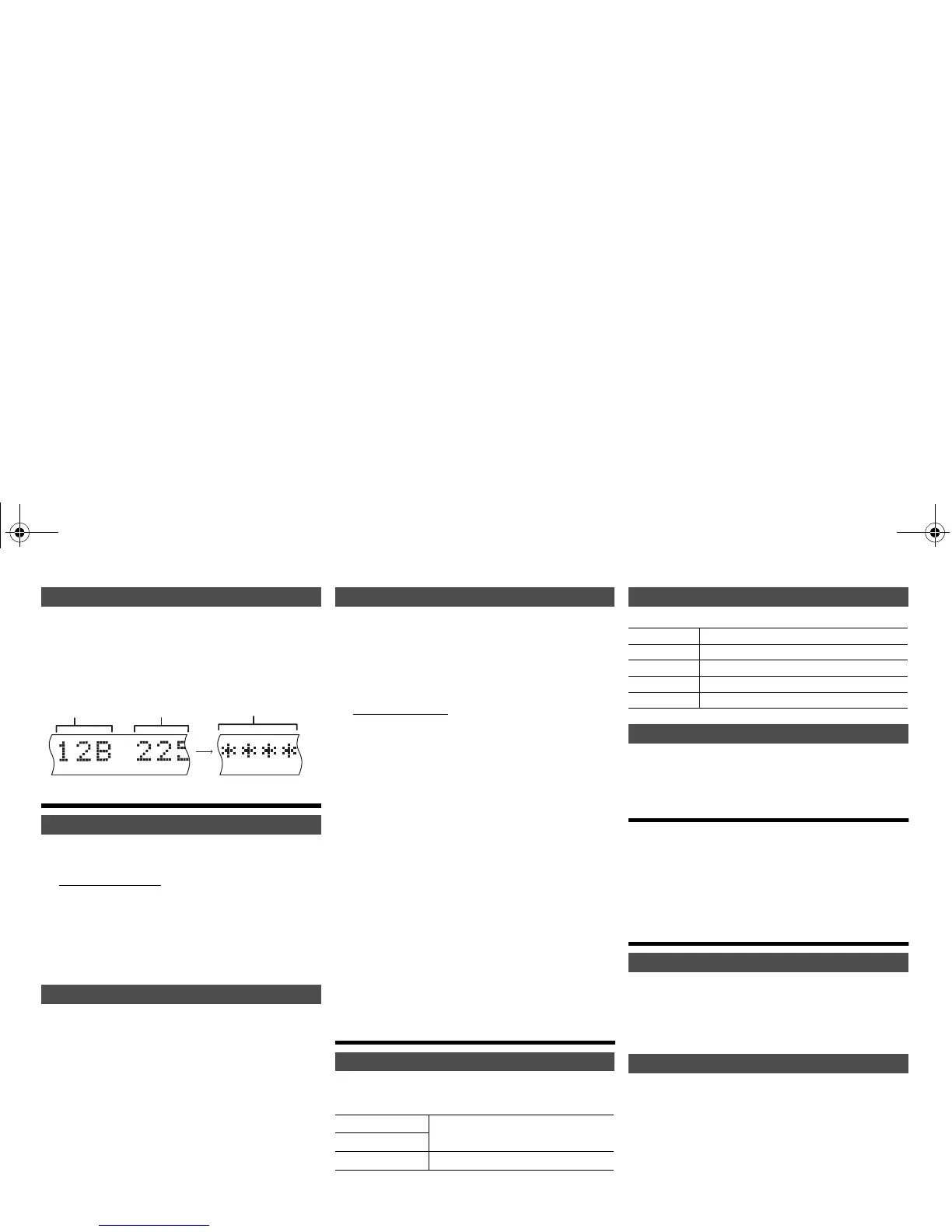
When adjusting the antenna, you can check the
reception quality.
1 Press [RADIO MENU] repeatedly to select “Signal
Quality”.
2 Press [2, 1] to select frequency.
Clock and timers
This is a 24-hour clock.
1 Press [CLOCK/TIMER] to select “CLOCK”.
2 Within 10 seconds, press [3, 4] to set the time.
3 Press [OK].
Press [CLOCK/TIMER] to show the clock for a few
seconds.
Note:
• Reset the clock regularly to maintain accuracy.
The sleep timer switches off the system after the set
time.
Press [SLEEP] repeatedly to select the setting (in
minutes).
To cancel, select “Off”.
To show the remaining time
Press [SLEEP].
Note:
• The sleep timer can be used together with the play timer.
• The sleep timer always comes first. Be sure not to set an
overlap of timers.
You can set the timer to come on at a certain time to
wake you up.
Preparation
Set the clock.
1 Press [CLOCK/TIMER] repeatedly to select
“TIMER Adjust”.
2 Within 8 seconds, press [3, 4] to set the start
time.
3 Press [OK].
4 Do steps 2 and 3 again to set the end time.
To start the timer
1 Prepare the audio source you want to listen to
and set the volume.
2 Press [F, PLAY].
“F” is shown.
To cancel, press [F, PLAY] again.
The system must be switched off for the timer to
operate.
To check the settings
Press [CLOCK/TIMER] repeatedly to select “TIMER
Adjust”.
Note:
• The timer starts at a low volume and increases gradually to
the preset level.
• The timer comes on at the set time every day if the timer is
on.
• If you switch off the system and switch on again while a
timer is in operation, the timer will not stop at the end time.
Sound effects
1
Press [SOUND] to select a sound effect.
2 Press [2, 1] to select the desired setting.
By main unit only
Turn [BASS] or [TREBLE] to adjust the level.
Press [PRESET EQ] to select a setting.
This function lets you enjoy a powerful bass effect.
Press [D.BASS] to select “On D.BASS” or “Off
D.BASS”.
Using the auxiliary input
You can connect a VCR, DVD player etc. and listen to
the audio through this system.
Preparation
Connect the external equipment.
1 Press [SELECTOR] repeatedly to select “AUX”.
2 Play the external equipment.
Others
1
Press [SETUP] to select “Dimmer”.
2 Press [2, 1] to select “On” and then press [OK].
Note:
• To cancel, select “Off” in step 2.
This function switches off the system (except in radio
source) if you do not use the system for approximately
30 minutes.
1 Press [SETUP] repeatedly to select “Auto Off”.
2 Press [2, 1] to select “On” and then press [OK].
Note:
• To cancel, select “Off” in step 2.
• When connected to a Bluetooth
®
device, this function does
not work.
DAB signal quality
Setting the clock
Sleep timer







 To Next Page