49VQT1R00 49VQT1R00
Focus, coloring, shutter speed and brightness can be manually adjusted.
indicates functions used with motion pictures and functions used with
still pictures.
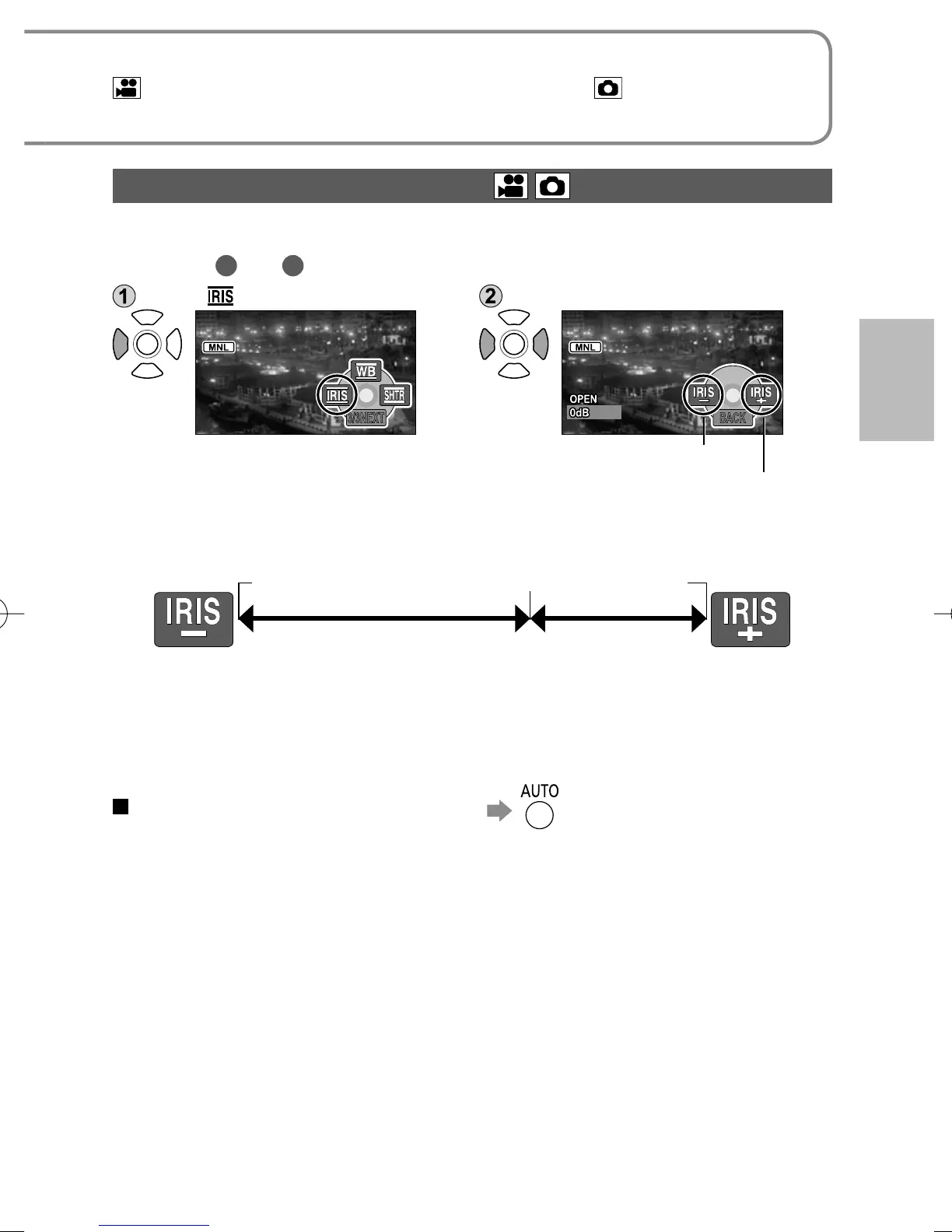
Adjusting brightness (iris/gain)
Adjust iris/gain (sensitivity) settings if location is too bright or too dark.
After steps
1
and
2
(P.44)
Select [ ]. Adjust brightness.
3/3NEXT BACK
IRIS–: Darker
IRIS+: Brighter
Darker Brighter
Iris adjustment
Iris/gain value adjustment range
Gain adjustment
CLOSE……F16……F2.0…OPEN (0 dB)………18 dB
● Depending on the zoom magnification, some iris values (F number) may not
be displayed.
● Interference will increase as gain value is raised.
To return to automatic adjustment





 To Next Page